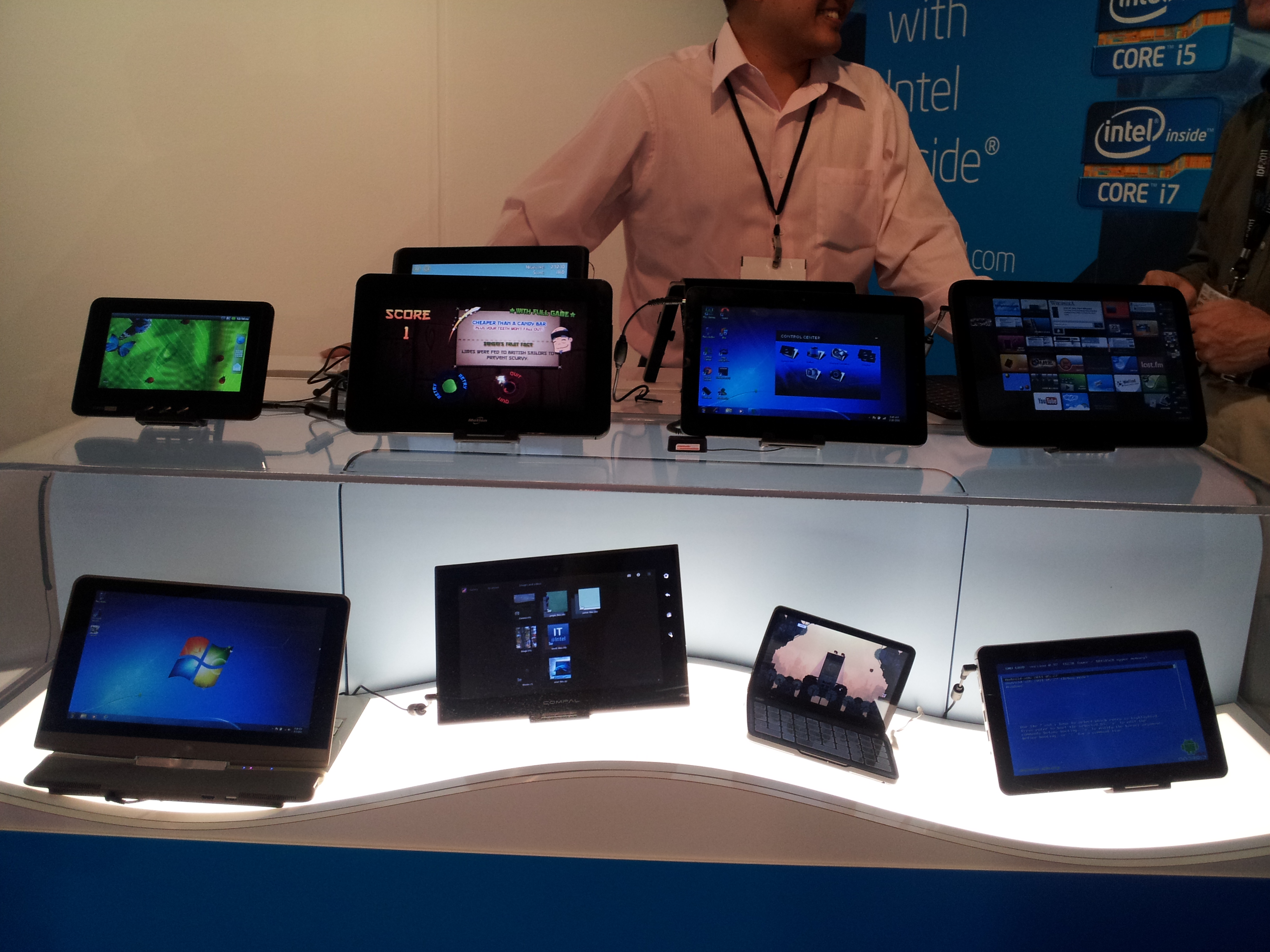
The cellphone revolution of the last 10 years has been amazing and the influx of smartphones and tablets that now crowd our shelves are challenging the ways we compute. Unfortunately for Intel, all of these new devices are powered by ARM processors, not Intel chips. Sure, Intel is still dominating when it comes to PCs, but PCs aren’t the growing market anymore. At Computex in May, Intel debuted 10 new tablets, all running on its Atom chip architecture. Some of these tablets were on display in at the CE Week Line Show in New York yesterday, where I took a gander at Intel’s best stab at tablets. The most notable manufacturers in the bunch are Fujitsu and Viewsonic, followed by Motion with its CL900, which was a bit thicker than I remembered, though its built for the outdoors. Sadly, I don’t think having Intel Inside will save many of these tablets.
I am fairly convinced that none of the 10 tablets shown will make a big splash in North America. Perhaps elsewhere, but not here. If Intel’s goal was to show off the range of devices that can run on its chips, then mission accomplished. Devices ranged in size from tiny 7-inch models to the monstrous 11.6-inch WeTab. Operating systems also varied. Android, Windows 7, and MeeGo tablets were shown. One of them can even dual-boot Android and Windows, if that’s the kind of thing you think you might be into.
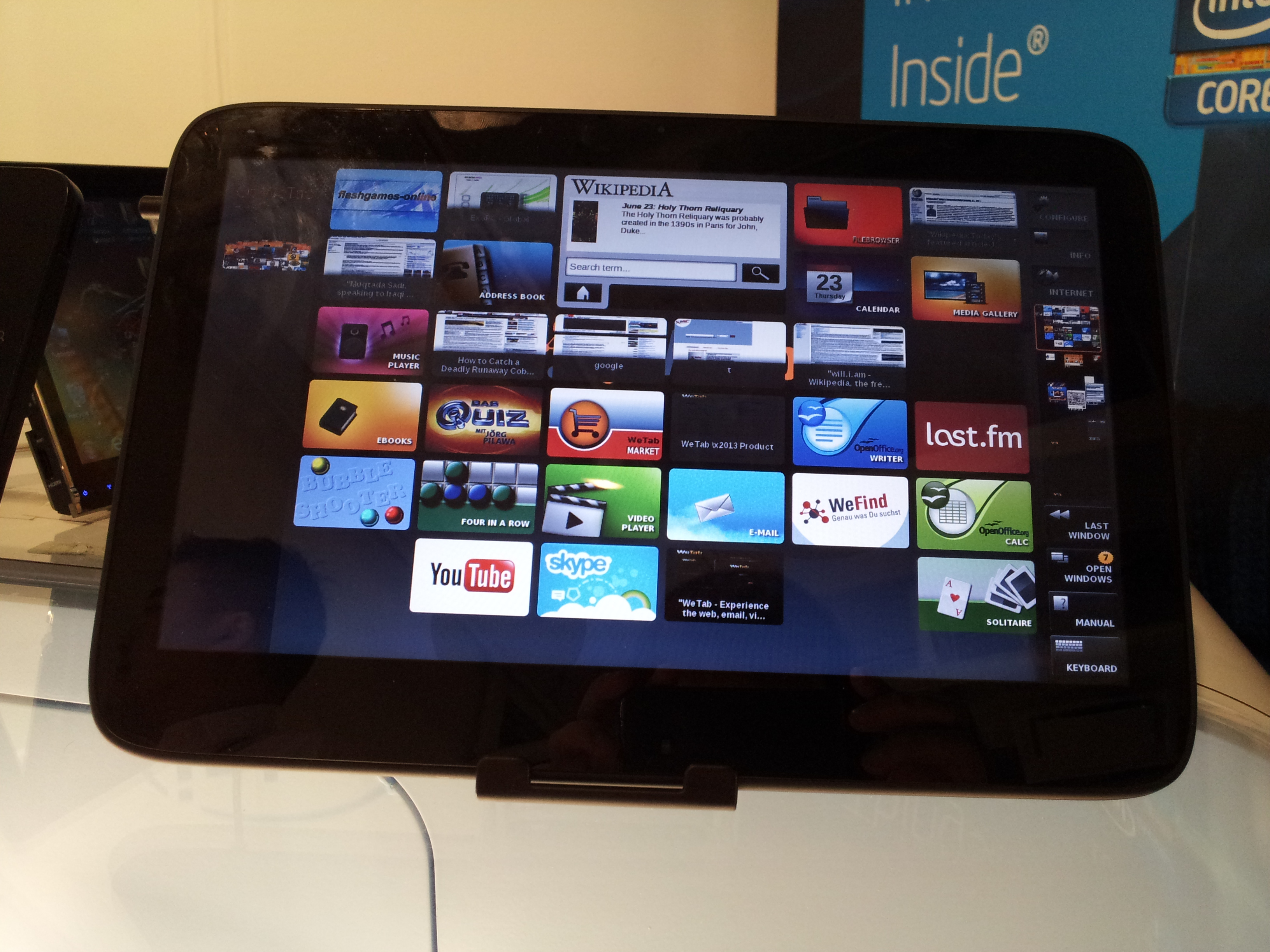
The MeeGo WeTab is particularly interesting. MeeGo can take many shapes, but this one is different from any other operating system I’ve seen. Like Windows Phone, it has a square grid of tiles that you can scroll through. These aren’t Live Tiles that animate and show relevant information; they’re just static square shortcuts, but there are a lot of them. The tablet is designed for two-handed use. You can scroll through the icons by sliding your right thumb down the right sidebar, which has a miniature version of the homepage on it. Other buttons for the Internet, Keyboard, Manual, and other options are also on the sidebar.
Once you enter an application, its custom controls appear on the left side of the screen. It’s a very neat idea, but the overall execution is lacking. The screen was unresponsive and the experience felt almost too flat. Everything I would ever want to do was on the screen. It was a strange feeling. There’s no such thing as digging through this computer. Everything is on the surface. Or that’s how it appears at first use, at least. The Intel representative goes through some of the MeTab use model in the video below.
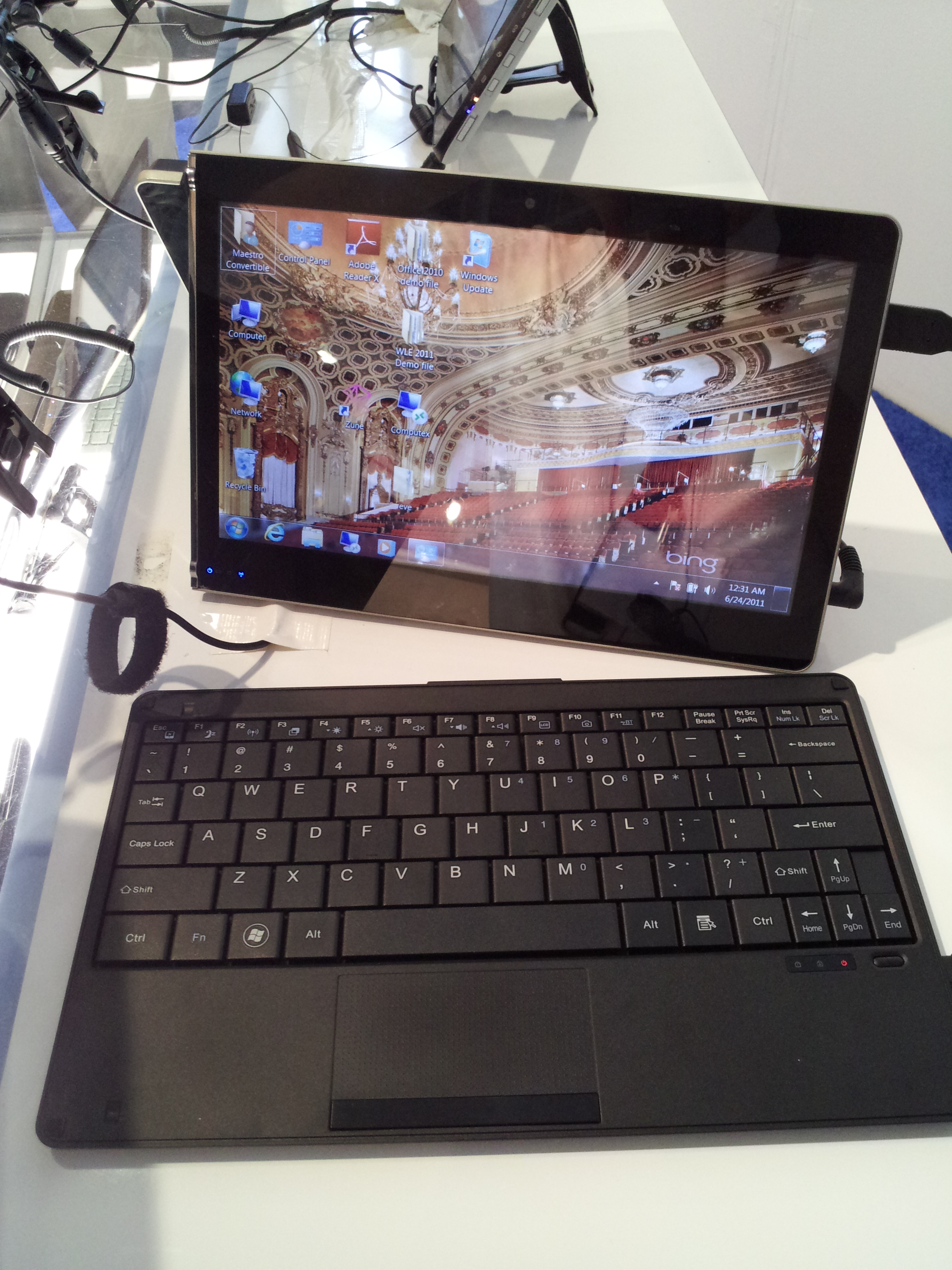
More and more manufacturers keep trying to add a keyboard to the tablet and the example to the right is the latest attempt at this. Both the screen and tablet come snapped together as one piece. To start typing, you must unsnap it from its keyboard, find a hard surface for it to sit on, and twist its left side which turns into a kickstand. Unfortunately, the keyboard is too large and the setup is far too awkward. The point of having a tablet (or a laptop, for that matter) is that you can just use it on your lap or hold it. All these snaps and hinges defeat the purpose. Acer and Asus have had similar issues with their transforming tablets.
It appears that Intel’s chips are finally capable of saving enough energy (most devices got around 7 hours) that they are functional in tablet-like devices. What it needs to do now is get major manufacturers to sign onboard, like it did with the Ultrabooks. Intel can have a thousand mobile-capable processors, but if nobody is buying them, well, what does it matter?
Below is a quick video rundown of Intel’s tablet selection at the CE Line Show in New York.