


The Steam Deck is a fantastic little machine, capable of giving you some of the best gaming experiences on the go, from indies to AAA. While Valve is still ironing out some of its features, the Steam Deck has a lot of value, especially if you're someone who likes to travel while gaming. To make the most out of your Steam Deck, you'll want to utilize certain accessories, some of which are absolutely essential. But which accessories should you get? Here, we'll go through the best Steam Deck accessories, from headphones to storage expansions and even docks.


The best storage
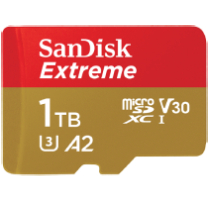
SanDisk Extreme microSD UHS-I Card - 1TB
- Fast read/write speeds
- Great capacity
- Reliable brand
- Pricey
Even the most expensive Steam Deck model still only comes with 512GB of storage, and since the machine only supports digital games, you'll absolutely want to grab a larger SD card if you plan on having a lot installed on your machine at once. Unlike the Nintendo Switch or other cartridge-based devices, you have to install Steam Deck games to the machine via an SD card, and your mileage may vary depending on the size of each game, but it might be worth grabbing up to 1TB of memory to make room. The SanDisk 1TB is excellent and has fast read/write speeds, so it's absolutely ideal for Steam Deck. The 1TB isn't the most affordable, but it's nice to know it's an option for those looking to play lots of games at once.

The best affordable gaming headset
Razer Barracuda X
- Affordable
- Built-in microphone
- Wireless
- Dongle gets in the way
A gaming headset is practically essential regardless of your platform, and the Steam Deck is no different. There are plenty of options, but our pick goes to the Razer Barracuda X. Given its comfort, ease of use, great sound quality, and range, it's easy to see why it makes our list. Thankfully, it's highly affordable as well, coming in at around $80 to $100. We also appreciate the Barracuda X's sleek look, which matches nicely against the Steam Deck itself. It's also wireless, which is a huge factor that adds to the overall convenience of the Steam Deck experience. The Barracuda X is a great device that will certainly get the job done without breaking the bank.

The best controller
Xbox Core Controller
- Comfortable, well-designed controller
- Wide connectivity options
- Lots of color choices
- Uses AA batteries out of the box
Much like the Nintendo Switch, you can use the Steam Deck in tabletop mode with an external, third-party controller. Pretty much any modern device will work, but our pick goes to the Xbox controller. This is thanks to its lightweight yet sturdy design, comfortable handles and button placement, and D-pad. It's a nearly perfect gamepad that has been iterated upon since the original Xbox Duke controller debuted in 2001. What's great about this device is that there are so many different options, from the Elite Controller 2 to the standard version, and even the ability to create your own using Xbox Design Lab!

The best third-party dock
Anker PowerExpand 7-in-1 USB C Hub
- Affordable
- Reliable brand
- Relatively small
- Short USB-C cable
The Steam Deck will eventually get its own Valve-made docking station that works similarly to the one available for Nintendo Switch. But since its delay, users have been flocking to other third-party options instead. One such option is the Anker PowerExpand 7-in-1 USB C Hub, a powerful little device that supports HDMI, microSD, USB-C, and even USB 3.0, making it a highly practical accessory. While this device doesn't offer the same convenience as the upcoming dock made by Valve itself, it's an effective solution that works well, especially in the interim. Better yet is its affordable price, which will almost assuredly be less expensive than Valve's.

The best screen protector
amFilm Screen Protector Designed for Steam Deck
- Affordable
- Easy to apply
- Anti-scratch
- Slight glare
Two of the three Steam Deck options -- the $400 and the $530 editions -- do not have a built-in screen protector. The premium $650 version does include anti-glare etched glass, but considering the price, it's safe to assume most won't purchase that particular edition. When it comes to screen protectors, there are a ton of options, but we like the one from amFilm, which offers tempered glass and promises anti-scratch resistance. It's easy to apply, affordable, and will come in handy if you drop your Steam Deck (or if you drop something onto the device itself).

Best grip
Protective Case for Steam Deck, Full Protection Steam Deck Cover, Game Machine Protector Anti- Scratch Game Console Soft Silicone Case
- Offers protection and support
- Snug fit
- Clean design
- Reports of grip not aligning perfectly with buttons, but doesn't obstruct
Speaking of protection, it's always a good idea to grab a case for any handheld device, especially a premium one like the Steam Deck. There's no shortage of options, but the Lystin case is a top choice, offering a comfortable silicone protective shell that shields most drops. This case also prevents scratches, fingerprints, and other issues related to physical damage. It's easy to apply and looks clean when stretched over the device itself.
The best power bank
Elecjet PowerPie 20,000 Power Bank
- 45W power delivery
- Bulky
One of the Steam Deck's worst flaws is its short battery life, which can cause the system to die in as little as two hours depending on the games you play. While there's no internal battery upgrade available in its current form, you can opt to purchase an external power bank, which will certainly extend those play sessions. With so many factors, it can be hard to pick an external battery pack, but we prefer the Elecjet PowerPie 20,000 Power Bank. This thing is a beast and will keep your Steam Deck alive considerably longer than with most other power banks, though it does have a couple of minor flaws. It's bulky and works best when plugged into a wall, so it's not the most convenient accessory, but it will give your Steam Deck the best battery life.


