Frames win games, as Nvidia loves to say, so if you’re playing a hotly competitive game like Apex Legends, then making sure you’re playing at peak performance is a great way to improve your chances of winning. Other than listening to the people telling you to “git gud,” of course. One of the best ways to improve your Apex Legends performance is by adjusting the settings. But which ones are worth changing, and which ones aren’t?
To find out, we performed a deep dive on Apex Legends settings to find out which ones you can turn down, and which ones you absolutely need to leave on.
The best settings for Apex Legends
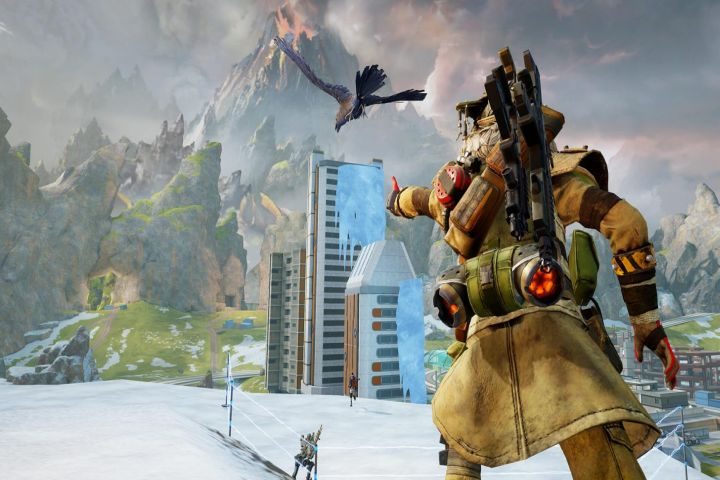
If you have a high-end gaming PC, you needn’t worry too much about Apex Legends settings. Its low-demanding requirements mean that you should get high-frame rates with any settings. If your PC isn’t cutting-edge though, then you can min-max your performance by optimizing your settings.
Since this is a competitive game, the focus with these settings will be on pushing up frame rates and keeping frame times as low as possible to help reduce input lag and make you a more responsive gamer. This does lead to a worse-looking game since there are a range of visual features which don’t offer a competitive advantage and lower frame rate, so we recommend turning most of them off if you want to improve your chances of winning.
If you want a more immersive gaming experience with Apex Legends, you’ll want to be more liberal with the settings you enable.
Here are our recommended settings for making the game run as fast as it can, without sacrificing the visuals too much:
- Display mode: Full Screen
- Aspect ratio: 16:9 or whatever your monitor’s aspect ratio is.
- Resolution: 1080p, 1440p, or whatever your monitor’s native resolution is.
- Field of view: This is down to personal preference. Most opt for an FOV between 90 and 110.
- Spring view shake: Minimal
- V-Sync: Disabled
- Adaptive resolution FPS target: 0
- Adaptive supersampling: N/A
- Anti-aliasing: TSAA
- Texture streaming budget: Medium
- Texture filtering: Anisotripic 2x
- Ambient occlusion quality: Disabled
- Sun shadow coverage: Low
- Sun shadow detail: Low
- Spot shadow detail: Disabled
- Volumetric lighting: Disabled
- Dynamic spot shadows: Disabled
- Model detail: Medium
- Effects detail: Medium
- Ragdolls: Low
Everything here is pretty standard in that if it doesn’t affect gameplay, it’s turned off. The only one I would personally leave on is anti-aliasing. It does have some impact on performance, but it’s not egregious and I really notice those jagged edges. If you don’t, particularly when you’re in the heat of the action, feel free to disable that too.

You can turn off texture filtering entirely, but you lose almost all contrast in the textures and 2x doesn’t have much of an effect on performance. Texture streaming is effectively just the game’s version of texture quality, and medium looks absolutely fine in this game. You rarely stop long enough to look around and take in the textures.
Model detail at medium makes it a bit easier to see enemies at a distance and switching to low has very little impact on frame rate.
Apex Legends system requirements
Like most esports games, the system requirements for Apex Legends aren’t particularly demanding, so almost anyone with a gaming PC that was built within the past decade should be able to get it up and running. If you want to run it at higher settings you’ll need something a bit more modern, but high frame rates are not a lofty goal with this game.
These are the minimum requirements to play Apex Legends:
Processor: AMD FX 4350, Intel Core i3-6300 or newer
Graphics: AMD Radeon HD 7730, Nvidia GT 640 or newer
Memory: 6GB
Storage: 56GB (+3.8GB for each localized language)
Operating system: Windows 7 64-bit or newer
The processors and graphics cards are close to a decade old and weren’t high-end when they first launched, so just about any gaming PC should be able to meet these specifications.
These are the recommended system requirements for Apex Legends:
Processor: AMD Ryzen 5, equivalent Intel CPU, or better
Graphics: AMD Radeon R9 290, Nvidia GTX 970 or better
Memory: 8GB
Storage: 56GB (+3.8GB for each localized language)
Operating system: Windows 7 64-bit or newer
The CPU generation isn’t specified, so it’s not entirely clear which Ryzen 5 is recommended here, nor the Intel equivalent. The most generous interpretation would assume first-generation Ryzen 5 CPUs, like the R5 1600. If so, you should be able to get away with any mid-range Intel CPU from the 4000 generation onwards. Or better.
The graphics cards are around eight years old, but they were close to the top end when they did launch. Most gaming PCs from the past five years should have no trouble meeting these specs,
Want or need to upgrade your PC to make Apex Legends run better? Here are our guides to the best graphics cards, and best processors for gaming you can buy today.
Apex Legends benchmarked
To see what kind of impact our settings tweaks have on Apex Legends performance, we recorded our frame rates at different settings throughout a standard game round. The PC used to test the settings was as follows:
- CPU: AMD Ryzen 7 5700X
- Motherboard: ASRock B450M Pro
- Graphics: AMD Radeon RX 7900 XT
- RAM: 32GB HyperX Beast 3200MHz
- VRAM: 20GB
I ran each test for five minutes of a typical Apex Legends game, starting from the drop.
| Settings | Average fps |
| All settings at lowest, 1080p | 299 |
| Best settings as outlined above, 1080p | 293 |
| Best settings as outlined above, 1440p | 273.8 |
| All settings on maximum, 1440p | 264 |
The game engine has a maximum frame rate of 300 fps, so there’s an argument to be made to push for as close to a 300 fps average as possible. In reality, the difference in input lag between the top settings and the lowest here is negligible. Especially if you aren’t already a high-level gamer with lightning-fast reaction times.
However, while the average frame rates were consistently high at all settings, when they were all maxed out the drop in sequence had a frame rate that was around 170 fps. That doesn’t really matter once you hit the ground and it bounces back up again, but it’s one reason you might want to opt for lower settings.
Also, if your PC isn’t as powerful as this, playing with the settings clearly has some effect on overall performance. If you’re looking for every advantage, Apex Legends is a game worth tweaking the settings on to maximize your fps and minimize your frame times.