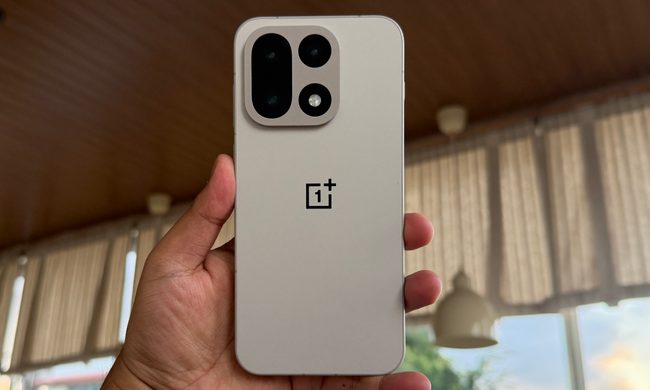
Ahead of OnePlus announcing OxygenOS 15, Oppo showed off ColorOS 15, which has taken quite a lot of inspiration from Apple’s iOS software. Given how closely the two pieces of software are related, I was suddenly concerned that OxygenOS 15 would follow the same path.
I’ve now had some hands-on time with OnePlus’ latest software. Is it as derivative as I feared? Surprisingly, no.
Not a total iOS clone

Thankfully, OnePlus has not adopted all the heavy-handed “inspired by iOS” features visible in ColorOS, but that doesn’t mean it hasn’t taken a few of them on. Perhaps the most obvious is a Dynamic Island rip-off called Dynamic Cloud, where a pill-like floating window appears at the very top of the screen surrounding the front camera on my OnePlus 12. It works with some standard apps like the Recorder and with third-party apps like Spotify, but not with other logical apps like YouTube Music or OnePlus’ O Relax app (at least, not at this time).
You can swipe it away and swipe it back again while it’s active, which is nice. A tap expands the window to show Spotify music controls and actions for the Recorder app. It seems to work really well, and I like the small “music playing” animation, but it’s not the first time we’ve seen an Android phone with this feature.
The new dynamic lock screen is another iOS carryover, with the ability to create different custom lock screen and home screen styles and switch between them. Just like iOS, you can change the clock style and add a depth effect to make photos of people or pets stand out from the background.


There’s an odd Word Art feature for the wallpaper, which adds a word to the background or foreground, but you can only choose between a set few examples, made up of cringey phrases like Keep Movin’, Game On, Fast, and Cute. Not being able to add your own words is strange, but not being able to remove OnePlus’ silly words entirely is very annoying. This also continues in other new wallpaper styles, and the phrases get even worse. I will never, ever want to use a wallpaper with True to the Core or Be the Legend written on it, yet OxygenOS 15 assumes I will. Also, the fact the word Fast looks like “fart” and sits behind a photo of a man’s bottom is an unfortunate, but childishly amusing coincidence.
ColorOS 15 looks to have more customization features for the look of the lock screen and widgets, many of which seem to come directly from iOS, but these are missing on my version of OxygenOS 15. You can still switch up the look of the lock screen, but not as much as in ColorOS 15, and based on some of the awful options available, you’ll probably want to stick with a plain old background anyway. Elsewhere, Google Assistant is still the default assistant on my OnePlus 12 with OxygenOS 15, but for subsequent OnePlus phones, it will be swapped to Google Gemini.
Is it still fast and smooth?

OnePlus has always emphasized the speed and smoothness of its OxygenOS software as a big benefit, and for OxygenOS 15, it has introduced Parallel Processing. This technology is designed to keep animations and app switching operating without lag, particularly for heavy users who multitask often and need to access multiple apps very quickly. Whether you’ll notice the differences depends on if you make these demands on the system, closely observe animations in slow motion, or directly compare different phones together simultaneously.
I have used OxygenOS 15 normally, and it’s certainly fast, but whether you think it’s smoother than before will depend on your definition of the word. A tried-and-tested cliché is to compare smoothness with butter, and I find OxygenOS 15’s butter to be the kind that has gotten a little too cold in the refrigerator. In its quest for smoothness, the software can feel a little labored (even when set to fast in the Settings menu). When I compare basic animations and navigation with the Samsung Galaxy S24 Ultra, the OneUI-equipped Samsung phone feels snappier and more directly in tune with my finger’s movements. I think OnePlus’s butter needs some time at room temperature before use, but not everyone will agree.
OnePlus has always pushed the speed and smoothness of its OxygenOS software.
The Games app has an updated Toolkit with a selection of new features, including the ability to increase the frame rate, a 4D vibration mode, a Quick Start feature, and a way to track the amount of time you play a game. When playing Asphalt Legends Unite, the 4D vibration feature was not available, but I used the Adaptive Frame Booster and the Hyper Resolution. The game plays well and looks fantastic on the OnePlus 12, but I’m not sure how much of that is down to the game mode tweaks or the stunning screen and powerful Qualcomm Snapdragon 8 Gen 3 processor. Either way, playing games is one of the OnePlus 12’s strong points.
AI photo-editing tools


- 1. Original
- 2. AI Eraser
Open the Gallery app, and you’ll find OnePlus’ new AI Editor tool, which includes an AI Eraser and three new features called AI Detail Boost, AI Reflection Eraser, and AI Unblur. Using existing photos saved on my OnePlus 12, I gave the AI Eraser and the AI Detail Boost a try and was mostly impressed with the results from them both.
The AI Eraser tool successfully removed a person from a photo and filled in the background in such a way that you’d have to look hard to realize it was AI-generated. However, the tool only automatically recognized one person in a photo of two people, and there’s no way to add the other so the tool removes both. You have to use the Smart Lasso tool to do this. You can’t edit its selection either, so in this photo, it removed the dog’s lead. It’s not as smart as Google’s Magic Eraser.


To try the AI Detail boost, I cropped an existing photo down and ran it through the feature. It effectively sharpens the picture, removing the blur and pixelation introduced when you crop an image down. It’s most noticeable on the horse rider’s safety vest, where the text has lost all its fuzziness. The resolution jumped up to a full 4096 x 3072 pixels, so there’s more to it than just a few basic tweaks. It’s an effective tool that really does improve the look of cropped images.
Other new features in OxygenOS 15

What else is new in OxygenOS 15? There are new icon designs to try, a slight change to the Settings menu (which emphasizes space and minimizes clutter), and a choice to split the notification and quick access shades between the left and right of the home screen.
OnePlus’ Shelf has been redesigned with new colors and layout options. An unusual Share with iPhone feature has been added to seamlessly share files with the competing device, and the OnePlus Open’s photo attachment shortcut makes an appearance to speed up photo sharing, too. Theft Protection is an unusual new feature that uses the accelerometer and various other factors to assess if your phone has been stolen and then automatically locks it.
Aside from the photo-editing tools that use AI, OnePlus also uses Google Gemini models for various productivity tools. In AI Notes, it can generate summaries, change the formatting, enhance the copy, and even expand on bullet points. An AI Reply feature works in WhatsApp, Snapchat, and Instagram and can contextually understand messages and generate replies. Intelligent Search scans all local files on your phone from a single search phrase and generates an answer to your question, but it does not appear that it will work on all OnePlus phones. Circle to Search also arrives and is one of the most helpful AI features, but it is available on many other Android phones, too.
Better than expected

After using OxygenOS 15 for a few hours, it seems OnePlus has kept most of ColorOS’ iOS homage out of the software, and I’m very pleased about that. Most people will appreciate the speed and flow of the OS, but it may need refining, as I prefer Samsung’s approach to smoothness. The AI photo-editing tools are interesting, but the wallpaper and lock screen customizations are oddly restrictive, and most of the other AI features won’t be ones you use all the time.
One slight concern is OnePlus’s failure to confirm that all the features discussed will be available on the OnePlus 12, as it has stated that Google Gemini and Intelligent Search will be restricted to the OnePlus 13. This aside, and considering my trepidation when I started using it, OxygenOS 15 turned out to be a pleasant surprise — and I think you’re going to enjoy using it.