Google’s latest AI tool helps you automate image generation even further. The tool is called Whisk, and it’s based on Google’s latest Imagen 3 image generation model. Rather than relying solely on text prompts, Whisk helps you create your desired images using other images as the base prompt.
Whisk is currently in an experimental phase, but once set up it’s fairly easy to navigate. Google detailed in a blog post introducing Whisk that it is intended for “rapid visual exploration, not pixel-perfect edits.”
Exploring the tool has a fast-paced feel, in comparison to other text-based tools, that are more contingent on the details and accuracy of the words to produce an image.


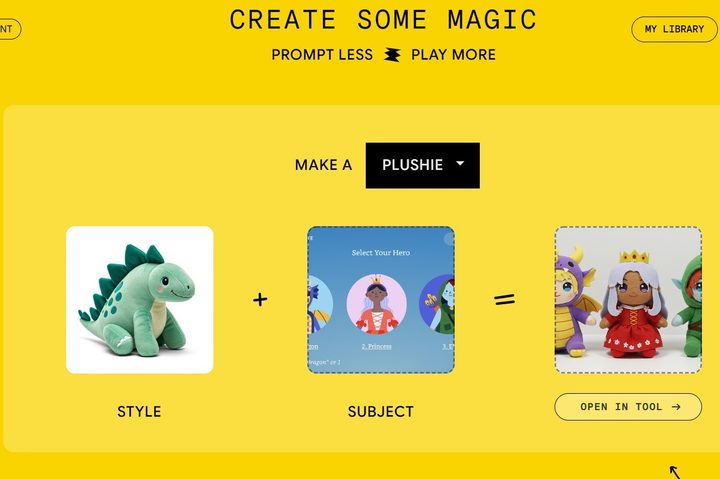
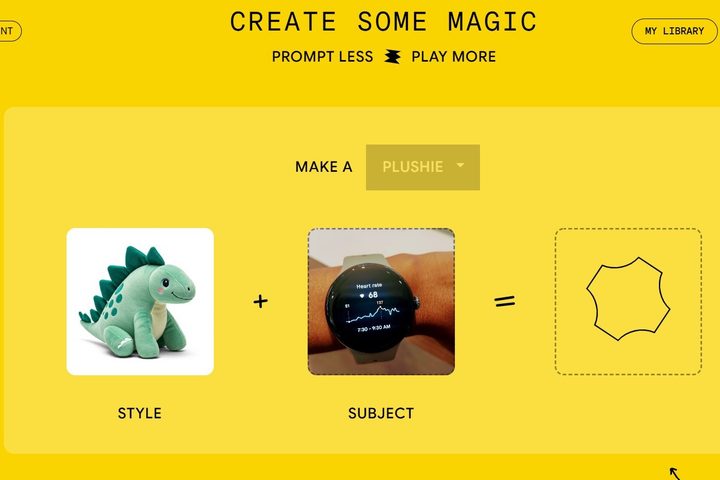
After going through the Welcome page, which lists the important details you should know about how the tool functions, the page asking if you’d like to sign up for emails, and the privacy policy, you’ll load right into the main page of Whisk. I saw a prompt with a dinosaur plushie as the image style, but the other options are an enamel pin and sticker. I just went with the first.
Next, you’re directed to upload an image for the subject. I uploaded a photograph of a smartwatch on my wrist and quickly realized this wasn’t going to work. The third option on the right was in a perpetual loading mode, so I tried again, with a more cartoonish image I found on my hard drive, and this loaded right away into plushie figurines of three mythical creatures.
Once the image was generated, I was able to go into an editing section, with a text prompt area. Simply using the suggested prompt “the character is eating ice cream,” I generated additional images with the same creatures holding ice cream cones.
Alternatively, you can scroll down below the main prompt section and select start from scratch. This will allow you to upload all of your own images or enter your own text. You can also add additional text from the beginning so that your characters can do an action. If you’re lost for what images to add or text to type, you can click the Inspire Me button, and Whisk will fill in images.
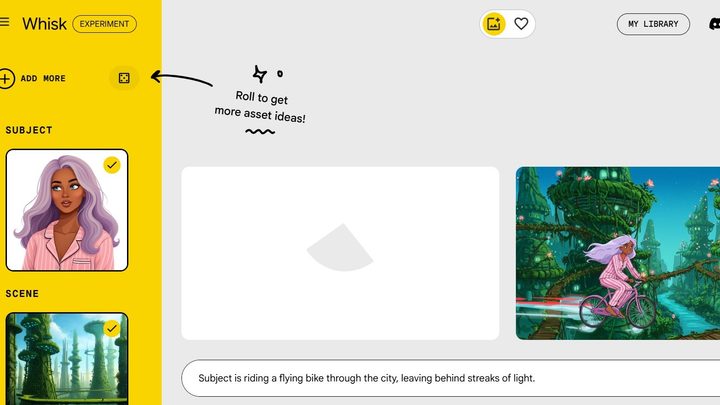
The tool also allows you to access a My Library section, where you can view all of the images you’ve created. In this section, you can enable or disable the library if you’d prefer to not save your creations. You can also download images, delete images individually, or delete library data as a whole. Additionally, you can select the prompt input option on each image to see the entire text prompt for the generated image. There is a copy option available for sharing to other tools and programs.
I later discovered Whisk did generate an image blending the plushie and smartwatch images and saved it in My Library. So, my recommendation is, if you have mishaps with the tool, check in your library to see if any images have developed in the background.
The Whisk tool is reminiscent of the Microsoft Designer prompt that allows users to create Funko Pop! figures. As a whole, you can use Microsoft Designer to generate a range of whimsical or realistic images. However, the AI generator– which currently uses the DALL-E 3 image generation model developed by OpenAI, runs solely on text prompts.
To experiment, I took the text prompt for the plushie smartwatch to Microsoft Designer. Let’s just say the results were not as detailed and were a little bit haunting, with the results delivering human faces on a watch body instead of a detailed watch face. This suggests that the Imagen 3 model in Whisk can more closely decipher context when analyzing the images than the DALL-E 3 model can when processing text.
As said, Whisk still includes the opportunity to add text prompts, which Google noted is included due to the tool’s potential to “miss the mark,” so you always have the option to fill in prompts when needed.