What’s happened? Samsung has launched a beta of Samsung Internet for PC, bringing its mobile browser experience to Windows. According to Samsung, the expansion is part of the Galaxy ecosystem strategy and sets the foundation for more intelligent, AI-powered browsing experiences.
- The beta is available for Windows 10 (version 1809 or later) and Windows 11 users in the US and Korea, with broader rollout planned for later.
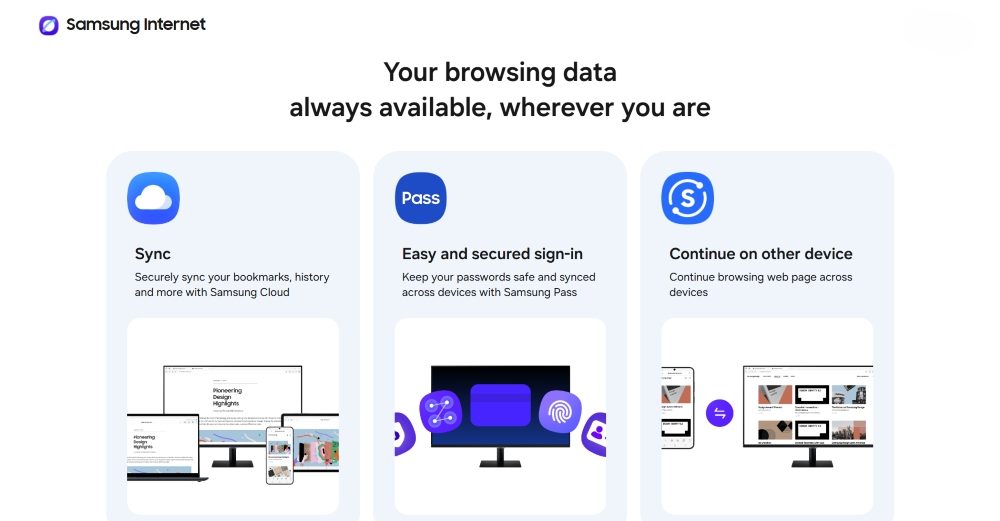
- The PC browser syncs bookmarks, history, and Samsung Pass autofill/passwords with Samsung Internet on Android when you sign into the same Samsung Account.
- Users get Galaxy AI-powered browsing assist for video summaries, translations, and instant insights built into the browser.
- Privacy Dashboard, smart anti-tracking, and protections have been carried over from the mobile version.
This is important because: It isn’t just a browser launch. Samsung is tying together mobile and PC browsing in one experience, and it opens the door to deeper Galaxy ecosystem benefits:
- Users who jump between their Galaxy phone, tablet and Windows PC will now see continuity across devices, without relying on workaround browser extensions.
- With each device connected, Samsung is strengthening user retention in its ecosystem with phones, tablets, and now PC browsers all talking to each other.
- For users, it could mean less friction, fewer apps to juggle, and a more unified browsing experience from mobile to desktop.

Why should I care? If you use a Galaxy phone and a Windows laptop, this move finally gives you a unified browsing flow instead of two disconnected worlds. Samsung is trying to build an Apple-style continuity layer for Android users, where switching screens doesn’t mean losing your place, habits, or personal setup.
- Samsung clearly wants more control over the software experience and isn’t content letting Chrome be the default everywhere.
- And for users, that means real choice: not only between browsers, but in how your devices talk to each other.