1. Home
  2. Computing
  3. News

Google app just launched on Windows, and it wants to pull a Spotlight trick from Macs

One shortcut, every answer: Google brings its full search power to Windows without asking you to open Chrome, and it is heavily inspired by Mac’s Spotlight search.

Add as a preferred source on Google
Google app for Windows search bar.
Google

Google has planted its flag on Windows territory. The Google app for desktop is now globally available in English for Windows users, graduating from its experimental phase on Search Labs

The browser tab we reflexively open to use Google every five minutes now has a faster, more efficient replacement sitting on the desktop. 

What Does The App Actually Do?

The centerpiece, mind you, is a keyboard shortcut: Alt + Space. It summons a floating search bar over whatever is on the screen, similar to how Cmd + Space summons the Spotlight search on Macs.

Recommended Videos

Once you summon the search bar, you can search across local computer files, installed apps, Google Drive documents, and the internet in general, all from one place. 

If I were a Windows user (which I was until about three years ago), I would have installed the Google app for the Spotlight-like search experience alone, but my Mac’s Spotlight has been working fine for the same amount of time.

What else can it do?

Quite a bit, actually. Google Lens, the company’s native image-based search tool, is built directly into the new Google app for Windows. It lets users click and search for anything that’s visible on their screen. 

From translating on-screen text to solving a maths problem, you can do such things without copying anything. The app also supports screen sharing within a search session, so users can keep a document or webpage open while asking follow-up questions. 

Of course, the new Google apps come with AI Mode embedded. So, answers go beyond blue links, responses are conversational, contextual, and connected to the internet with accurate information, along with appropriate citations. 

Google’s global Windows app rollout signals something bigger than convenience; it’s a direct challenge to Microsoft’s dominance over your desktop search experience. Copilot is already embedded in Windows, so Google’s presence is also making itself felt. In the future, we might get to see a dedicated Gemini app for Windows. 

Shikhar Mehrotra
For more than five years, Shikhar has consistently simplified developments in the field of consumer tech and presented them…
4 desk lamps I’d actually recommend for your back-to-school study setup
Good lighting won't do your homework, but it'll help you actually finish it.
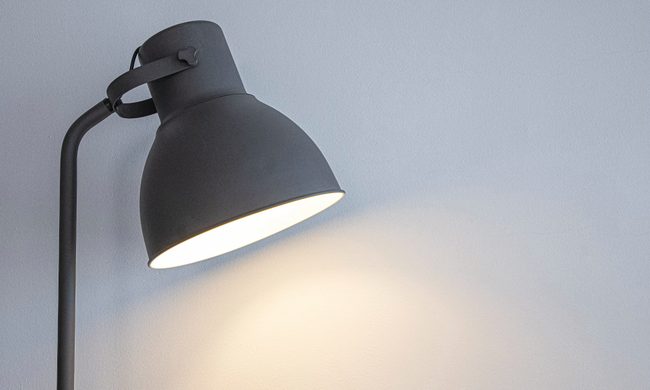
desk lamp with white wall behind it

Back-to-school season means new notebooks, a planner you'll abandon by October, and way too many hours spent hunched over a desk lit by nothing but your laptop screen. If you've ever pulled an all-nighter or squinted through an assignment at 2 AM, you already know a good desk lamp isn't optional. It's survival gear.

I went through a bunch of options this year and picked four that actually earn a spot on your desk, whether you're working with a dorm-room budget or setting up a proper home office.

Read more
China’s Moonshot just handed developers a near-frontier AI model to download
Kimi K3 is now available to download, modify, and host independently
Art, Drawing, Plant

Moonshot AI has released the full weights for Kimi K3, giving developers the freedom to download, modify, fine-tune, and host the model themselves. The move comes shortly after K3’s debut, when Moonshot’s benchmarks placed it close to Claude Fable 5 and GPT-5.6 Sol, and even ahead in a handful of tests. K3 has 2.8 trillion parameters and a 1-million-token context window.

Downloading K3 is easy, but running it is not

Read more
Shopping for a Back-to-school laptop? These are the laptops I’d recommend
Whether it's lectures, late-night assignments, or streaming after class, these laptops are built to make the next few years a little easier.
Best laptops for back to school 2026 featuring Apple 2026 MacBook Neo

A laptop is probably the one purchase that'll have the biggest impact on the school year. It'll be there for lectures, late-night assignments, group projects, Netflix binges, and everything in between. The trick is finding one that fits both the workload and the budget. After narrowing down the options, these are the five laptops I'd actually recommend for Back-to-School, whether the priority is getting the most value, joining the Apple ecosystem, or investing in a machine that'll comfortably last through graduation.

Acer Chromebook Plus 515

Read more