1. Home
  2. Computing
  3. News

Logitech’s new office mouse and keyboard has a tiny comfort upgrade your wrist will love

A cushioned office mouse is the highlight of the Logitech Signature series refresh

Add as a preferred source on Google
Logitech mouse and keyboard
Logitech

Logitech has added three new devices to its Signature series, meant for people who spend long hours at a desk and move between work, personal tasks, and multiple devices throughout the day. It is designed to reduce repeated friction from switching devices, lower input noise, and make long desk sessions more comfortable.

The lineup includes the Signature Comfort Plus M850 L mouse with palm cushion support, the MK880 Signature Comfort Plus keyboard and mouse combo, and the M840 L mouse, which has the same mouse features as the M850 L but without the palm cushion.

These peripherals will be available globally from June 2026 on Logitech’s website and through authorized resellers. The M850 L is priced at $49.99, the M840 L at $39.99, and the MK880 combo at $99.99. Logitech will also sell business versions, with the M850 L for business priced at $59.99 and the MK880 combo for business at $109.99.

What does the new mouse offer?

The M850 L adds a palm cushion along with a sculpted right-hand shape and rubber side grips, giving the hand more support during long use. It also offers silent clicking and scrolling, which should be useful in shared offices or home setups where constant input noise can get distracting.

Logitech has also included its SmartWheel, which lets users move between precise scrolling and faster scrolling. The mouse supports customizable buttons and Actions Ring access through Logi Options+. It can switch between connectivity for up to three devices and offers up to two years of battery life.

Recommended Videos

The M840 L includes all the above-mentioned features, except the palm cushion.

The keyboard is built for long typing sessions

The MK880 combo adds a full-size keyboard designed around comfort. It has deep cushioned keys, a dual-foam palm rest, curved typing angles, and adjustable typing positions at 0 degrees, 4 degrees, and 8 degrees.

It also supports multi-device connectivity up to three devices and is compatible with Windows, macOS, and ChromeOS. A customizable AI Launch Key can be set up through Logi Options+ to open tools such as Copilot, Gemini, or ChatGPT. Then there is also Logi Tune, which lets users assign functions for Zoom Workplace and Microsoft Teams. The keyboard is spill-resistant and offers up to three years of battery life.

The business versions add a Logi Bolt USB-C secure wireless receiver and support for Logitech Sync, which lets IT teams monitor device and firmware status. These peripherals will be available in graphite, off-white, and black, though availability could vary depending on the region.

Sudhanshu Kumar Mangalam
I’ve got about 4 years of experience, mostly covering gaming, PC hardware, and smartphones. In my free time, I like…
A metallic Hall effect keyboard and a 59g mouse are Lenovo’s latest upgrades for snazzy gaming setups
The Legion R7 RT75 keyboard and Y7MG mouse bring 8K polling to both sides of your gaming setup
Computer, Computer Hardware, Computer Keyboard

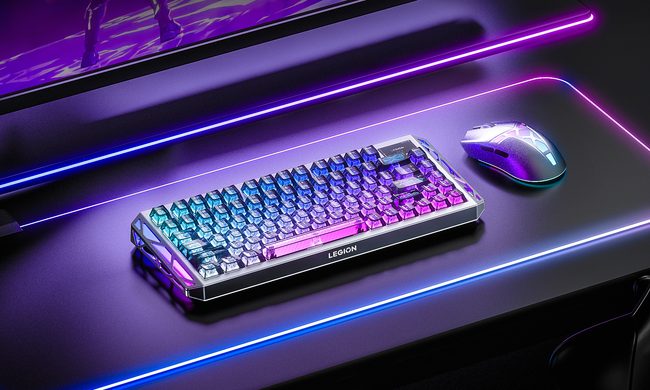
Magnetic gaming keyboards and lightweight mice are hardly unusual anymore, but Lenovo is trying to push both ideas a little further with its latest Legion peripherals. The new lineup includes the Legion R7 RT75 keyboard and Legion Y7MG mouse, and both support an 8,000Hz polling rate for players who want every input delivered to their PC as quickly as possible.

Of course, Lenovo has styled these peripherals to be as bold and eye-catching as possible without getting in the way of practicality. The keyboard has a hefty metallic design with translucent keycaps and RGB lighting. Compared to that, the mouse is more tame and traditional in design, but it also has an RGB strip that appears to belong on an alien spaceship. (via NotebookCheck)

Read more
Shopping for back-to-school? These are the budget laptops I’d actually recommend
From a $359 Chromebook to the cheapest way into macOS, these are the budget picks worth your money.
Computer, Electronics, Laptop

The back-to-school season often turns into a laptop, especially the budget ones that aren't too heavy on your wallet. Due to the ongoing memory crisis, most manufacturers have already bumped up their laptop prices, including Apple. However, that doesn't mean that I won't help you get a new machine. So, for this one, I spent time digging through spec sheets, customer ratings, and price tags, finding devices that don't just look cheap in an Amazon listing, but actually hold up. 

From a flexible touchscreen Chromebook to the least expensive way into macOS, these six laptops balance price and performance well. I'd hand any one of them to a student heading back to campus this fall, depending on what they need and what their priorities are. 

Read more
Asus’ latest Zenbook puts a seriously bright OLED screen inside an impossibly slim body
The Zenbook 14 Air is only 11mm thick but still packs a 77Wh battery
Computer, Electronics, Laptop

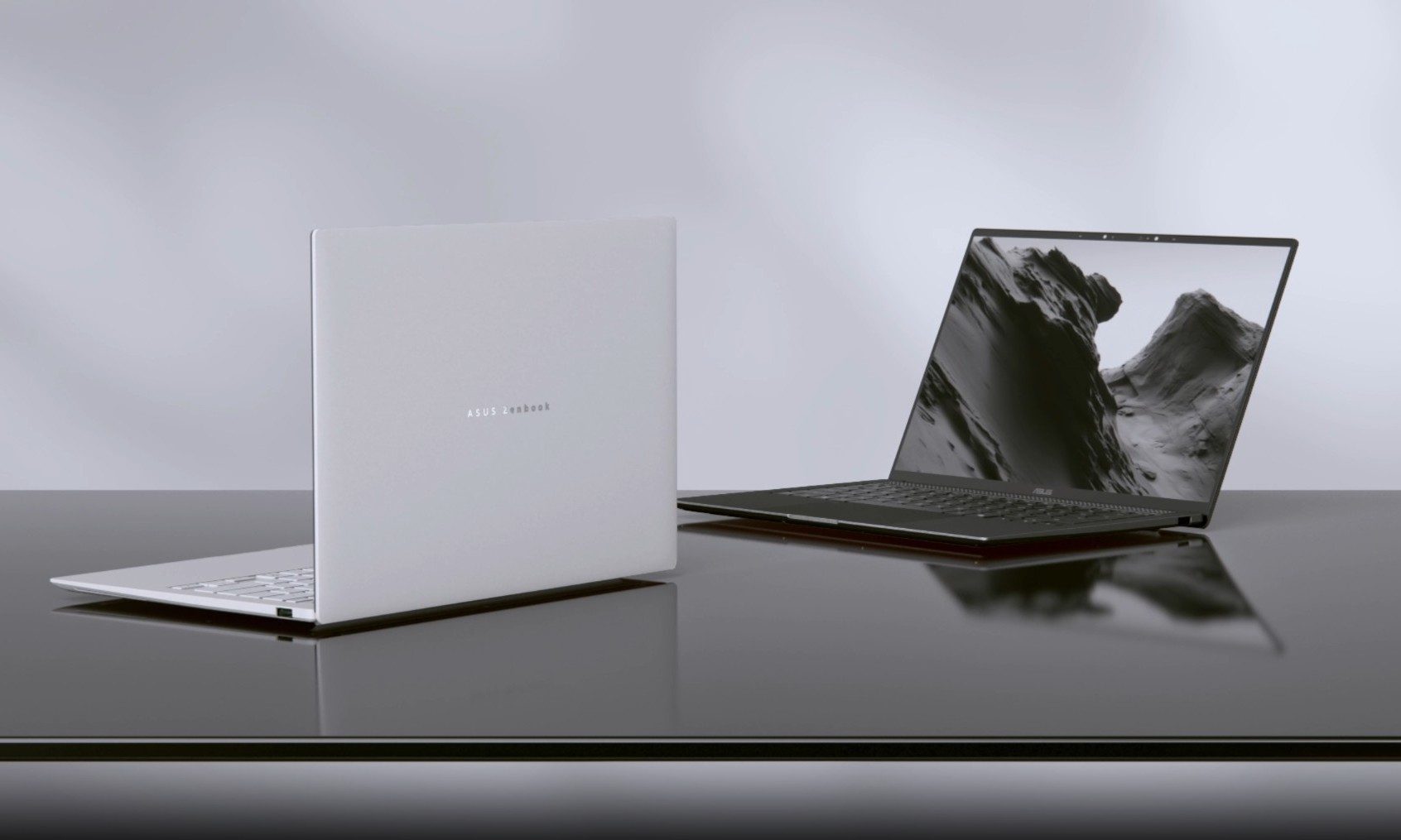
Asus has introduced a new AMD-powered version of the Zenbook 14 Air 2026, combining a bright OLED display and a large battery inside an 11mm-thick chassis. It weighs 1.19kg, keeping it firmly in ultraportable territory despite the 77Wh battery inside.

The Zenbook 14 Air 2026 itself is not entirely new. Asus launched an Intel configuration powered by the Core Ultra 9 386H in China back in January. The latest version switches to AMD’s Ryzen AI 7 H 445 and is priced at CNY 9,999, or around $1,477. (via Notebookcheck)

Read more