1. Home
  2. Computing
  3. News

Digital Trends may earn a commission when you buy through links on our site. Why trust us?

Best Buy will take $100 off the price of a Surface Pro 4 if you trade in an old laptop

Add as a preferred source on Google

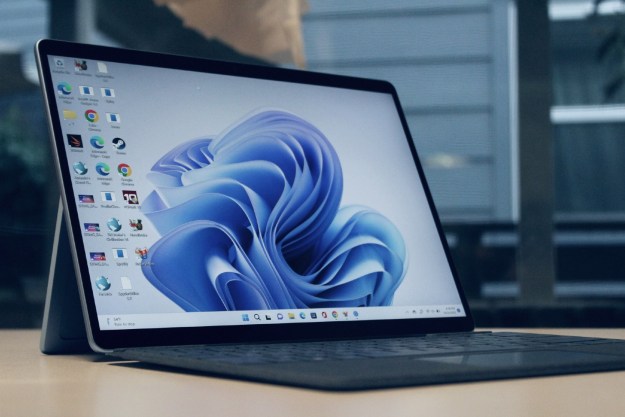
Is your laptop old and clunky? Do you look on at the new Surface Pro 4 convertible tablets with envy? Then never fear, Microsoft and now Best Buy have you covered. While the former has been offering a $300 trade-in value against certain hardware, Best Buy is now offering $100 (and perhaps more) off of the price of a Surface Pro 4 if you trade in any old laptop; as long as it’s working that is.

There are a couple of other stipulations that Best Buy wants everyone to be aware of (via Windows Central). For starters, the scheme will run only until November 7th and any coupons received as part of the trade-in must be cashed before the 14th of that same month, so the time to take advantage of this is limited.

Recommended Videos

There are also products that Best Buy will not be offering the voucher for. That includes things like cracks in the body of the laptop, water damage to any components whatsoever and a problematic power supply. The laptop will need to turn on at the least, to get some cash-back.

Related: Best Buy doesn’t always wipe returned devices, so delete those ‘artful nudes’

For some reason, Best Buy is also giving out the trade-in money in two different forms. $90 of the value will be a receipt coupon towards a Surface Pro 4 and at least $10 as a Best Buy gift card. Condition, documentation and available accessories may affect the trade-in value of your laptop.

Considering the story we covered earlier this year of Best Buy not always wiping the data on trade-in devices, it comes as no surprise that the company has also released a notice saying that it is the responsibility of the owner to wipe their data from the device before trading it in.

There is also a limitation of one trade-in per person and one per transaction.

Also no “rain-checks” — you welcher.

Jon Martindale
Jon Martindale covers how to guides, best-of lists, and explainers to help everyone understand the hottest new hardware and…
I upgraded from the M1 MacBook Air to the M5, and here’s what changed for me
The M5 changed more about my workflow than I expected.
Computer, Electronics, Laptop

After about four years with the M1 MacBook Air, I finally pulled the trigger on the M5, and I got there just in time to dodge Apple's recent price hike by eleven days, a story I already told elsewhere, and one that still makes me feel unreasonably smug. Upgrading from the M1 was a multi-generational leap for me, not in the ways mentioned on the spec sheet, but in ways that actually changed how I work every day.

Here’s why that matters in 2026, when the memory crisis has hit the consumer electronics market so badly that even giants like Apple had to cave. MacBook Air M5 launched at $1,099, then climbed to $1,299. 

Read more
Another Googlebook just surfaced online, and this one is from Asus
Asus Googlebook renders reveal a Glow Bar, plenty of ports, and a lightweight chassis
Computer, Electronics, Laptop

Google’s upcoming Googlebook lineup is starting to take shape through leaks. Lenovo has already appeared in several renders, while a recent benchmark leak suggests Dell may bring the XPS name to Google’s new laptop platform. Asus is now the latest manufacturer to surface ahead of launch.

Digital Citizen has published multiple renders of an unannounced Asus Googlebook, showing its lid, keyboard, chassis, and port selection. The laptop could make its official debut at IFA next month. Googlebooks are expected to bring Android apps, ChromeOS technology, deeper phone integration, and Gemini features to a new generation of laptops. Acer, Asus, Dell, HP, and Lenovo are all expected to be part of the first wave.

Read more
I’m done charging things that never leave my desk
Wireless peripherals are better than ever, but I’m starting to value the devices that ask absolutely nothing of me
Computer, Computer Hardware, Computer Keyboard

I have two pairs of wireless earbuds that I rotate during long gaming sessions. When one starts complaining about its battery, I swap in the other pair and put the first one on charge. It’s a mildly ridiculous system, but it works. Apparently, my gaming setup now requires something resembling shift work.

Then my mouse died in the middle of a game.

Read more