

“Toshiba's Portege Z10t is designed for business, but it has a lot of the features mainstream consumers wish they could get on an Ultrabook/tablet hybrid, such as full-size ports, light weight, and excellent pens and pen input.”
- Light weight
- Sturdy build
- Keyboard dock and two styli included in price
- No battery in the dock
“Why you can trust Digital Trends – We have a 20-year history of testing, reviewing, and rating products, services and apps to help you make a sound buying decision. Find out more about how we test and score products.“
Toshiba’s Portege Z10t is designed for business, but it has a lot of the features mainstream consumers wish they could get on an Ultrabook/tablet hybrid, such as full-size ports, light weight, and excellent pens and pen input.
Convertible Windows tablets may seem like a hot new thing, but they’re actually an old idea enjoying a fresh resurgence with Windows 8. Business users, especially those in highly mobile professions, have long rocked slates and laptops that turn into tablets, and Toshiba very often supplied them. Now the venerable computer maker is trying its hand at a business focused hybrid tablet/laptop with the Portege Z10t.
Available at ToshibaDirect.com today, this detachable Ultrabook starts at $1,500. Though aimed at business users, the Portege Z10t has several attributes that make it attractive to mainstream consumers as well, especially if you value being productive while mobile.
Mini but mighty
Weighing 3.1 pounds altogether, the Portege Z10t is a slim machine even when connected to the included keyboard dock. The tablet itself is a little hefty at 2 pounds, but that’s about average for an 11.6-inch system. The hinge that connects the tablet and dock is sturdy and feels like it can withstand not only repeated attaching/detachings but also abuse from people who inexplicably pick their laptop up by the screen. Due to the hinge design and lightness of the dock, the screen only tilts back so far – that limited range may not please frequent flyers. The chassis is made from a high-stiffness resin that Toshiba claims is more durable than plastic yet maintains the lightness necessary for an ultra mobile device.

The dock is so light partly because it does not house a secondary battery. The six hours Toshiba claims for the Z10t is all you’ll get, but that could mean a whole day with on and off use without needing the cord.
Port-a-palooza
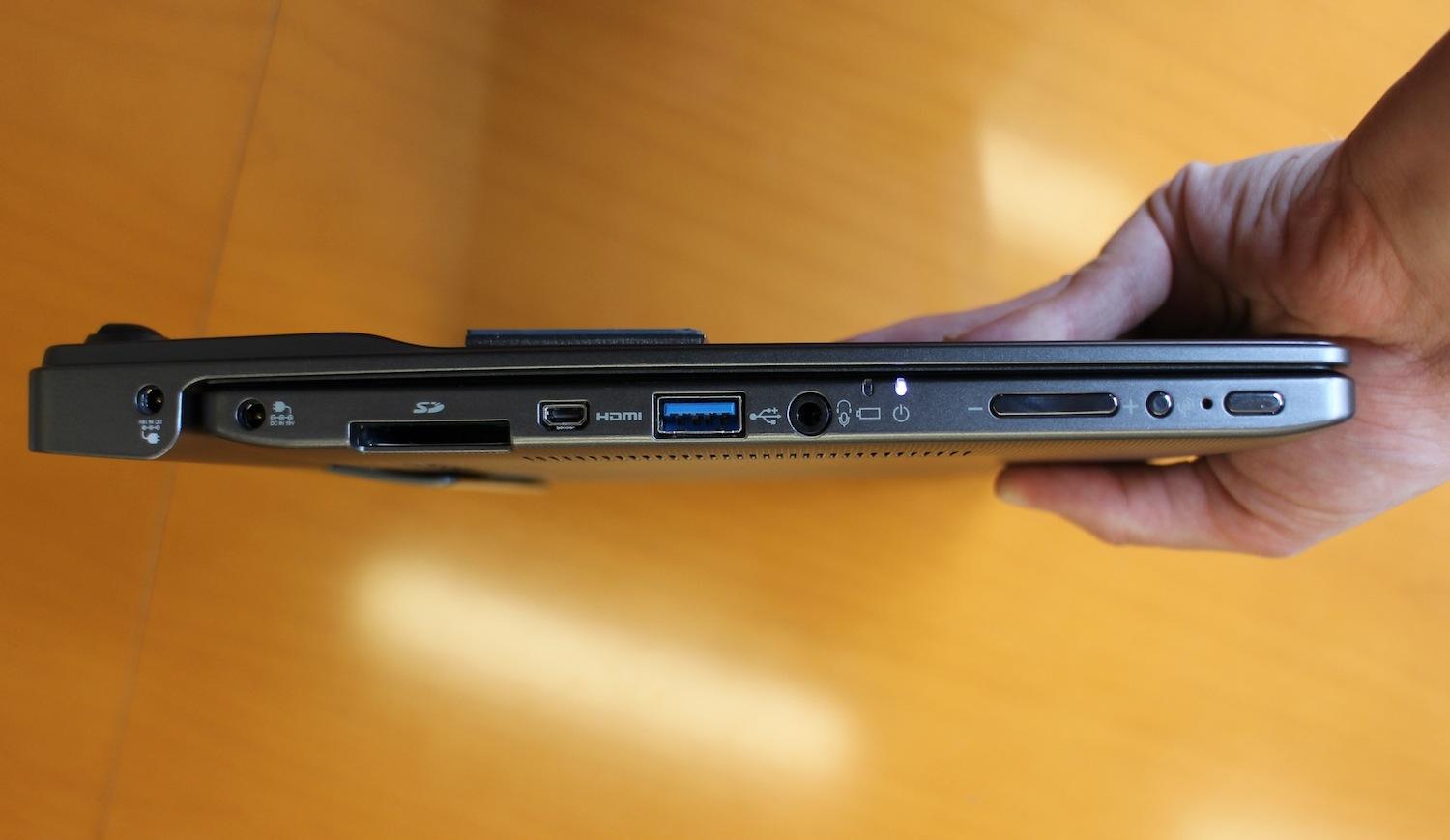
One of the most appealing aspects of the Z10t for both business and mainstream users is the number of full-size ports on the dock: HDMI, Ethernet, VGA, and USB 2.0. The tablet portion has a USB 3.0 port and micro HDMI. The idea is to make the Z10t experience a dongle-free one; if you’ve ever forgotten a dongle or lost one at a crucial moment, you know how important this can be.
The dock includes both an Accupoint nubbin and a gesture-enabled, multitouch trackpad. The spill-resistant keyboard also includes backlighting. Since the dock is so thin, the key travel is somewhat shallow, but not so much that it makes typing uncomfortable. As expected for an 11.6-inch system, the keyboard is full-sized, and keys are the right size and in good positions for the most part.
A winning display
When you switch from laptop mode to tablet mode, a great and powerful screen awaits. Even though it’s anti-glare, which can sometimes distort colors at obtuse angles, the full HD IPS display offers good viewing angles. In addition to capacitive touch, the display also incorporates WACOM technology for use with a digitized pen. The Corning Concore glass that covers the screen isn’t slick and surprisingly doesn’t feel like glass, so writing on it with one of the included pens feels more like writing on paper than writing on glass. We were impressed with the smoothness of the pen on the screen and the speed and accuracy with which the tablet recognized strokes. The palm rejection seemed quite good during our short hands-on time.

Perfect pens
The Z10t comes with two styli at the base price, not just one. The main pen is about the size and weight of a traditional pen and includes an “eraser” on the end. Even though it only works in select programs, we really like the idea and functionality of an eraser. There’s also a smaller pen that fits into a port integrated into the tablet, so you’ll always have a place to put it. We like this approach because it means you aren’t screwed if you lose one and you can switch between them depending on your task.
The Portege Z10t ships with Windows 8 and supports Intel Core i5 and Core i7 business processors with vPro technology backed by 4GB of RAM with 128GB or 256GB SSD internal storage options and integrated graphics. For the IT managers out there, it also includes AMT and TPM for security, control, and safety even in a large deployment.
The base $1,500 price includes the keyboard dock and the pens so you don’t have to worry about spending extra money to accessorize. However, if you want to use the Portege Z10t with a bigger display, full keyboard, and mouse, Toshiba will sell a cradle with all the proper inputs, so you only need to dock the tablet and you’re good to go.
Conclusion
We’re looking forward to getting the Toshiba Portege Z10t in for a full review to see if it makes as good an impression on us when we put it through the full range of tests. Right now, the Z10t comes off as both a pretty sweet Ultrabook and a good tablet, especially if you’re looking for a great note taking machine. Check out the Portege Z10t on ToshibaDirect.com.


