  1. Home
  2. Android
  3. Computing
  4. News

This is the single best Chromebook deal this Prime Day

A wild cheap Chromebook has appeared!

Add as a preferred source on Google
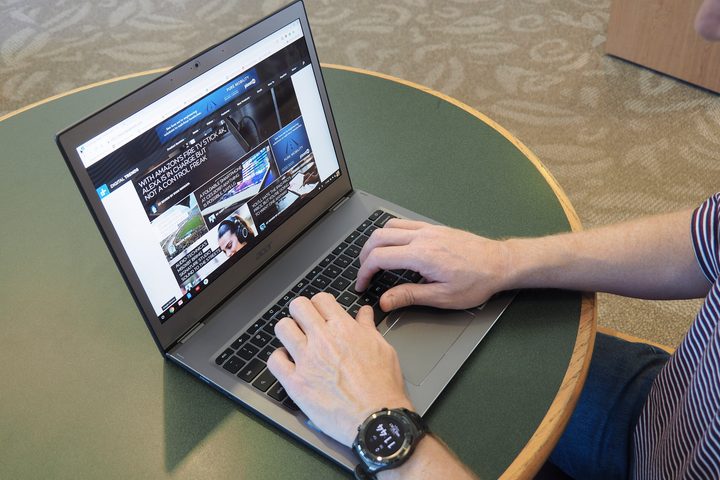
Acer Chromebook 13 review
Mark Coppock/Digital Trends
Best Prime Day Amazon Deals
This story is part of the Digital Trends Prime Day 2026 coverage

In the world of affordable computing, even with Prime Day Deals, it doesn’t get much less expensive, or more practical, than a Chromebook. But right now, we’re seeing the absolute best Chromebook deal available throughout all the Prime Day deals. You can get a 12-inch Acer Chromebook Spin 311 for only $210. That’s $120 off its original price of $330. Amazing!

BUY NOW

Recommended Videos

Who is the Chromebook for? Well, everyone pretty much. This Acer Chromebook is might be as basic as laptops come, but that doesn’t mean that it’s not a wholly practical and even powerful device for home computing, media experiences, and office work. Kids might use a Chromebook as part of their virtual schooling experience (or just for homework) but at the same time, it’s an amazing device for kicking back with your favorite Netflix series, doing some work on your commute, or even balancing your books or making work presentations. This thing is small, but it’s also mighty.

Something that makes the Chromebook ideal for kids, and in fact the whole family, is the 360-degree hinge that lets you rotate the 11.6-inch screen to any angle. In a matter of seconds, your laptop can act like a notebook, a tent, a tablet, or a stand-up display. This is incredibly helpful for things like presentations or helping the kids with homework. Sharing the screen becomes intuitive, especially when you factor in the touch capabilities. You can swipe and scroll and touch on the Chromebook’s responsive and damage-resistant Antimicrobial Corning Gorilla Glass touchscreen. Add to this the wide-angle view webcam — supporting HDR imaging — which is amazing for Zoom and other video chats, and you’ve got a machine that’s friendly for the whole family, and hardworking too.

There are some more key features that make this Chromebook an incredibly handy laptop. Firstly, it’s durable, so you can pop it in your bag, or the kids’ knapsacks, and not worry too much about jostling or banging. It’s great on battery life, giving you up to 10 hours with normal use, which is more than an entire work or school day. And then there’s phenomenal connectivity — two USB Type-C ports for ultra-quick data transfer and charging; two USB 3.0 Type-A ports; a microSD — to make sure this computer is adaptable to all your devices.

We’re seeing some amazing Prime Day Chromebook deals today. For bargain hunters, it’s a bonanza. But if you’re looking for the most affordable of all these already inexpensive Chromebooks, look to the Acer Chromebook Spin 311. It’s only $210. That’s $120 off its original price of $330. Get it before it’s gone!

BUY NOW

The good thing about the deals is that it’s quite often that there are deals we can take advantage of. So, once Prime Day deals come to an end, Amazon’s Black Friday deals soon start to show up on the horizon, so with that in mind, be here to check Chromebook sales out.

Jacob Silver
Former Digital Trends Contributor
An avid cook, boxer, reader, and binger of Netflix (and Hulu, HBO Max, Amazon and more) Jacob Silver writes deals posts about…
What is WhatsApp? How to use the app, tips, tricks, and more
From setting it up to mastering hidden features, here is your complete guide to WhatsApp.
WhatsApp app store listing open on iPhone

There's no shortage of messaging apps out there. The past decade has given us more options than we know what to do with, largely because smartphones demanded something better than plain old SMS.

Both the App Store and the Play Store are packed with apps that promise to revolutionize the way we communicate. Most of them didn't make it. The truth is, a messaging app is only as good as the number of people using it, and most apps never cross that threshold.

Read more
You Asked: Nintendo Switch 2, Best Android Phones, and OLED Upgrades
You Asked Ep. 88: Switch 2, Android, & OLED

On today’s You Asked: What's up with the Nintendo Switch 2? We answer some of your burning questions as preorders are officially underway. In terms of mobile and phone tech, what Android comes most recommended by our Digital Trends expert, and is upgrading your OLED TV worth it for the latest anti-reflective coating?
Nintendo Switch 2 Questions with Giovanni Colantonio
A couple of weeks ago, we posted our first hands-on impressions of the Nintendo Switch 2. I got to attend the first-ever hands-on event for the console, played about 11 games, and now I’m here to answer your biggest questions.

Question from @kennethcheung4938: We haven’t seen much of the new OS yet—is it similar to the original Switch OS, or is it a full overhaul? If it’s the latter, will we still be able to play games from outside our native region? For example, if I have a U.S. Switch, can I buy physical game cartridges in Japan and still play them in English?

Read more
Android 16 is finally expanding beyond Google Pixel phones
Android 16 logo on Google Pixel 6a held in hand.

The next major build of Android has reached a handful of new milestones, ahead of its public release. Google has just started the rollout of Android 16’s fourth beta update, reaching the second platform stability. 

Developers who have optimized their apps to target Android 16 can now ship their updates via the Google Play Store. The latest beta update is also the near-final version, as all the app behaviours and background functionalities have been finalized. 

Read more