  1. Home
  2. Audio / Video
  3. Entertainment
  4. Mobile
  5. News

This new app brings Tinder-style swiping to movie and TV viewing

Add as a preferred source on Google

Many of us have encountered the paralysis of indecision that can occur when reviewing the vast library of content available across the equally vast range of streaming services. Now a new app is looking to take a tried and true tactic — from Tinder, of all places — and use it to quickly find you something to watch.

Related: Stream your favorite TV shows and movies with Amazon Fire TV

Recommended Videos

Mighty TV launched yesterday, and promises an easy way to find movies and TV recommended for you based on your tastes. The app knows which subscriptions and streaming services you’re signed up for, so every recommendation is something you can start watching right away. The app was developed by product engineer Bryan Slavin and by Brian Adams, whose previous startup AdMeld was sold to Google for $400 million.

“We designed a new algorithm for personalization that learns about you in real-time and has the ability to combine your taste with friends to help you find new video together. You’ll spend less time looking and more time watching video you love,” Adams says.

In testing the app, we were able to verify just how quickly Mighty TV tailors its recommendations to a user’s tastes, going from way off base to dead-on recommendations based on our choices, and doing so within a few minutes.
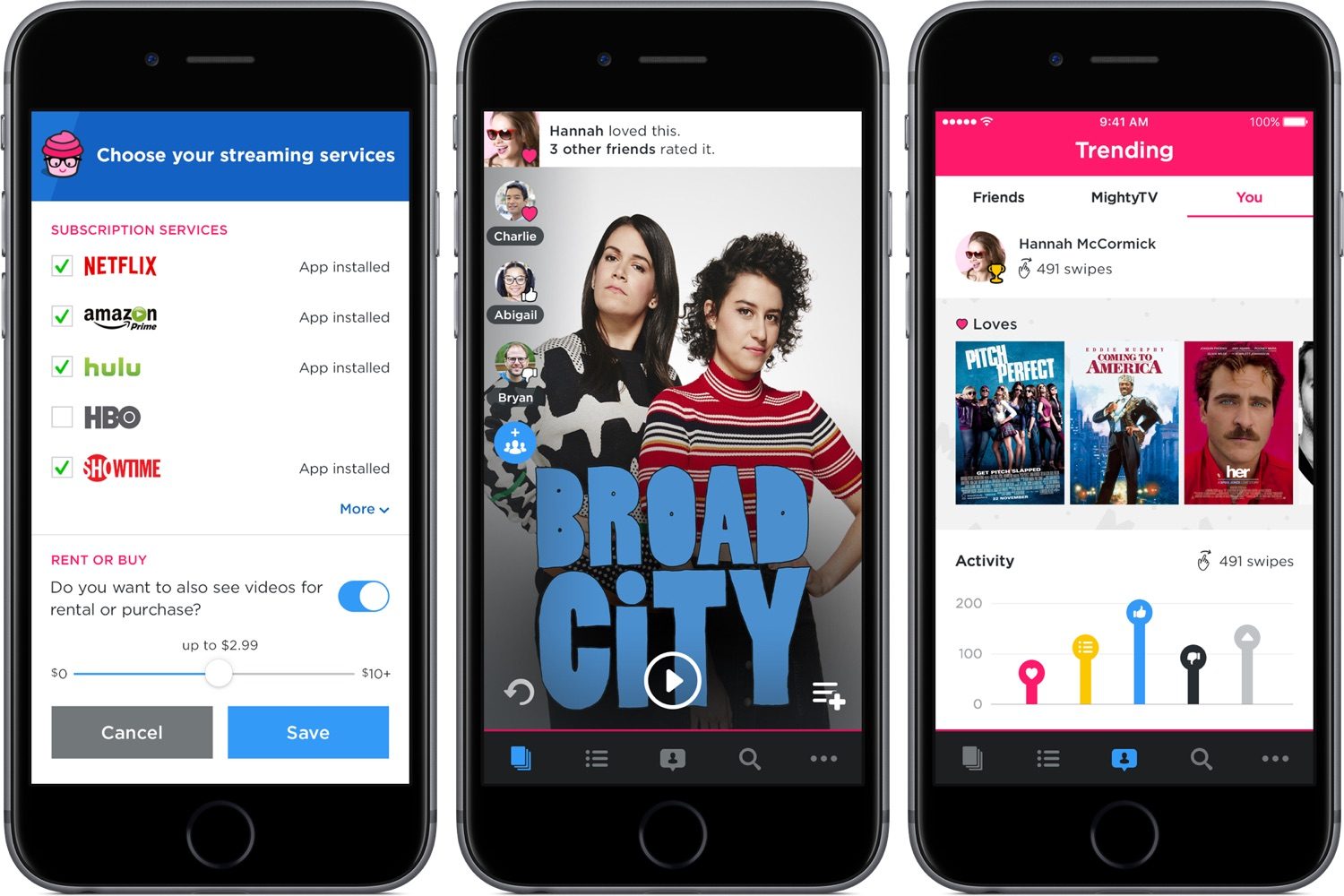
Mighty TV screenshots
Image used with permission by copyright holder

To get started, you’ll need to download the app and sign in with Facebook. Then you’ll be asked which streaming services you subscribe to, and about your standalone services like HBO and Showtime. You can also select an option to add in digital rentals or purchases, but this isn’t on by default.

Once you’re signed in, you’ll be given a quick tutorial and then you’ll be presented with the first recommendation. If you’ve seen it, swipe right or left to indicate whether you liked it or not. If you haven’t seen it, you can either save it to watch or swipe up to dismiss it for the time being.

The recommendations quickly start to become useful, all without having to select the types of genres you prefer or perform any other setup work. Once you’ve found some things you like, it’s easy to start watching either on your iPhone or iPad, or cast them to your TV to watch on the big screen.

Mighty TV is available now as a free download in the App Store.

Kris Wouk
Former Contributor
Kris Wouk is a tech writer, gadget reviewer, blogger, and whatever it's called when someone makes videos for the web. In his…
Samsung’s Freestyle+ AI Smart Projector turns any wall into your next movie screen
This $1,200 Samsung projector uses AI to fix your picture automatically.
samsung-Freestyle-AI-Smart-Projector

Movie night no longer needs a blank white wall or a complicated projector setup. Samsung has launched the Freestyle+ AI Smart Projector for $1,200 in the US, and its biggest trick is making almost any surface work as your screen.

Whether you're projecting onto patterned wallpaper, a colored wall, or even a space with shelves and picture frames, the projector uses AI to automatically adjust the image so you can start watching with minimal effort. The portable projector can create a Full HD picture up to 100 inches, making it an easy companion for everything from backyard movies to bedroom binge sessions.

Read more
Apple Music just got pricier
The subscription fee has climbed for student, family, and individual plans in the US, UK, and the rest of Europe.
Apple Music App

Apple just raised the subscription fee for its eponymous music streaming service. For individual plans, the price has climbed by a dollar, and so has the affordable student tier. The fee for the family plan has gone up by $3, and it now costs $19.99 in the US. The benefits associated with each plan remain unchanged.

How much do I pay now?

Read more
Sonos owners are finally getting a less frustrating app, but the rollout comes with a catch
Improved navigation, speaker sorting, and new iOS volume controls are arriving gradually and must initially be enabled manually
Furniture, Electronics, Speaker

The Sonos app is getting a substantial usability overhaul. Familiar bottom tabs should make it easier to move around, while customizable speaker ordering could take some friction out of managing a multiroom system.

Sonos community manager ShaunFromSonos announced that the release may take up to two weeks to reach everyone. Once it arrives, users must switch on Enable Improved Navigation in the app’s settings to unlock the new layout and sorting tools.

Read more

