Advanced video doorbells — like the kinds offered by Ring, Nest, SimpliSafe, Arlo, and many others — can play a lot of different roles in the smart home. They act as smart security cams with live video feeds and alerts for mobile devices. They function as two-way radios for talking to guests at your front door. And yes, you can even use them as doorbells.
At least, that’s what happens when a video doorbell works properly. Sometimes things go wrong and keep one or more doorbell features from working at all. Here are the most common problems we’ve found with video doorbells, and the solutions we’ve discovered that can help. Check out our troubleshooting tips below.

The doorbell won’t chime
One of the nice things about video doorbells is that you customize their chimes. But, if your doorbell isn’t chiming at all when people activate it, there’s probably something wrong.
First, head into the companion app you use to control your video doorbell. Most apps will have an option to disable or mute the doorbell entirely if you want some peace and quiet. Make sure the chime wasn’t accidentally muted.
Another problem some people encounter is with the hardware connection. Check the chime connector (sometimes called a doorbell or chime adapter) and ensure it’s properly connected to the chime box inside your home. Oftentimes, you’ll hear a loud humming or buzzing sound if there’s an issue with the connection. In some cases, there may be circuit compatibility issues — the two devices just aren’t designed to work together. If everything else but the chime is working, call up support for your video doorbell and report the issue. They may be able to send you a new adapter or similar device so your traditional doorbell chime can work with your new video doorbell.
The doorbell loses its Wi-Fi connection
Video doorbells need a connection to your Wi-Fi network to support most of their features. You will set this connection during setup, but sometimes video doorbells keep dropping connections or are completely unable to find Wi-Fi, which means you can’t use the video functions, you don’t get any alerts, and none of the advanced tools on the doorbell will work.
If this is happening to you, first make sure you’re on a 2.4 GHz network, as many doorbells will only work on the 2.4 GHz band. If that doesn’t work, try resetting your router — we have a guide here that can help if you’re not sure how to do it. Make sure that your video doorbell app is updated if necessary. Reboot everything and see if things can connect again.
If you’re having trouble connecting to your Wi-Fi network on the app, or online features drop all the time, it could be a problem with your Wi-Fi signal. If possible, move your router closer to your door to help strengthen the signal, or consider a Wi-Fi extender or mesh router system to fix the problem.
The doorbell’s motion sensors don’t work
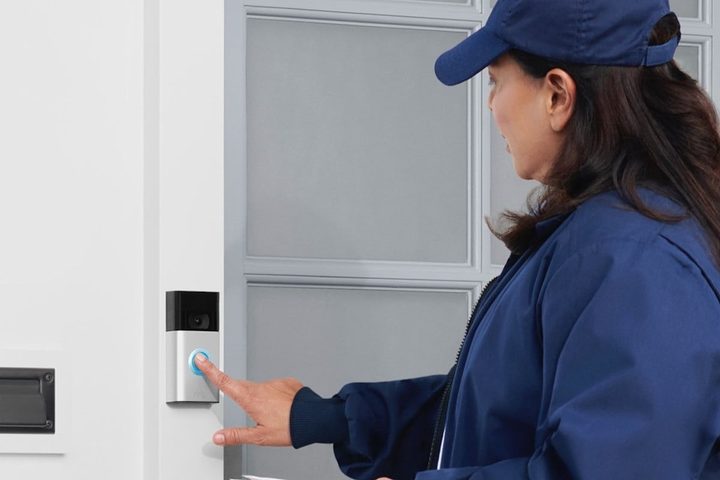
Most video doorbells use motion sensors to track movement and recognize people. This allows the doorbell to start recording, and then send you an alert letting you know someone is there. If you aren’t getting alerts or recordings but the doorbell otherwise seems to be working, take a look in the app.
Many apps give you the ability to shut off the motion sensors and stop you from getting alerts — people may prefer this if they are getting way too many alerts at inconvenient times. However, turning off alerts can essentially disable your doorbell, so it’s important to turn on sensor functions again. Check the app to make sure that sensors and alerts are enabled. While you’re there, see if you have any options to adjust or improve the motion sensors (perhaps even create motion zones), which can help reduce false alerts.
Keep in mind that some sensor or doorbell settings may only be available if you are paying for a plan. Your doorbell company may have given you a free trial run of its plan for 30 days or so, but after that trial ends you may find some features are no longer available.
The doorbell keeps freezing or shutting down
If the doorbell is shutting down entirely or freezing when you try to use it, try performing a reset. Look in your owner’s manual for instructions on how to reset the doorbell. If that doesn’t improve matters, you could have a power issue instead.
If your doorbell uses a rechargeable battery, this is a sign that you need to take the battery out and recharge it fully. Make sure that the battery case and connectors are free of any dust or grime that could be causing issues. The battery may even need to be replaced if you’ve been using it for several years.
If your video doorbell depends on a wired connection for power, things get a little more complicated. The average video doorbell needs to be wired into an AC electrical grid offering 16 volts or more, and your app may help out by tracking the voltage condition and spotting any problems (Ring, for example, has this option in its app). However, even with the right wiring, things can still go wrong — especially with older wiring or long wired connections that build up resistance. It may be time to call an electrician for a closer look if these are possible issues. There are power kits that some brands offer to help make sure the doorbell is getting enough power even if conditions aren’t ideal.

You can’t hear the person on the porch, or they can’t hear you
Your app should also give you an option to activate two-way audio when someone rings your doorbell. If this audio sounds low or appears to be muted, you can usually fix this in the app settings.
More serious audio issues may lead to audio dropping out suddenly, or audio only working one way when it should be two-way. Your best bet here is to call support and see if they advise a reset or other changes you can make. Sometimes these issues are caused by an internet connection with a low upload speed, in which case improving your Wi-Fi connection can help fix the problem.
The doorbell video feed isn’t working
First, try resetting your doorbell to see if this helps the video features come online. If that doesn’t work, most other video issues are caused by internet connection problems or not enough bandwidth. Try clearing some devices off your Wi-Fi and see if that helps fix the problem.