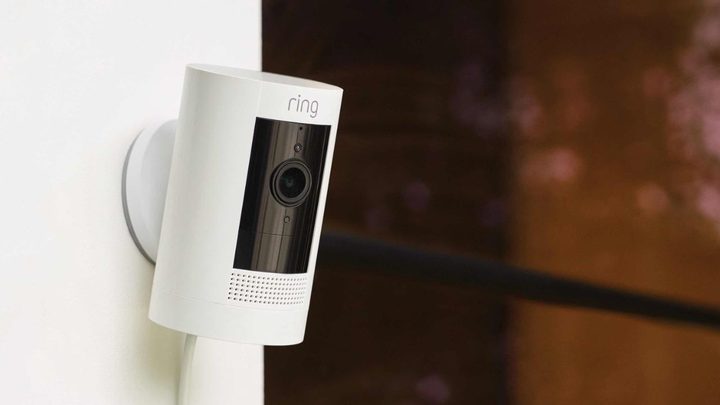
Two of Ring’s most popular security cameras are the Ring Pan-Tilt Indoor Cam and Ring Stick Up Cam Plug-In (3rd Gen). Both are relatively affordable, yet packed with premium features that make them great for guarding your home. But which one is better for your needs — the newer Pan-Tilt Indoor Cam or the classic Stick Up Cam Plug-In (3rd Gen)? Here’s a closer look at both to help you decide.
Pricing and monthly fees
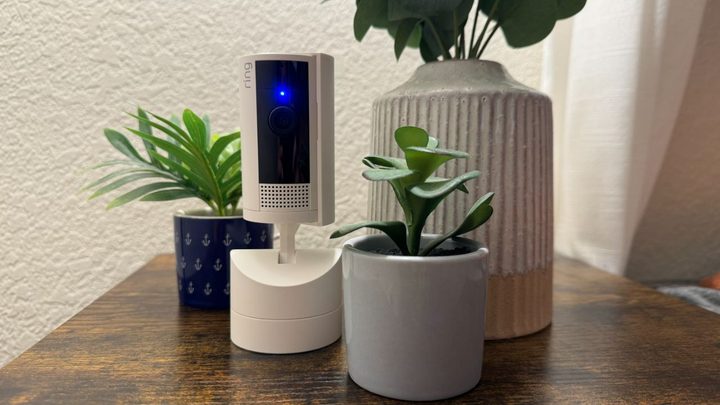
Despite being the newer product, the Ring Pan-Tilt Indoor Cam is cheaper than the Stick Up Cam Plug-In. It costs just $80 compared to the Stick Up Cam Plug-In at $100. Additionally, if you’d like to pan and tilt the Stick Up Cam, you’ll need to bundle it with the Pan-Tilt Mount for a total of $145. Regardless of which camera you choose, a Ring Protect subscription is all but a necessity. The lowest tier costs $5 per month and unlocks key features like 180-day video history, rich notifications, snapshot capture, and more.
Winner: Ring Pan-Tilt Indoor Cam
Design and installation
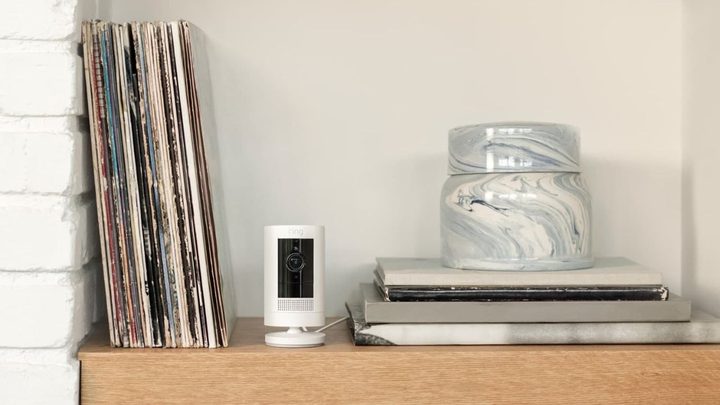
Both products are well-designed, durable, and small enough to place on a countertop. They’re also easy to set up, as you simply need to plug them into an outlet and sync them with the companion mobile app. Once that’s done, you’ll be able to customize their performance by setting motion zones and adjusting their sensitivity.
Neither product looks more premium than the other, though the Pan-Tilt Indoor Cam does look quirky due to its base, which allows it to pan and tilt. And if you install the Pan-Tilt Mount on the Stick Up Cam Plug-In, it’ll look much the same.
Winner: Tie
Resolution and night vision

These two cameras are evenly matched when it comes to resolution and night vision. They offer 1080p footage capture and color night vision, and both look great when viewed on your smartphone. Many cameras today now offer 2K or 4K resolutions, but these two still look impressive in action and are likely enough for most households.
Winner: Tie
Features and spec list
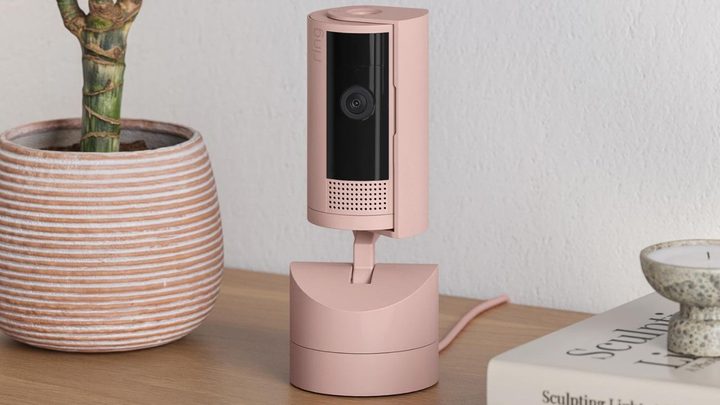
There are a few key differences between the Pan-Tilt Indoor Cam and Stick Up Cam Plug-In. The most obvious difference is the Pan-Tilt’s innate ability to pan and tilt. This lets you view multiple angles of your home with a single camera. If you want to do the same with the Stick Up Cam Plug-In, you’ll need to shell out cash for the optional Pan-Tilt Mount. The Pan-Tilt also includes a built-in privacy shutter, though it can only be controlled manually.
The big selling point of the Stick Up Cam Plug-In is that it can be used outdoors, whereas the Pan-Tilt is limited to indoor use. It can even be used outdoors when paired with the Pan-Tilt Mount, making it the obvious choice if you need to pan and tilt around the exterior of your home.
Aside from those wrinkles, these security cameras are very similar. Their feature list includes two-way audio, support for wall and ceiling mounting, and a simple plug-in power supply.
Winner: Tie
Which is the better security camera?
The Ring Pan-Tilt Indoor Cam and the Ring Stick Up Cam Plug-In (3rd Gen) are both great products — but depending on your needs, one is clearly better than the other.
The most obvious reason to pick the Stick Up Cam is if you need an outdoor camera, as the Pan-Tilt simply isn’t rated for being out in the elements. It is, however, a bit more expensive, especially when paired with the Pan-Tilt Mount.
For folks on a budget or those seeking an integrated pan-tilt camera, the Ring Pan-Tilt Indoor Cam is the better choice. Not only is it cheaper, but it comes with a built-in privacy shutter for added security. And the convenience of having the pan-tilt base designed right into the camera is hard to beat. Beyond that, these two cameras are virtually identical.