1. Home
  2. Phones
  3. Mobile
  4. News

Quick Phrases won’t go away on your Pixel? You aren’t alone

Add as a preferred source on Google
The Google Pixel 9 Pro Fold's camera module.
Andy Boxall / Digital Trends

Google Assistant is one of the most powerful parts of the platform. Just by saying, “Hey Google,” you can follow up with a wide range of different voice commands. Sometimes you want to respond more quickly, though, so the Pixel 6 introduced a feature called Quick Phrases that makes it possible to respond to incoming calls and alarms with a simple, short command.

But all is not OK in Pixel Land, it would seem. Users are reporting the Quick Phrases bubble — a pop-up that prompts you to respond with “Stop,” “Snooze,” etc. — is lingering on-screen long after the point it should have disappeared, according to 9to5Google. The problem appears on both the Android 15 stable release as well as the QPR1 beta.

Recommended Videos

The problem has bled over to affect other Google apps, too. Under normal circumstances, the Quick Phrases prompt would vanish after you supply the command, but the bubble has begun to remain front and center on your phone.

Unfortunately, the presence of the bug on multiple Google versions would indicate the problem is with the Google app. That means there’s nothing the average user can do except tough it out; a fix will need to go up server-side, which means the problem is entirely in Google’s hands.
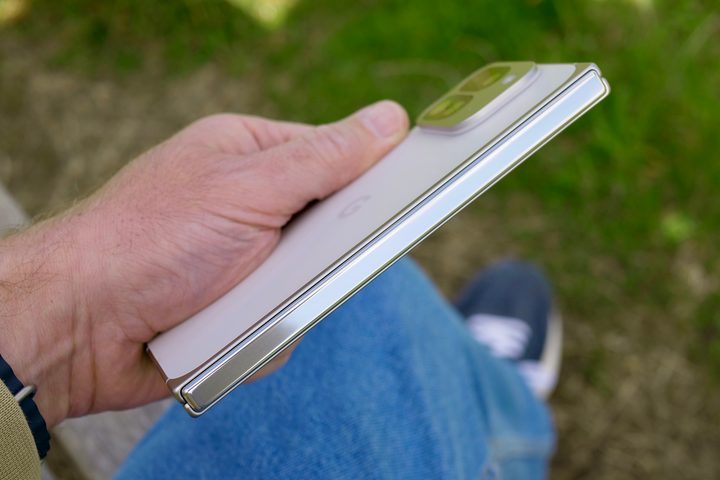
The Google Pixel 9 Pro Fold's hinge.
Andy Boxall / Digital Trends

There are a few workarounds you can try. The first is to restart your Pixel. Doing so has cleared the issue for some people, but there are reports of it coming back. Another option is to disable Quick Phrases entirely, but that adds another level of frustration by taking away a convenient feature.

If you’re experiencing this issue, try one of these solutions, but know that neither is a guaranteed fix. The best option is to wait for Google to resolve the issue itself, and since reports have been rolling in for at least four days now, chances are good that a hotfix is just around the corner.

Patrick Hearn
Former Technology Writer
Patrick has written about tech for more than 15 years and isn't slowing down anytime soon. With previous clients ranging from…
The Galaxy Z Fold 8, Fold 8 Ultra, and Flip 8 let you ditch your laptop’s grainy webcam
Samsung's new foldables inherit USB webcam mode from the Galaxy S26, and their hinge lets you put it to better use.
USB webcam mode on Galaxy Z Fold 8 featured

Samsung's latest foldables can double as a USB webcam for your laptop. The Galaxy Z Fold 8, Fold 8 Ultra, and Flip 8 all support the USB webcam feature, which first debuted on Pixel phones back in 2023 before Samsung brought it to the Galaxy S26 series earlier this year.

How webcam mode works

Read more
Instapaper just had its biggest update in years, and it’s packed with goodies
New website, new iOS app, and AI Voices for Android, Instapaper's glow-up has arrived.
Instapaper iOS app

Apps like Instapaper are essential for keeping my reading goals in check. I cannot always read an article in full when I come across it, so the ability to save articles in a read-it-later app is a must-have feature for me. After Pocket's demise, Instapaper became the alternative most people flocked to. 

And now the company just handed its users a massive update to be thankful for. The company rebuilt its website from scratch, redesigned the iOS app around Apple's Liquid Glass look, and finally brought AI Voices to Android. Let's break down what's actually new.

Read more
How much does Apple’s Upgrade plan cost to lease devices and is it worth it?
The age-old ownership vs. subscription fight hits Apple devices.
Computer, Electronics, Laptop

Apple just gave you a new way to own an iPhone, iPad, Mac, or Apple Watch without buying it. The newly launched Apple Upgrade program lets you lease Apple hardware through Klarna instead of paying full price upfront, and I'll admit that the monthly numbers genuinely look tempting.

I went through Apple's own published rates device by device to figure out where this actually saves you money, and where it's just a slower way to pay full price for something you'll never own.

Read more