Whether you turned on subtitles on Disney Plus to help your kids remember the words to their favorite songs, or you turned down the volume while watching the new Marvel movie so you didn't wake anyone up during naptime, you may not be sure how to turn them back off. While this can be frustrating, don't panic (and don't cancel your subscription!). Turning subtitles on and off is fairly simple once you know where the option is hiding.
Disney+ is the home of streaming for all things Disney, and includes both new original programming and their classic catalog. Thanks to their acquisitions over the last few years, it's also the streaming home of Star Wars, Marvel, and National Geographic. That means there is plenty here to love for what you pay for the streaming service. The closed captioning option makes it easier to understand what's being said on screen, and is a great tool for anyone with auditory processing issues, but it can get in the way for some viewers.
That's why we've covered how to turn off the subtitles in Disney+ for you here, so that you can turn them off and get back to your show!
Having trouble with subtitles on your other streaming services, too? Check out this guide on how to disable subtitles on Netflix, as well as Max.
Note: Unless otherwise indicated, the first step for all of these devices is to launch the Disney+ app and pick a show or movie to watch. If you don’t have the Disney+ app, visit your device’s app store to download it for free. PC/Mac instructions apply to all browsers.
How to turn off Disney+ subtitles on Android
Step 1: While your show or movie is playing, tap your display.
Step 2: A Menu icon should appear on the left. When it does, select it.
Step 3: Your audio or subtitle options will pop up. Select the Off option under Subtitles.

How to turn off Disney+ subtitles on iPhone and iPad
Step 1: While your show or movie is playing, tap your display.
Step 2: A variety of icons should appear in the upper-right corner. When they do, select the icon farthest to the right.
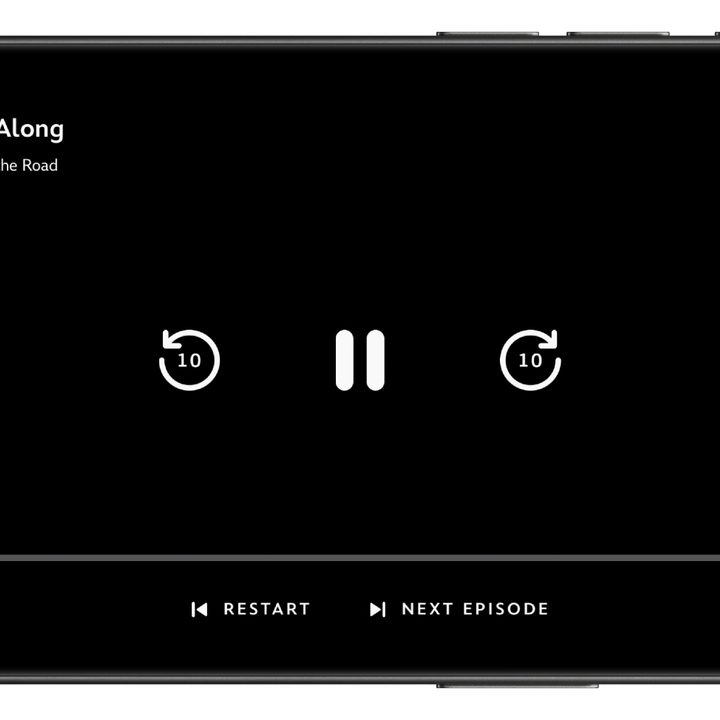
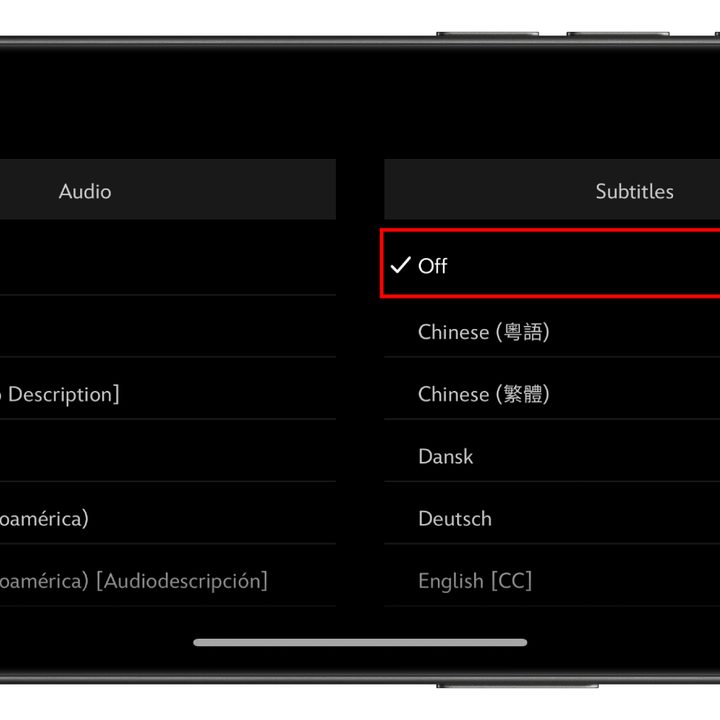
Step 3: Your preferred audio or subtitle options will pop up. Select the Off option under Subtitles.
Step 4: Tap the X icon in the upper-right to continue playback.
How to turn off Disney+ subtitles on Roku
Step 1: Once you’ve chosen a show or movie to watch, select Audio & Subtitles from the description page.
Step 2: Choose Off for Subtitles.
Step 3: Press the back button to exit the description page.
Step 4: Hit Play to start your movie or show.

How to turn off Disney+ subtitles on newer Roku devices
If you have a newer Roku device, you can also turn off subtitles while your movie or show is playing.
Step 1: While your show or movie plays, press Up or Down on your remote.
Step 2: Select Audio & Subtitles.
Step 3: Your preferred audio or subtitle options will pop up. Select the Off option under Subtitles.
How to turn off Disney+ subtitles on Google Chromecast
Along with Chromecast, these directions will also work to turn off Disney+ subtitles with Google TV.
Step 1: While your show or movie is playing, select, or hover the mouse on your screen. If you are using Google TV, press the down button on your remote.
Step 2: A Menu icon should appear. When it does, hover over it or select it.
Step 3: Your preferred audio or subtitle options will pop up. Select the Off option under Subtitles.
Step 4: Select OK or the X icon to continue playback.
How to turn off Disney+ subtitles on Amazon Fire TV
Step 1: While your show or movie is playing, click up on your remote.
Step 2: A Menu icon should appear. When it does, select it.
Step 3: Your preferred audio or subtitle options will pop up. Select the Off option under Subtitles.
Step 4: Click the back button on your remote to close the menu.
How to turn off Disney+ subtitles on Apple TV
Step 1: If you’ve already got a show or movie streaming, swipe up or down on your remote to change the settings while it’s playing. If using a second- or third-generation Apple TV, hold the Center button down on your remote.
Step 2: Choose the Settings icon in the bottom-right corner of the screen.

Step 3: The Info, Audio, and Subtitles menu will appear. Scroll over to Subtitles and select Off.
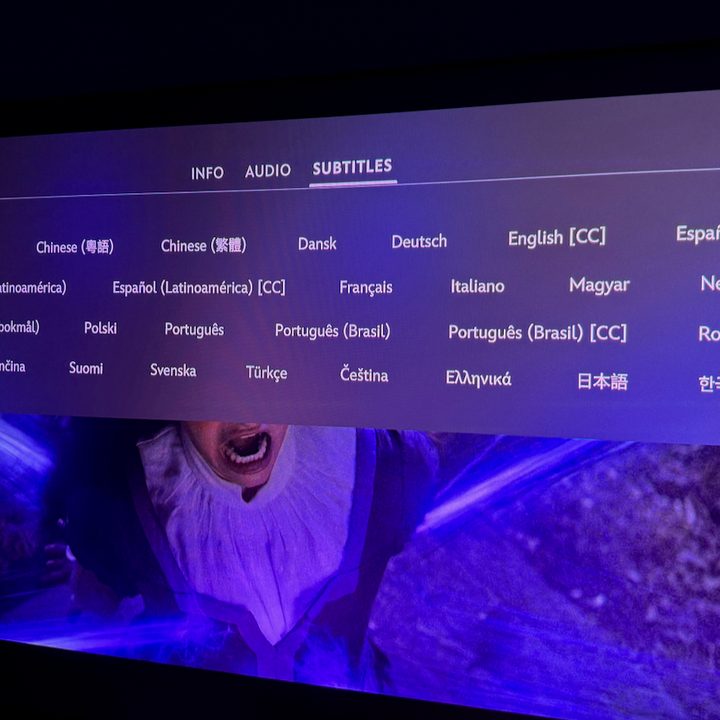
How to turn off Disney+ subtitles on PlayStation 4 and PlayStation 5
Step 1: While your show or movie is playing, hit the Down button on your controller.
Step 2: A Dialogue icon should appear. When it does, select it.
Step 3: The console’s audio and subtitle menu will show up, and then you can click the Off setting under the Subtitles category.
How to turn off Disney+ subtitles on Xbox One and Xbox Series X/S
Step 1: Once your movie or show is going, use your controller to click the Down button.
Step 2: A Dialogue icon should appear. When it does, select it.
Step 3: Your preferred audio or subtitle options will pop up. Select the Off option under Subtitles.

How to turn off Disney+ subtitles on PC or Mac
Step 1: When you’re watching your show, find the Menu option at the top-right corner of the display. The Menu button is a white square with black lines on it.
Step 2: The Audio & Subtitles menu will open.
Step 3: The available audio or subtitle options will pop up. Select the Off preference under Subtitles.
Step 4: Click the white “<” symbol to close the menu.