

It’s a lot easier to sell beautiful looking used goods with the help of a good filter. That’s the idea behind Osom, a Instagram-meets-Craigslist-meets-Ebay (minus the auctions) hybrid.
On first look, the app closely resembles the traditional photo-sharing design scheme: Faded brown tones that scream “hipster.” But Instagram is popular for a reason, so you can’t fault Osom for jumping on the bandwagon. So let’s dive in to everything you can do with this new spin on the virtual garage sale.
Osom Feed and other social features

For starters, you have to sign up and login for Osom using Facebook – so know that going into it. After you’ve done this, you’ll immediately see the news feed. It’s simply called the “feed” and it displays the latest goodies that other users you’re following have published, or you can choose to check out what all users are selling by tapping on the “global” tab at the top of the screen. To browse through what’s being sold, simply scroll through the app from top to bottom and you’ll be able to view items one-by-one (you know, sort of like viewing photos on Instagram).
If you see anything you like, there are three options that accompany each item. You’ll see a button titled “Osom!,” “Share,” and “Buy [Price].”
Because Osom (yes, as in “awesome”) is also a social app a la Instagram, the “Osom!” button is the Instagram equivalent of its “Like” button. Tap it and not only do the sellers get the giddy feeling of appreciation, those Osom’d items show up in your profile page. Think of it as a bookmark for items that you like or might want to buy.
“Share” simply shares the product’s photo to your Facebook page, and only to Facebook for now.
Then there’s the Buy button, which allows you to send users a message, but we’ll get to this later.
Selling on Osom
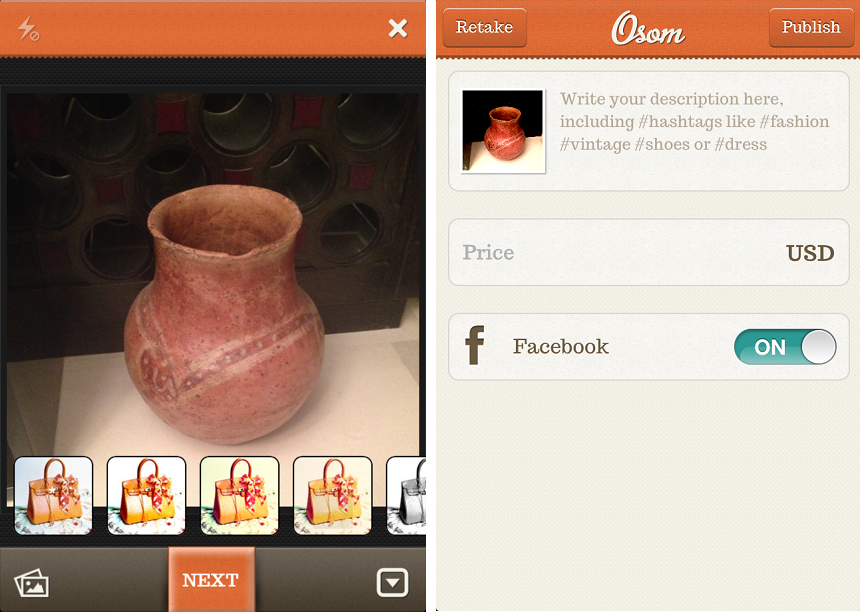
Osom clearly has the DNA of a photo app, but its buy and sell feature is what differentiates it. It’s clearly in many ways a replica of Instagram, but the distinction is that it uses Aviary filters instead.
But playing around with Osom, you’ll realize that you can’t actually buy products as it leads you to believe. So if you can’t buy anything, then what’s the difference between taking photos of products and adding filters, and taking photos of whatever you’d like and adding filters? Not much really.
Even the photo taking process is nearly identical. You tap on the central camera button, snap a photo, add a filter, and then type in a description. The difference is that the description should explain what you’re selling, along with a few hashtags for good measure. Oh, and of course you have to type in a price. So what’s with this buying and selling thing then?
Buying on Osom
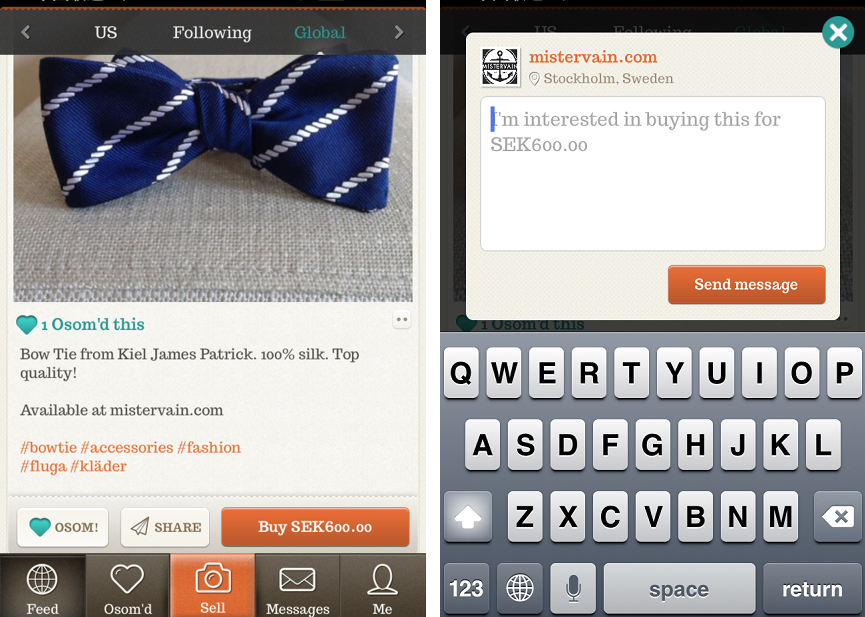
As hinted at earlier, Osom isn’t exactly an e-commerce app. It just parades itself as one.
When you click that “Buy” button, a message box pops up where you can express your interest in purchasing the product. That explains the default message that says, “I’m interested in buying this for $[price].” In reality when you click on buy, you’re not actually buying the product. Osom doesn’t have the backend to handle transactions in place at the moment.
Instead you’ll have to correspond with the seller via the in-app message feature or via email. It’s inconvenient, but it does opens up the door for haggling for a better price than what the item is listed for.
With that in mind, sellers, you might want to price high.
Discovering things to buy
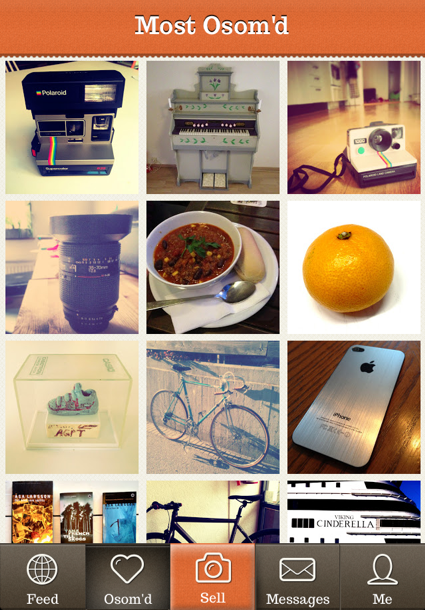
There are a few ways to discover items in case you’re in a thrifty mood. You can obviously check out your Feed to find items that the community or folks you’re following are selling. Or if you’ve found a seller with items you like, just tap on their user name and you can see what else is for sale. Finally, there’s a dedicated button titled “Osom’d,” which acts like a global feed for the most liked products. But other than that, product discovery on Osom is a drag.
Shoppers with an agenda would be hard-pressed to shop on an app that’s more photo app than e-commerce destination. Really, what Osom is about is beautiful pictures and digital window shopping; don’t go into it with a mission, go into it with an open-mind.
The app is filled with products from clothing and racks of books, to iPhones and bicycles that all show up together in the same feed. Then there’s the fact that the products that show up on the feed are from all around the world – don’t expect to easily find local goods you can physically go pick up.
Since the app isn’t location specific – although it does list products specifically from the U.S. – you’d probably be better of purchasing a new book at the nearest bookstore than spending the $10 for the book and extra to have it shipped to the U.S. from Germany.
Is Osom awesome?
Osom is an interesting concept mostly because it’s doing something Instagram is already doing: Acting as a platform for smaller brands. Plenty of local artisans use Instagram to share filtered photos of their wares, not necessarily to give you a digital way to buy them, but simply to share them on such a viral, well-connected platform. This is exactly what Osom is doing, just in a much more niche way and with some extra prompts for looking into buying items you seen in your feed.
Of course, a more direct approach to e-commerce would benefit those using awesome, both on the buy and sell side, but hopefully that’s to come. If anything, Osom is something Instagram should keep an eye on: Marketers and brands are ready and willing to make more and more use of the app, and something like the product-focused feature that Osom is would likely do very well for these Instagram users.


