
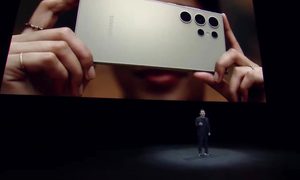
At the Samsung Galaxy Unpacked 2020 event, Samsung and Microsoft announced an improved Android app integration in Windows 10. The feature works with Microsoft’s Your Phone app and the new Note 20 Series phones, aiming to bring Android phones and Windows PCs even closer together.
As presented in a demo during the event, the improved feature is part of the Link to Windows ability in Samsung phones, previously announced in 2019. With it, along with the existing ability to access notifications, messages, photos, and calls, Galaxy Note 20 series owners will soon be able to enjoy a new “Your Phone Apps” feature in Windows 10. Through a shared WiFi connection, this allows access for Android apps installed on Note 20 phones, directly on a Windows 10 PC.

From Your Phone on Windows 10, Note 20 series owners will be able to pull up an “Apps” section, which is a list of Android apps installed on the phone. Then, they can open multiple apps simultaneously, directly from within Windows. Different from the current “Phone Screen” ability to mirror an Android phone, owners of compatible Samsung phones will be able to enjoy the apps in a windowed mode.
“Now the Your Phone app is about to get even better. The new Apps feature gives you access to your Android apps on your Note 20 directly from your PC. Now you’ll be able to combine the benefits of running a mobile app on your Galaxy Note 20 with your PC screen, keyboard, and mouse,” said Microsoft.
The feature is now available for testing in the beta versions (or Windows Insider builds) of the Your Phone app on Windows 10 when paired with compatible Samsung Android devices. That includes the new Galaxy Note 20, as well as older Samsung Phones like the Galaxy Note 9 and Note 10, and the Galaxy S20. Microsoft is still working to perfect Your Phone Apps, and the says the ability to run multiple Android apps is not currently available. It will instead rollout out later in the year.
Microsoft, though, did demonstrate the ability to open WhatsApp alongside Instagram and Uber Eats. The company also said Android apps can even be pinned to the Windows 10 Taskbar and Start Menu, for easier access.
Other integrations between Samsung’s newest devices and Microsoft’s products include the ability to use the new Galaxy Tab S7 as a second screen for Windows 10 laptops. Also planned is a new integration where notes from Samsung Notes and reminders from Samsung Reminders Android apps will sync up to Microsoft’s services and PC experiences. That includes Teams, To Do, OneNote, and Outlook. Samsung says this cuts out the need to email things or transfer via USB.


