


“Sony’s Dash packs plenty of apps and a surprisingly affordable price tag, but a hazy screen and slow processor left us wishing for more.”
- Thousands of apps, thousands of features
- Sharp, durable design
- Integrated Wi-Fi
- Responsive touch screen
- Slow
- Light leaks from the edge of the bezel
- Poor screen sharpness
“Why you can trust Digital Trends – We have a 20-year history of testing, reviewing, and rating products, services and apps to help you make a sound buying decision. Find out more about how we test and score products.“
 Introduction
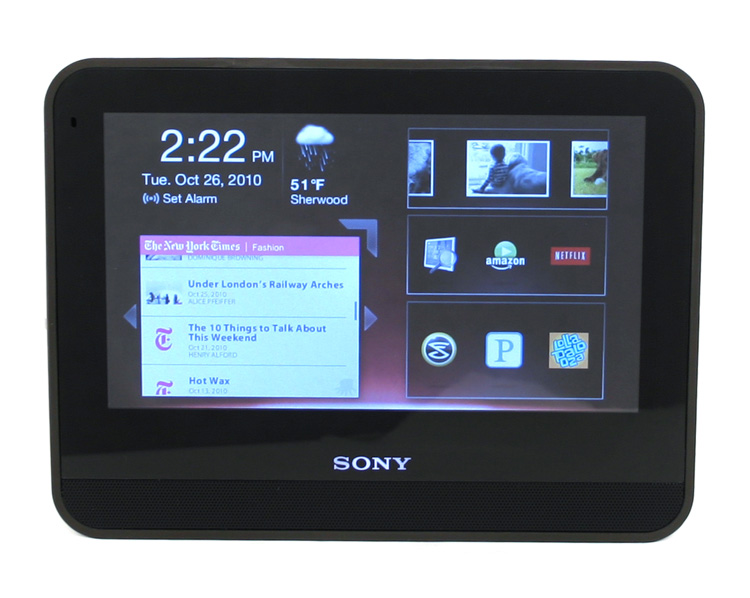
The Sony Dash falls into the awkward category of picture frames that do more than show pictures. The HP Dream Screen (recently shelved) and the cute Chumby both fall into the same arena; desk mates that keep you company. Sony adds some extra style and Sony love to the Dash in the hopes that it will distinguish it from others. Priced at an MSRP of $200, the Dash works well as a product of novelty rather than one of utility (which it is designed for), and fits in as either an alarm clock with extra features in the bedroom, or a family calendar or recipe book with weather updates in the kitchen.
Features and Design
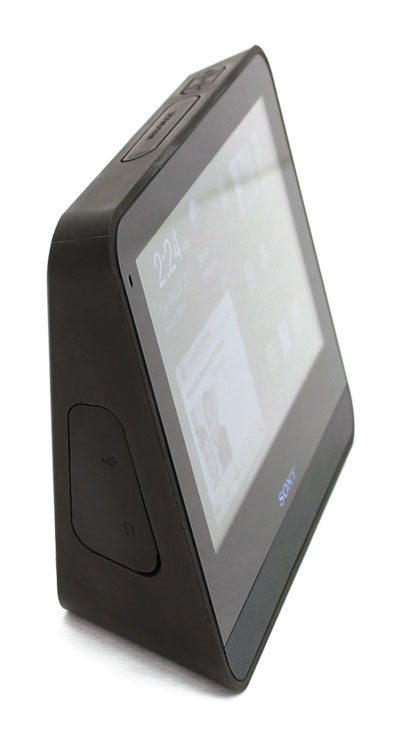
When we first opened up the Dash box, we were not overly impressed with its design and looks. The Logitech Squeezebox for example, has that “wow factor” when you open it up and first power it on. The Sony Dash has a timid hint of Sony’s normal sex appeal, but you quickly realize that the Dash was built prioritizing utility over style. In other words, this baby was meant to be touched and manhandled. The outside casing uses a hard rubber that is built to withstand solid use. And while it’s by no means waterproof, the Dash had no problem taking a splash of water or food, and was easy to clean off.
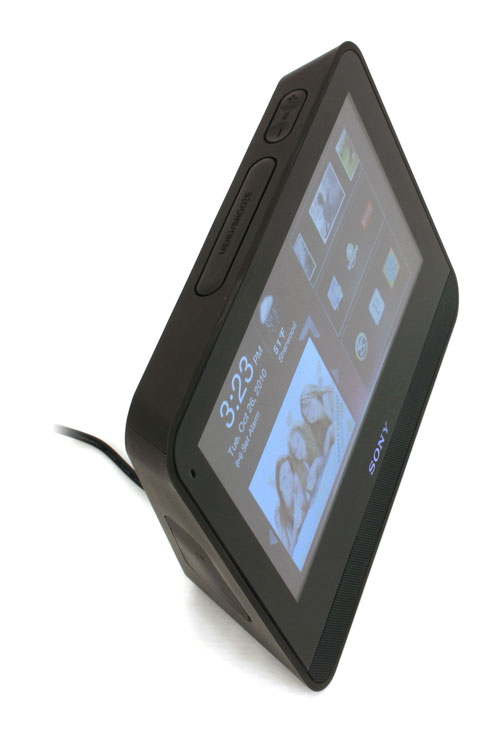
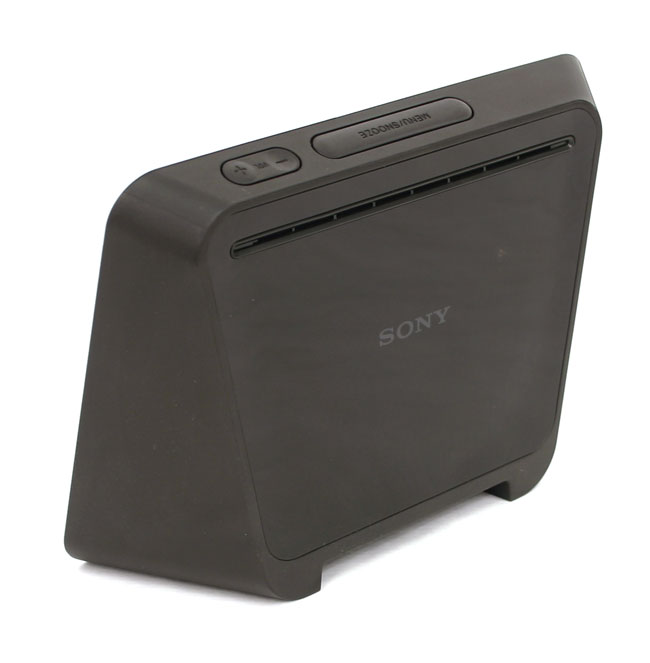
The wedge shape of the Dash allows you to use it in two orientations – one with it propped up and the other with it lying down. The screen will flip to whatever orientation you decide to use – even the Sony logo disappears when the Dash is laid down to stay consistent with the look.
The 7-inch, color touch screen looks decent for a product in this price range. The colors are fairly bright, but screen sharpness leaves something to be desired. If you look at the Dash up close, it almost looks like a thin, hazy film is covering things up. Located on the top of the Dash is a snooze button that doubles as the menu button, and the volume controls. A small rubber shield on the left hand side covers up the USB and audio jacks.
Applications
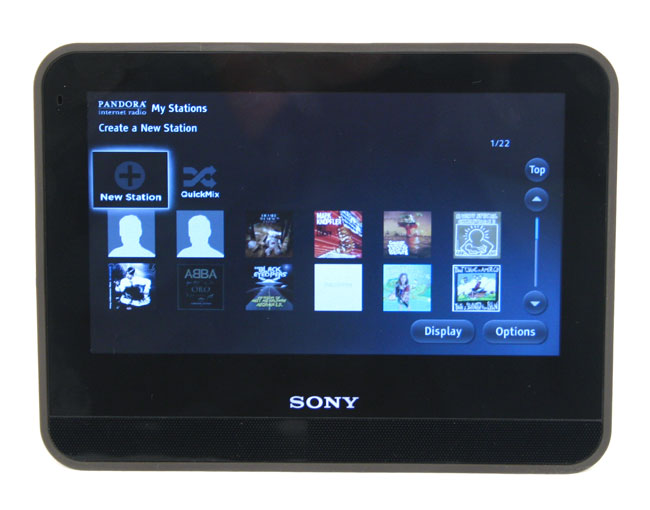
Thanks to Chumby’s Linux-based operating system, the Dash has a number of applications available to it, both directly from Sony, and from their partnership with Chumby. Some of the more recognizable applications include Pandora, Netflix, Slacker Radio, Accuweather, Facebook and Photobucket. In all, there are over 1,000 apps to choose from out of more than 20 different categories. It’s great that Sony gives you access to so many apps, because it lets the Dash play the proper role based on the user’s needs. Want an alarm clock? Done. Need to browse recipes in the kitchen? Epicurious is right for you. Need to glance at the weather before heading out? There ya go. You get the idea.
For our review, we tried out Pandora, Netflix and Facebook in addition to the standard roles of alarm clock and weather report. In order to use Pandora, we had to jump through a few hoops. First you were forced to register your Dash with Sony, then go to another page to register and tie your Pandora account to the Sony dash. Kind of a lengthy process. Once up, it works well. Sound is what can be expected from a 7-inch photo-frame; flat mid-range, metallic highs and no bass whatsoever. You can either stream music from within the Pandora app, or access it through the homepage dashboard, which allows you to check your e-mail or Facebook page while listening to music. For others, you can simply plug in your headphones and listen to music that way. Sound quality will of course depend on your headphones, but you should be pleased with what you hear.
 Netflix on the Dash is truly a novelty. In fact, it will be hard for anyone to sit down for an extended period of time to watch a full-length movie on this screen. But it can do it, and that’s more than we can say anything else in this product class can do. Unfortunately, there is no internal battery, so you are forced to keep the Dash plugged in while you watched your movie, and that can be rather limiting. But hey, we aren’t complaining. It’s amazing that a product like this can serve as a miniature TV, even poorly.
Navigation and Screen
Navigating the Dash is pretty straight forward, but the processor Sony uses seems to really struggle, as we noticed considerable lag while navigating the menus. We also noticed that some icons require a single touch to active, while other icons and apps require two (or perhaps it’s the lag and we are having to touch it twice). It would be nice to have it be more consistent.
The touch screen works well, but there is simply too much light leaking from the edges of the bezel. It ruins the nice dark blacks and rich colors the Dash should really be showing off.
Alarm Clock
As an alarm clock, the Sony Dash does an admirable job. You can set multiple alarms and choose what you want to wake up to. People who despise brightly lit alarm clocks will need to pass on the Dash. Sure, you can dim the screen, or put the clock into night mode, but there is no easy way to do it. You have to hit the menu button, then click on the “night mode” button. Sony needs to add this to the clock dashboard from the get go. You aren’t going to want to navigate a menu just to turn the lights down.
Conclusion
The Sony Dash is a fun appliance that can assume multiple personalities. It makes for a great alarm clock in the bedroom, but does equally well in the kitchen where it might be used to show the latest weather and traffic information before your drive into work.
Two caveats are the system speed and the screen. No matter what you are doing with the Dash, it constantly feels underpowered, like the touch screen and the applications are always dragging a few seconds behind your selections. Second, while the screen is pretty good for a unit priced under $200, it could be sharper and leak less light around the edges of the frame. We almost wish Sony put in a faster processor, a better screen, and charged an extra $50 to $100 for it. The closest competitor, the HP Dream Screen, starts at $249 and does half of what the Dash can.
The Sony Dash is certainly not one of those “must-have” devices, but it has a certain fun-factor appeal to it that is sure to win you over.
Highs:
- Thousands of apps, thousands of features
- Sharp, durable design
- Integrated Wi-Fi
- Responsive touch screen
Lows:
- Slow
- Light leaks from the edge of the bezel
- Poor screen sharpness


