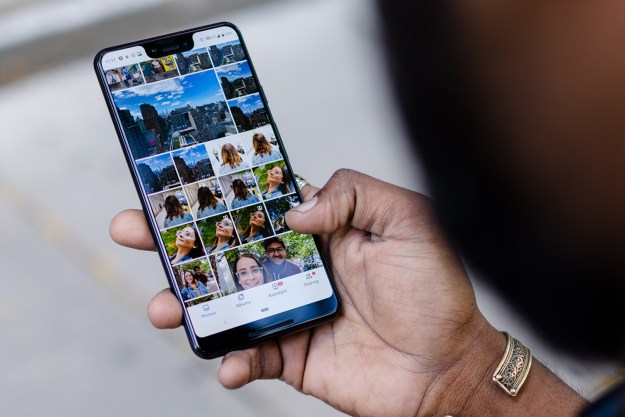
Here’s the quick answer: Simultaneously press the volume down button and the power button until the screen flashes.
Screenshots are still one of the most important features of every smartphone and tablet. Capturing screenshots on Google Nexus device isn’t rocket science but that doesn’t mean it’s obvious. Fortunately, every Nexus device can capture a screenshot with a few easy steps.
Here’s our guide to taking a screenshot on any Google Nexus handset. The steps are exactly the same for any Nexus 4, 5, 6, 7, 9, and 10. Or, for that matter, every Nexus phone and tablet running on Android 4.0 or later.
How to take a screenshot on your Nexus device
- Make sure the image you want to capture is on the screen.
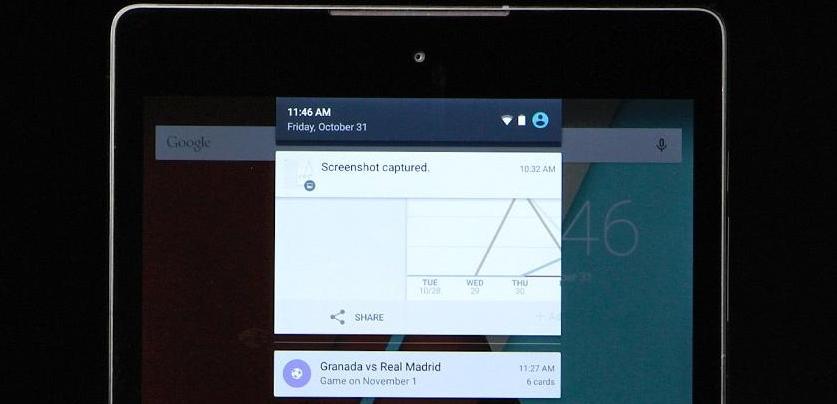
- Simultaneously press the power button and the volume down key. The trick is to hold down buttons at the exact same time until the screen blinks. A notification will appear notifying you of your new screenshot.
- Swipe down on the notification to review and share the screenshot. With newer Android operating systems you’ll be able to share directly from the notification bar. Older phones will require you to go into the Gallery app (photos) and locate the Screen Shots album.
Further reading
- How to record your computer screen
- How to take a screenshot on a Mac
- How to take a screenshot on an iPhone
Screenshot Tips
- Where are my power and volume down buttons? On the Nexus 6 you’ll find power button directly above the volume rocker on the right side. It’s shaped like a pill. On the Nexus 5 and other older handsets the power button will be on the left side of the handset and the volume rocker will be on the right side. On the Nexus 9 and 10 tablets, the power button is located on the upper left side.

- Where is my screenshot? All screenshots are stored in the Gallery (photos) app. Go to the Gallery app then choose the Screenshots album. Still can’t find it? Make sure you’re browsing your photo library in Album View.
- How do I share my screenshot? The screenshot will appear in the Notifications bar. Simply drag down the notifications bar to review and share. With devices running Android 4.0 or later, you can share it directly from the Notifications Bar via email, social media, or SMS. Additionally, the screenshot can be shared directly from the Gallery app in the Screenshots album.
Take all the screenshots you want! Enjoy.
Update 3-5-15 by Joe Donovan: This post was updated to reflect current Nexus models.
Editors' Recommendations
- How to reset default apps on an Android phone or tablet
- How to use Android Recovery Mode to fix your phone or tablet
- How to use Google Maps
- Google Pixel 5a vs. Pixel 4a 5G: Spot the difference
- Google discontinues Pixel 5, Pixel 4a 5G after Pixel 5a launch