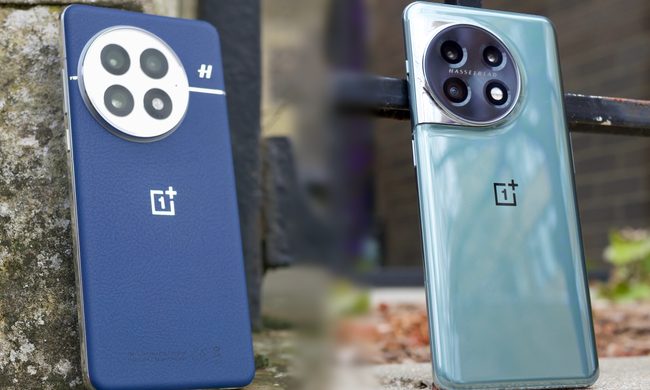
Browsing the web on your smartphone doesn’t have to be frustrating. A good browser app can improve even slow and unresponsive webpages by speeding up images, saving your passwords, and enabling third-party plug-ins. The tough part is finding a browser you like. Fortunately for you, we picked the most intuitive and robust mobile browsers we could find. But it’s ultimately a matter of taste: You have to find the browser that suits your needs. With that in mind, here are the best browsers for Android.
Also looking to find which desktop browser is right for you? Check out our guide outlining the best browsers in existence.
Google Chrome

Google Chrome has a cornucopia of features, including the ability to search from the address bar, browse the web in private Incognito mode, and automatically fill web forms with your data. Chrome’s default homepage is also surprisingly useful, serving up news articles it thinks you’ll like, as well as giving you links to your favorite sites. You can also save any webpage for offline viewing — useful if you want to read something later. Google’s Safe Browsing also warns you of dangerous links, and built-in Google Translate means that no page can keep you from your rampant reading.
Unsurprisingly, Chrome really shines if you have a Google account. Once you sign in, it syncs your bookmarks, tabs, and history across devices, remembers your usernames and passwords, and autocompletes your web searches. But you don’t need a Google account to take advantage of Chrome’s tabbed browsing, which lets you switch between webpages with a few taps. Ditto for Data Saver, which compresses images, fonts, and other web objects to speed up browsing and reduce your data usage by 60 percent, according to Google’s stats.
Opera
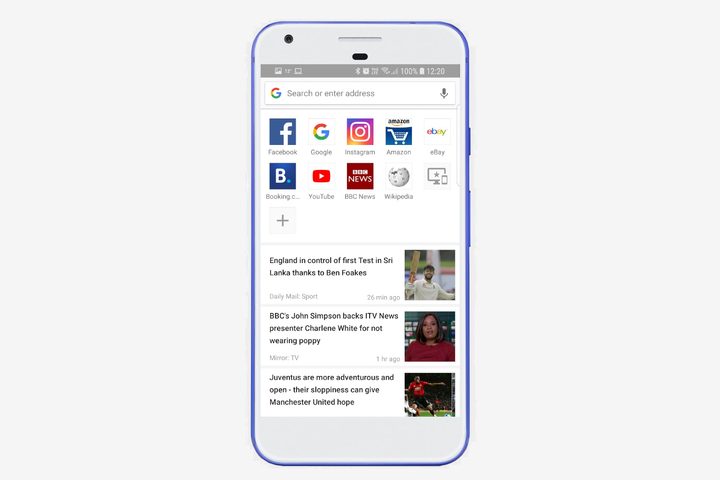
Opera Mobile, from the team behind Opera for Windows and MacOS, regularly gets new features via free updates. Some of the more recent features are a built-in ad blocker that zaps ads from webpages, a redesigned search bar that can scan QR codes, and a smart news feed on your homepage that recommends news stories to read. There is a good Incognito mode for when you need to go undercover, and there is a built-in data saver to keep you tapping for longer. It supports tabbed browsing, has a password management system, and can autocomplete forms if you choose. Like Chrome, if you sign in with an Opera account, it will sync your sessions across other signed-in devices.
Firefox
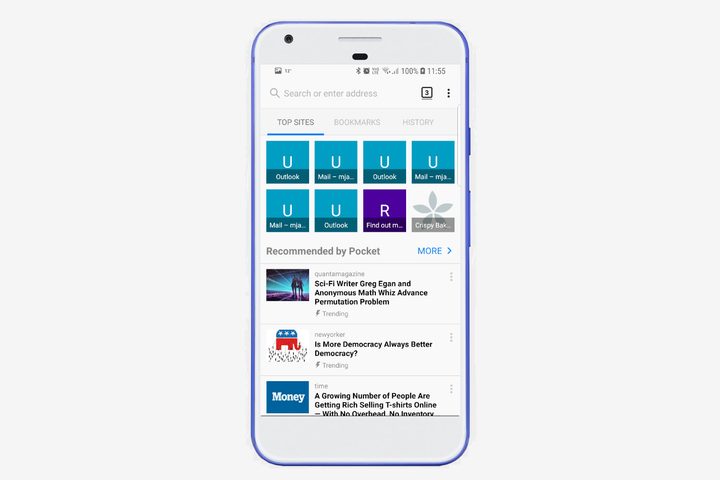
Firefox, from the nonprofit Mozilla Foundation, is unique in that it supports add-ons — third-party tools that augment your browsing experience in a variety of ways. There’s AdBlock Plus, text-to-speech engine Speechify and password manager LastPass — and that is just scratching the surface. The add-ons also include themes that can be applied to change up your look, so you can really personalize your browsing experience. But add-ons aren’t Firefox’s only contribution to mobile browsers. It has a night-viewing mode that alters webpage colors to minimize eye strain from blue light, there is a robust set of privacy controls that let you block ad networks from tracking your browsing habits, and Firefox also has bookmarks, password-saving, and tab-syncing features that are second to none.
Firefox Focus
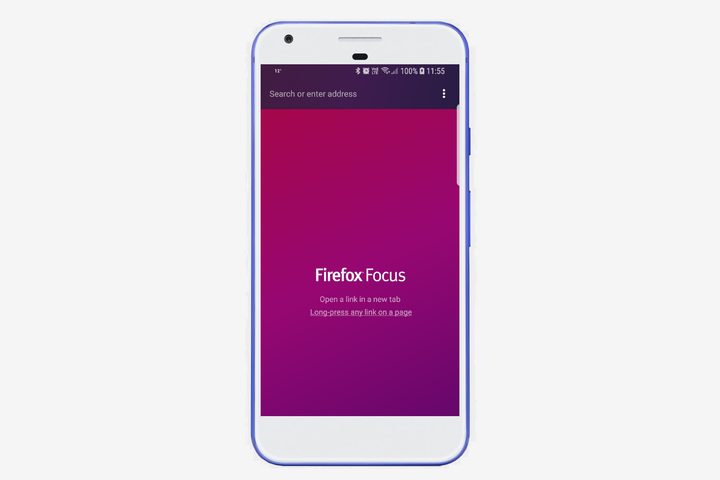
Mozilla’s Firefox browser is good for general-purpose browsing, but if you are looking for something more security-driven, there is Firefox Focus. The app features a stripped-down, streamlined interface that hides ads, shows you how many tracking programs are being actively blocked on any given page, and periodically reminds you to erase your browsing history. Firefox Focus allows users to slip through the internet like ghosts, safe in the knowledge that they are easily able to avoid ad-tracking and other such nuisances. Even better, it’s great for phones with limited space, as the download only takes up 4MB of space on your phone.
Dolphin
Dolphin launched more than four years ago, but has managed to stay relevant with features like Dolphin Sonar, which lets you search for things with voice (“search eBay for Nike Shoes” and “go to Google.com”), as well as share content to social media sites. Sure, you can do a lot of these things with artificial intelligence assistants today, but it’s still nice to have it built into a browser. Gesture browsing lets you bookmark webpages with finger gestures, and Webzine — Dolphin’s answer to Flipboard — aggregates more than 300 web sources in a variety of disciplines in an offline “magazine-style” digest.
Dolphin is competitive in other ways. Like Firefox and Puffin, it supports add-ons, tabbed browsing, private browsing, and password syncing. It syncs via Dolphin Connect, too. Simply log in to your Google or Facebook account, install the corresponding Chrome or Firefox extension on your computer, and your tabs, history, and bookmarks will sync in the background. Dolphin is also one of the best browsers for the iPhone.
Samsung Internet Browser Beta
Samsung’s aptly titled Internet Browser is chock-full of useful features. It supports content blockers such as AdBlock and Disconnect, as well as a high-contrast viewing mode designed for users with impaired vision. There is a built-in download manager, and you can also use the browser to sync bookmarks, saved pages, and tabs with non-Samsung devices via a corresponding Chrome extension. It’s the best browser for using with a Dex Station or Gear VR headset and will work automatically with both of those accessories. If you happen to pass by a Physical Web Beacon in real life, then this browser will let you know, and it also comes with Amazon’s web assistant for better online shopping. It’s available for all Android devices running 5.0 Lollipop or later.
Ecosia Browser
Who doesn’t love trees? Ecosia is a browser with a difference — searches made through Ecosia’s own search contribute to a pot that goes toward planting new trees. As much as 80 percent of Ecosia’s profits go toward planting new trees and it hopes to plant a billion new trees by 2020. That is a lot of extra foliage and a great reason to use this browser. It’s based on Chromium, so if you’re used to Chrome, this shouldn’t pose too much of a change from what you’re used to. Ecosia posts all of its tree-buying receipts on its website, as well as financial reports — just so you can be sure your money isn’t going to waste.
Microsoft Edge
Whoa, slow down there — don’t skip this one over just because you saw “Microsoft” in the title. Yes, it has a bad lineage, but don’t let that put you off Microsoft Edge’s very real uses. First off, if you use Microsoft Edge on any other device, then you can use this browser to continue where you left off on your phone, and you will find all your passwords, favorite sites, and reading list here too. Hub View makes finding new and favorite content easy, a text-reading mode makes reading easier, and there is even a QR code reader and voice search option. Sure, it lacks the bells and whistles of some of the other browsers, but if you use Edge on another device, this is useful to have installed.
DuckDuckGo Privacy Browser

Do you feel like someone is watching over your shoulder as you browse? DuckDuckGo’s search engine has been the go-to for anyone uncomfortable with Google’s search tracking, and DuckDuckGo’s browser now means that privacy-concerned users can easily browse on their phones without worrying about Big Brother-style concerns. DuckDuckGo’s browser forces websites to use encryption, blocks ad trackers, and will never track your searches. It also scores individual websites on privacy using a grade range from “A” to “F.” When you’re done and want to wipe the slate clean, the Fire button wipes away all open tabs and data with one push.
Phoenix Browser
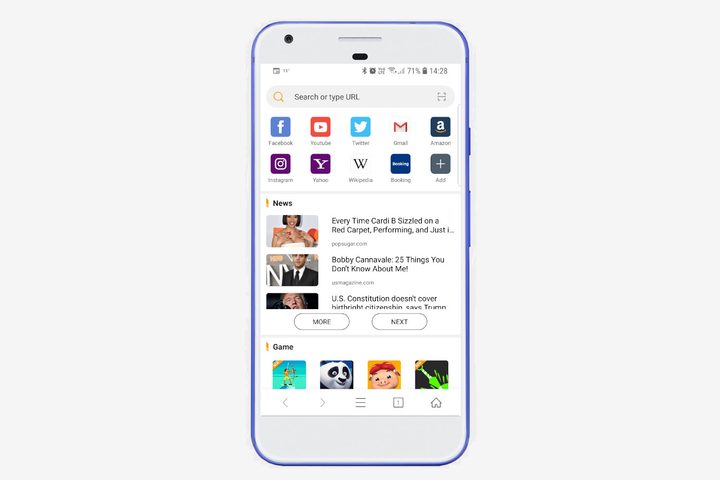
Rising from the ashes of other browsers, Phoenix Browser offers a super-customizable browsing experience. It’s smooth and fast, like you’d expect from any browser these days — but where Phoenix Browser stands out is in the breadth of features available. There are several options that aim to reduce your mobile data usage, including the option to save whole webpages for later viewing, as well as a “no image” mode that strips out data-heavy pictures for those on a budget. Phoenix Browser can also download videos from video streaming websites — though it’s prohibited from doing so from YouTube. We’re afraid you’ll still have to pony up for that YouTube Premium subscription.