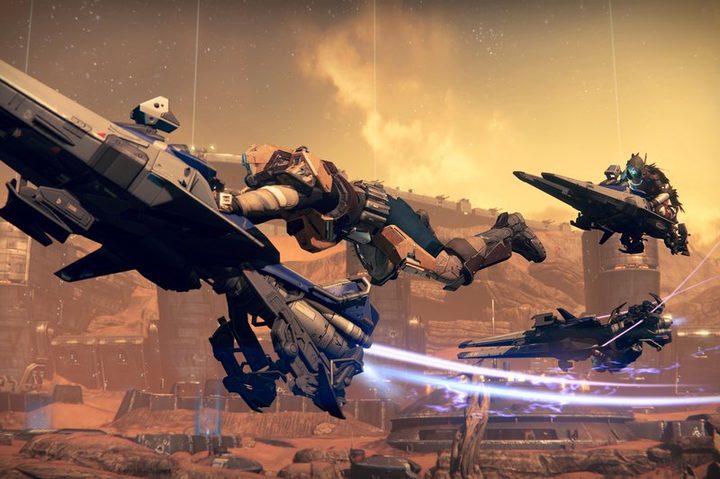
For the last two years, Destiny players have been able to enjoy Bungie’s persistent world shooter on both current-generation consoles and “legacy” consoles, aka the PlayStation 3 and Xbox 360. That changed earlier this month, when Bungie stopped pushing new content updates to legacy consoles in preparation for the game’s upcoming expansion, Rise of Iron. In other words, if you’re a die-hard Destiny fan playing on the PlayStation 3 or Xbox 360, it’s time to upgrade, because you’ll need a new console if you want to continue enjoying all that loot-grinding and alien-smashing. Luckily, developer Bungie had taken steps to make it incredibly easy for you to transfer your Destiny character from one console generation to another. However, there are a few things you should know before running out and buying a new console.
1. You can’t switch between Xbox and PlayStation
Players who are planning to import their character from old consoles to new ones are probably thinking about, you know, buying new consoles. And maybe you’ve been thinking that you had a good run with the PlayStation 3, but you’d like to try an Xbox One, or vice versa.
Stop right there. If continuing to play Destiny is a priority, then you should not make that switch. As noted on Bungie’s Account Import Guide, if you want to import your Destiny character, you must know that you cannot import a character from another ecosystem. If you have an Xbox 360 legacy character, you can only import it to an Xbox One. If you have a PlayStation 3 legacy character, you can only import it to a PlayStation 4.
So if you’re thinking about buying a new console, know that you have to keep it in the console “family” if you want to keep your character. Sorry, but those are the rules. It’s a particularly a bummer if you were hoping to switch for the sake of Destiny’s exclusive content. Rise of Iron will have some PS4-exclusive content, including a story quest and multiplayer map, which won’t be available on Xbox One for at least a year.
2. You’ll need a new copy of Destiny and its DLC
Let’s say you already own a copy of Destiny and its accompanying expansions for the PlayStation 3, but now you want to play on a PlayStation 4 so you can get into Rise of Iron. Tough break, bud. Not only will you have you have to buy a new piece of hardware, you’ll need to pick up another copy of the game, as well.
The good news is that Bungie is currently offering a discount to legacy players who upgrade to play Rise of Iron, and it’s not a bad deal, all things considered. Bungie plans to release a new version of the game in September called Destiny: The Collection for the Playstation 4 and Xbox One, which compiles the base game, Rise of Iron, and the first three expansions (The Dark Below, House of Wolves, and The Taken King). You’ll also get a boost to get your character up to level 40, the game’s current level cap. If you’re a legacy player who owns The Taken King on your old console, you can buy a digital copy of Destiny: The Collection from your console’s digital store for a discount — a mere $40 — until January. Basically, you’ll have all Destiny’s content on your new console and be good to go. Destiny: The Collection will cost $60 if you buy a physical copy, or didn’t pick up The Taken King.
Rise of Iron costs $30 on its own, so while you’re effectively paying an upgrade tax, with the discounted version, you’re only paying $10 more than what you would have paid otherwise.
3. You can only import once
Transferring your Destiny character from a legacy console to new console is incredibly simple. Just log into the game with the same PSN or Microsoft account you used on your PS3 or 360, and the game will detect your account and ask if you want to bring your Guardian over.
Before you do that, though, you should know that you can only import your account to a current-generation console once. Once you’ve done it, your PS3 or Xbox 360 character will be completely separate from your PS4 or Xbox One character — it’s like having another save file.
In other words, if you migrate your character today, then go back and grind to increase your light level on your PS3, you won’t see any of that work reflected on your character when you Rise of Iron comes out and you actually make the jump to PlayStation 4.
Therefore, you should only import your character once you’re sure you’re done playing on your old console. There’s currently no deadline for when you have to move your character from legacy console to current-gen console, so if you prefer playing on your old machine, there’s nothing stopping you from upgrading at some other, later time.
4. Everything should be imported to your new console… well, almost everything
Bringing your character to your new, current-gen console will, generally speaking, import everything you have tied to your Destiny account. Your character and progression data will transfer, so everything you’ve ever earned — i.e. your level, your gear, your completed quests, everything in your inventory — will be there. If you’ve spent real money to buy Silver, the currency you can use to purchase stuff like Emotes from the Eververse Trading Company, it’ll come with you too. You aren’t losing any money you’ve put into Destiny by upgrading.
What you might lose are items you got from codes specific to your legacy console. Certain bonus items that came with the digital deluxe editions of The Taken King, for example, seem like they might not carry over. (They may still be in your inventory, but you won’t be able to access them). Bungie currently isn’t super clear on this point or what might and might not make it to your new console, but the company’s help articles suggest that getting special downloads on your legacy console, such as the rewards from the promotional Red Bull missions, won’t carry forward to your new copy of the game.
5. How do you upgrade? Just sign in
You have everything you need, including your new console, your new copy of Destiny and its DLC, your PlayStation Plus or Xbox Live subscription, and your PlayStation ID or Xbox Gamertag sign-in info. Now, it’s time to import your character.
It works the same way on both consoles: Sign in to Destiny using the same online ID — either your Gamertag or your PlayStation ID — you used on your old console. Bungie’s servers will recognize your account and immediately prompt you to do the import. If you’re all set and ready to upgrade, just hold down the prompted button. That’s all it takes. Bungie will update Destiny, transfer your character to the new console, and let you go on about your business.
In order to ride your Sparrow into the sunset of Rise of Iron on September 20, you just need to plunk down the money to get a new console and re-purchase Destiny. As long as you’re careful to avoid a few key pitfalls, the process should be simple.