  1. Home
  2. Photography
  3. Mobile
  4. News

Reimagined photos from Generate can now be further enhanced via Adobe integration

Add as a preferred source on Google

Artistic filter and photo remix app Generate is now directly compatible with several different features inside Adobe imaging apps, including saving projects to the Creative Cloud.

Generate is an image editor with a variety of different artistic filters and effects, from mosaic tiles to neon object edges. Unlike most filter-based image editors, the effects can be adjusted individually and layered on top of each other to further expand the different possibilities. Along with editing stills, users can also add effects to video and even sync them with the audio.

Recommended Videos

With the app’s latest update, Generate users can now use several Adobe tools within their projects. The new compatibility takes images from Generate and automatically goes back and forth between the different apps. Adobe’s Photoshop Mix cut out, liquefy and healing effects give Generate users more options for remixing images, while the adjust options in Photoshop Express and the effects and stickers from Aviary Photo Editor round out the list of current compatible features.

Creative Cloud subscribers can also now save their Generate app creations directly into the cloud, making it easier for users to backup their work — or to open the files in desktop versions of Adobe software. The cloud compatibility also works with Generate’s video files.

Generate says that additional tool compatibility is already in the works, and that a series of updates over the next several months will continue to tweak the photo and video editing platform.

Along with the Adobe integration, the app’s latest update removed watermarks from images and simplified the screen share and saving processes. The update also brought 15 new filters to Generate.

The latest updates with Adobe integration are available on Generate’s iOS version. The Google Play Store option doesn’t yet have the same Adobe compatibility, but offers similar filters and adjustments. The app is free to download on both platforms.

Hillary K. Grigonis
Hillary never planned on becoming a photographer—and then she was handed a camera at her first writing job and she's been…
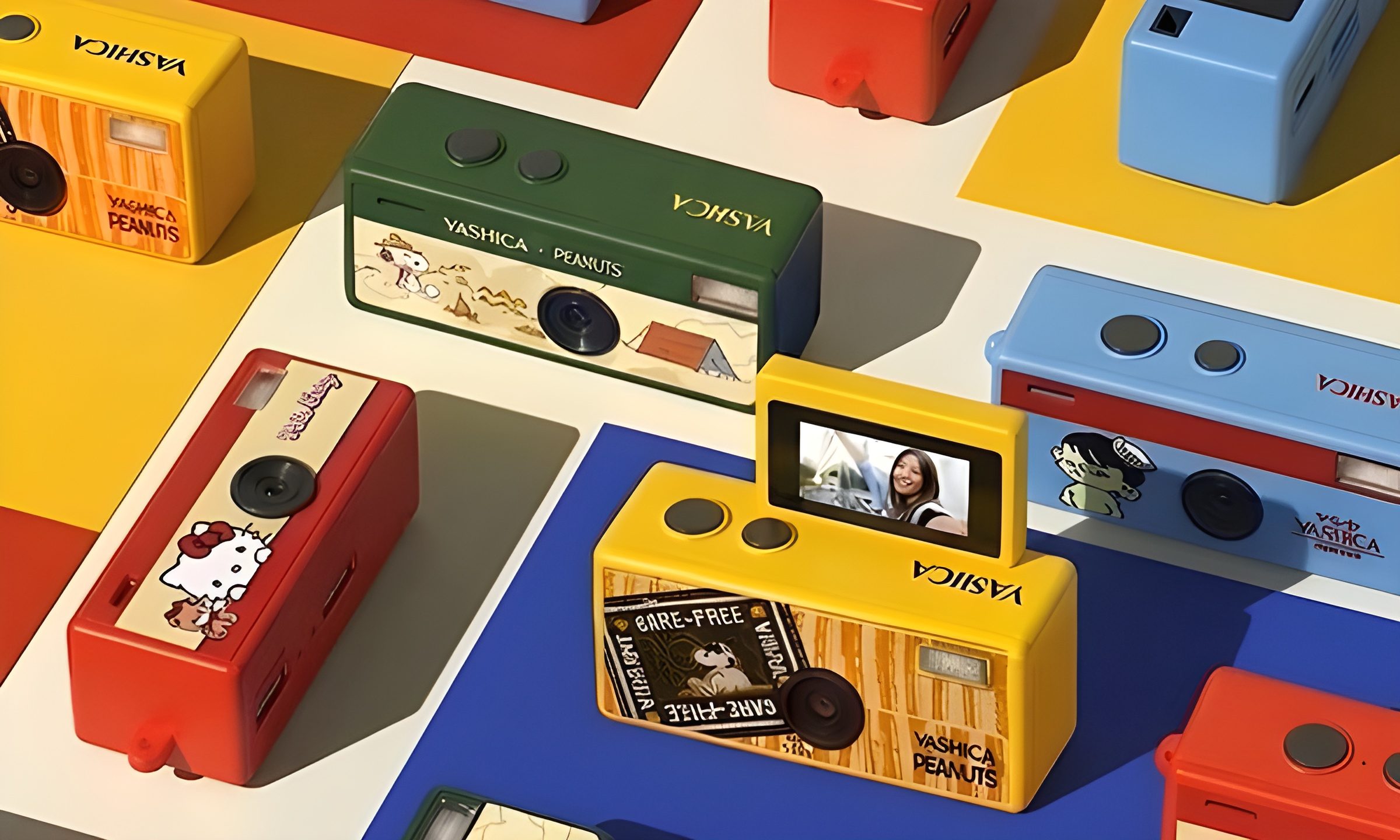
This new $30 keychain camera is coming for Kodak Charmera with a flip screen for selfies
Yashica's new camera makes toy photography more fun
YASHICA Funtastic Keychain Camera in multiple variants

Tiny digital cameras are all the rage, and Yashica is now offering a very cute toy photography experience of its own. The company’s new Funtastic Keychain Camera is exactly what the name suggests, a miniature digital camera small enough to clip onto your keys, bag, or lanyard. The popular Kodak Charmera is the obvious comparison, which brings a tiny blind-box keychain camera that became a viral collectible.

Now, Yashica's version lands in the same novelty-camera lane, but adds one very useful trick, which is a 180-degree flip screen.

Read more
Google releases big v4.0 update for its popular Snapseed editing app on Android
Electronics, Phone, Mobile Phone

After years of sitting on its hands, Google appears to have remembered it owns one of the best photo editing apps on mobile. Snapseed 4.0 is now rolling out to Android, bringing the platform up to speed after a stretch of iOS exclusivity that left Android users watching from the sidelines.

The story starts last June, when Google quietly broke Snapseed out of its long dormancy with a significant 3.0 update for iPhone. It was a surprise move that suggested the company was serious about the app again. Google then confirmed at the start of this year that Android wouldn't be left behind for long, and true to that word, the Play Store listing has now been updated to reflect version 4.0 — skipping straight past 3.0 for Android users and landing both platforms on the same version simultaneously.

Read more
Google Photos gets new editing tools that are all about subtle touch-ups
Google Photos just made your camera roll feel like it came with a makeup artist included, and the results are refreshingly understated.
Google Photos Touch Up feature in action.

Whether it is dark circles from a late night of work, a blemish that showed up uninvited, or something similar that could use additional brightness, Google Photos now has you covered.

Google has officially rolled out a new Touch Up suite inside its Photos app editor, integrating face retouching tools directly into the app for the first time. Previously, such adjustments were only available inside Google’s Camera app at the time of capture. 

Read more