1. Home
  2. Phones
  3. Android
  4. Mobile
  5. News

New Chrome for Android update cuts down on those pesky page jumps

Add as a preferred source on Google

Everyone hates page jumps. Even if you’re not exactly sure what they are, you’ve definitely encountered them, and they routinely ruin your browsing experience. It happens when you load a website, and as content trickles onto the screen, your browser is forced to haphazardly shunt your view of the page to shoehorn it in.

It’s infuriating, prevents you from reading, results in far too many unintentional clicks on ads, and — when it’s really aggressive — can make a site absolutely unusable. And it’s particularly damaging to the mobile browsing experience, where screen space comes at a premium and jumps can happen more frequently, because only a small part of the page is visible at any given time.

Scroll anchoring feature in Chrome (comparison video)

Enter one of the least-hyped but potentially most important updates Google has ever brought to Chrome on Android: Scroll anchoring. The feature has been tested in the beta version since last year and will debut in full with Chrome’s next release.

Recommended Videos

Google says with scroll anchoring, pages load with an average of almost three fewer jumps — and the development team is still improving that number. The name comes from the technique, as the browser’s scroll position is literally anchored to an on-screen element while content flows in.

There are a couple small caveats. The feature can’t be put to use on overly complex websites, and it is disabled when forward/back navigation buttons are used, so that the view is preserved from the previous time you looked at the page. Even so, this is a massively useful addition, whether most users are aware of what it means or not.

Not every single destination on the internet will benefit from scroll anchoring — but for the ones that do, it’ll make the internet just a little less of a headache-inducing place.

Adam Ismail
Former Contributor
Adam’s obsession with tech began at a young age, with a Sega Dreamcast – and he’s been hooked ever since. Previously…
Apple’s next big iPhone display experiment could be its biggest yet
The company may be testing a 6.96-inch panel for a future flagship, although one leaker’s post is currently the only source for the exact measurement
iPhone 17 Pro Max

Apple may be testing a 6.96-inch display for a future iPhone, bringing its largest handset within a whisker of the 7-inch mark.

Leaker Digital Chat Station claims the experimental panel retains the same aspect ratio as Apple’s current Pro Max display. The post mentions the iPhone 20 Pro Max as a possible destination, but doesn’t connect the screen to a finished device. Apple could be exploring the size without putting it anywhere near a production line.

Read more
Vibecoded apps are flooding Apple’s App Store, and users are getting sick of them
App Store submissions have doubled this year as AI tools make it easier than ever to build an app, but downloads haven't kept pace, and for good reason.
Apple App Store homepage on an iPhone

Apple's App Store is in the middle of its steepest submission surge in years. Developers submitted nearly 600,000 new apps last year, marking a 30 percent jump over the previous year. That number has already doubled to roughly 560,000 new apps in just the first six months of this year, according to estimates from analytics firm Sensor Tower cited by the New York Times. The reason behind the spike is vibecoding, which allows people with no prior development experience to create new apps using AI tools.

A familiar boom, with a twist

Read more
Google Photos adds a quick toggle between AI and classic search
Classic search is finally easier to reach for people who enabled Ask Photos
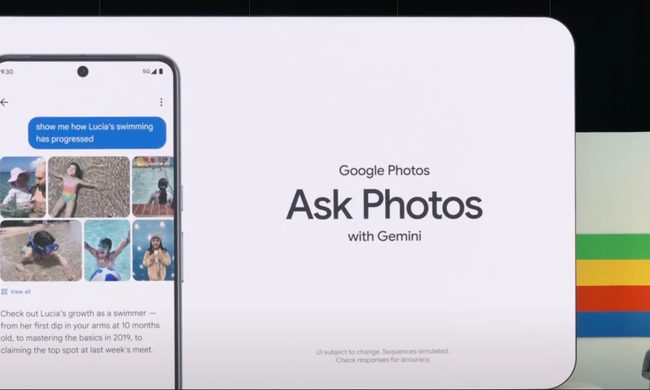
Google's Ask Photos debut.

Google Photos is giving users an easier way to leave its Gemini-powered search when a simple keyword would do. A new toggle now sits at the top of the results page, letting users switch between Ask Photos and classic search without digging through settings.

The change appears to address feedback from people who opted into Ask Photos but wanted a quicker way to return to classic search when Gemini was slower or less useful for a straightforward query.

Read more