
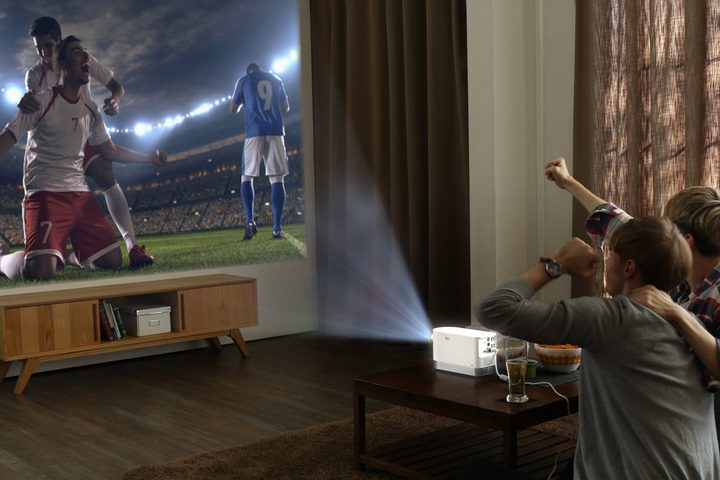
A television screen is an ever-expanding thing — literally. These days, you can easily find a high-quality and reasonably priced 65-inch TV, and even some of the best TVs you can buy are quite reasonably priced. But if you want a true cinematic experience, you need a projector. Projector screens easily reach beyond 120 inches, and many new projectors support 4K UHD resolution and cover an impressively wide array of colors thanks to features like wide color gamut, just like their 4K TV counterparts.
So should you buy a projector? Well, projectors are a bit more complicated than TVs and require a little extra consideration, but the best projectors for your money will bring your home theater to life. Below are five major factors that will help determine whether a projector is right for you.
Can you control the light in the room?
The first consideration in deciding if a projector is right for you is room lighting. Projector brightness (or lack thereof) was once an issue that required an entirely dark room, but today’s projectors offer more brightness for your dollar than ever before. It’s easier to find a model that can handle moderate ambient light or even well-lit rooms thanks to better technology, including screens that reject ambient light.
Still, the darker the room, the better the picture quality. When it comes to contrast, a projector needs darkness to make an image that looks bold, not washed out. This will also help make any required color calibration easier. Basements are popular for projectors because they tend to be dark by nature, but you can put a projector in a room with windows so long as you can effectively block out that light, usually with curtains. If you’re willing to put up blackout curtains or shades, nearly any room in your home will work.
Is there space for a screen?
You are going to need both the space and the means to install a screen. There are a few ways to do this. First, you can mount a manual or motorized drop-down screen from your ceiling. You could also mount a fixed screen to your wall, so long as you’re willing to sacrifice the space. You can even paint your wall with a special projection-screen paint.
Make sure you have enough space for the screen, plus the speakers, A/V receiver, and furniture you want to put around it. There are a number of online calculators that can give you exact height and width measurements for any given 16:9 screen size.
Is there enough distance?
There are two distance points you need to think about for a projector: Throw distance, the distance between the projector and screen, and viewing distance, how far it is from your seat to the screen.
Thanks to “short throw” projectors, you can reliably get a 100-inch diagonal widescreen image from just a few feet away, but many projectors require at least 10 feet for the same-size image. Ultra-short throw projectors, like LG’s ProBeam UST, can achieve a 100-inch image from as little as 4-5 inches away, but are significantly more expensive. You’ll want to use a throw-distance calculator online to determine if you have enough space for the projector you are considering.
Viewing distance has to do with how far you should sit from an image of a certain size, and there are online calculators for this as well. Typically, experts recommended that you sit 10 feet from a 110-inch screen.
Do you have the right spot for installation?
The previous steps have dealt with factors that affect the screen, but the projector itself needs special consideration, too. Specifically, you need to determine if you are able to place the projector at an ideal distance and angle from the screen. Ideally, the center of the projector’s lens should align with the horizontal center of your screen, although some projectors do allow for offset installation. If you can’t have your projector dead center, for whatever reason, be sure to look for projectors with a lens-shift feature. This allows for some adjustments should you need to place the projector a little off-center. They’re handy, but do keep in mind that the best image quality will come from a centered projector.

Of course, you’ll need to make sure you can cleanly run at least one HDMI cable and power to the installation location. This is more easily done if the projector is going to sit on a table or in a cabinet than with an in-ceiling installation, as that will require wires be run along either the inside or outside of the wall and ceiling. If any of this sounds confusing, don’t worry: Our projector installation guide will help you do it like a pro.
Do you have an A/V receiver?
A good A/V receiver is an important part of any home theater, and since projectors often have fewer connection ports than TVs, they’re a natural fit for projector setups. If you plan to connect just a single source device to your projector — be that a Blu-ray player, game console, or streaming device — and have a soundbar or powered speakers at the ready, then you don’t necessarily need any additional equipment.
Since most projectors have only one HDMI input, those with multiple devices to connect may well want to invest in an A/V receiver. An HDMI switcher is also an option, but an A/V receiver is better: It will provide high-quality sound so you can set up a full surround sound system, or at the very least, a good pair of stereo speakers. You definitely want a sound system of some sort, because projectors have very weak speakers — if they have them at all.
Conclusion
If you’re in the middle of new construction or are renovating your entertainment room, finding the proper space and installing a projector in conjunction with such a project is easier than putting one into a finished room. But if you’re not in the process of remodeling, it’s more complicated. The best way to answer the question as to whether a projector is for you is to appraise your room using the criteria discussed above.
If you’ve gone through this guide and still aren’t sure if a projector is right for you, check out our detailed explanation on the differences between projectors and TVs. If you get all of those pieces in place and are ready to make the jump to Team Projector, congrats! You’re well on your way to a home theater that will have your friends and neighbors knocking down your door.



