When the stylus-driven smartphones gave way to tappable touch devices in the late 2000s, few would have predicted that the stylus would make a comeback a decade later. It has though and in a big way, with manufacturers like Samsung and Google putting support for their own digital pens as a major feature of their latest releases.
Pitting the Samsung Notebook 9 Pen vs. Pixelbook though, you have to look at more than just their “Pen” support. Which has the faster hardware? Is one’s display better than the other? Do you want a full Windows experience or the lightweight functionality of Chrome OS? In this head to head, we’ll answer all that and more, as we look to see whether the Notebook 9 Pen or the Pixelbook will come out on top.
Specifications
|
Samsung Notebook 9 Pen 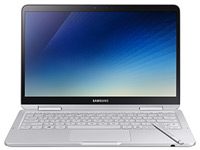 |
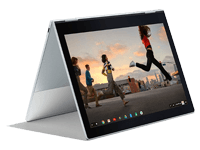
Google Pixelbook
 |
|
| Dimensions | 12.2 x 8.1 0.65-inches (0.57 at thinnest) | 11.4 x 8.7 x 0.4-inches |
| Weight | 2.2 pounds | 2.4 pounds |
| Keyboard | Full size backlit keyboard | Full size backlit keyboard |
| Stylus | Samsung S Pen | Pixelbook Pen |
| Processor | Eighth-generation Intel Core i7-8550U | Up to seventh-generation Intel Core i7-7Y57 |
| RAM | 8GB or 16GB | 8GB or 16GB |
| Graphics | Intel HD Graphics 620 | Intel HD Graphics 620 |
| Display | 13.3-inch Samsung RealViewTouch, max 450nits | 12.3-inch LED-backlit display with IPS technology |
| Resolution | 1,920 x 1,080 | 2,400 x 1,600 (235 ppi) |
| Storage | Up to 512GB NMVe SSD | Up to 512GB NVMe SSD |
| Networking | Unknown | 802.11ac, Bluetooth 4.2 |
| Ports | USB-C x 1, USB 3.0, HDMI, microSD, headphone jack | USB-C 3.1 x 2, headphone jack |
| Webcam | 720P IR webcam | 720p webcam |
| Operating System | Windows 10 | Chrome OS |
| Battery | 39 watt-hour | 41 watt-hour |
| Price | $1,400+ | $1,000+ |
| Availability | Q1 2018 | Base model now (Google Play Store) |
| Review | Full review: 6/10 | Full review: 7/10 |
Design
When you pit any laptop against the Pixelbook, one of the first hurdles they’ve got to try to leap is that Google’s flagship Chromebook looks stunning. With a crisp, clean design, subtle choices of grey coloring to accent the slim, and its black-bezel-wrapped display, the Pixelbook is one of the best looking laptops out there. On the surface at least, the Samsung Notebook 9 Pen looks a little generic in comparison. It’s not bad looking, and its slim profile is definitely impressive for a full Windows laptop, but it’s not going to turn any heads.
Beyond the aesthetics though, it’s a somewhat of a different story. Both systems are neck and neck when it comes to functionality, both sporting full 360-degree hinges that you let you turn the system into a tablet or put it in tent mode for media viewing. Overall though, when it comes to design, Google’s Pixelbook is a stunner — and easily takes the win in this category.
Winner: Pixelbook
Ports and Inputs
The Notebook 9 Pen definitely offers more in the way of connectivity options. It has a standard USB-A port for older device compatibility, an HDMI socket for attaching an external display, a microSD card slot, and headphone jack. In comparison, the Pixelbook just has a pair of USB-C ports and a headphone jack.
Where Samsung’s notebook really stands apart though is with its stylus, the S Pen. Clearly carried over from the Galaxy Note, the lightweight device is thin and precise, with 4,096 levels of sensitivity and a built-in holster in the laptop’s chassis. In particular, it actually gives you a place to store the stylus within the device, unlike the Pixelbook Pen which is just asking to be lost or forgotten. In addition, the Google Pixelbook Pen feels chunky and unwieldy, only supporting up to 2,000 levels of pressure sensitivity — this is pre-USI Google hardware bear in mind.
In terms of keyboard and touchpad, the Pixelbook is far and away the better device. Google has nailed the precision and smoothness required on a touchpad, while Samsung’s feels unrefined. The same goes for the keyboard, where Google crafted a really attractive and snappy keyboard that puts the Notebook 9 Pen’s to shame. Ultimately, we’re going to give the slight advantage to the Pixelbook, especially since you’ll be spending much more of your time with the keyboard and trackpad than with the stylus.
Winner: Pixelbook
Performance
The internal hardware of both the Notebook 9 Pen and the Pixelbook are pretty comparable. Both come with up to 16GB of DDR4 memory and offer up to 512GB of NVMe storage space. Graphically they’re identical, both sporting the Intel HD 620 onboard graphics chip. The only real difference on the inside is the processor. Although the Pixelbook’s more expensive versions do come with an Intel Core i7 processor, it’s from the seventh generation and is in the mobile-friendly Y series. Meanwhile, its entry-level models come with a Core i5 from the same generation.
In comparison, the Notebook 9 Pen only comes with a Core i7 and it’s from the newer, eighth generation, which should make it a little more powerful and slightly more efficient.
With everything else the same, Notebook 9 Pen’s newer-generation CPU gives it a slight edge.
Winner: Notebook 9 Pen
Display
Unlike the hardware on the inside, what’s on the outside is separated by a much larger gap in quality. Where the Samsung Notebook 9 Pen has a 13.3-inch 1080P display, the Google Pixelbook ups the ante with a 12.3-inch IPS panel running at 2,400 x 1,600. In the slightly smaller form factor and with a significant boost to its resolution, the Pixelbook looks substantially better, with crisper visuals and greater native support for higher than HD definition video and images.
That’s not to say that the Notebook 9 Pen looks bad. In our review we found it to be a perfectly passable display and with a brightness that can reach 450 nits. It also beats the it’s just not as detailed or as high-definition as the Pixelbook alternative.
Winner: Pixelbook

Software
Although the Pixelbook most often competes with some of the other top Chromebooks out there, in this head to head it’s facing a laptop that has the full support of the Windows ecosystem behind it. As such, the Samsung Notebook 9 Pen has access to a wide array of software that the Pixelbook doesn’t. Anything that can run on any Windows PC can run on the Notebook 9 Pen.
Although Google recently expanded Chrome OS to support Android applications, most of them were crafted for a smartphone screen and some don’t scale well with a laptop environment. All in, you’re restricted to Google Play Store apps and Chrome extensions and although that does give you access to thousands of applications, they just aren’t as varied or as powerful as those found on the Windows ecosystem.
On top of all of this, the Notebook 9 Pen comes with its own selection of S Pen stylus applications. Although some may baulk at the bloatware, there are a few neat apps in there, such as the ability to craft instant GIFs and a quick screenshot feature.
With a full desktop operating system behind it and all of the application support that entails, the Notebook 9 Pen is a more fully-featured laptop than its Chromebook counterpart.
Winner: Notebook 9 Pen
Portability
2-in-1 portability is mainly down to two features: weight and battery life and both systems in this head to head are great mobile computing systems. The Pixelbook weighs in at 2.4 pounds, which is supremely lightweight for such a device. With a claimed battery life of up to 10 hours on its 41 watt-hour battery, it will last a full working day, as our testing showed.
In comparison, the Notebook 9 Pen is a little lighter at 2.2 pounds, which is a noticeable amount when you’re getting into the sub-three-pound weight category, especially when you use it in tablet mode. It’s not able to shed quite as much weight as the Surface Book 2 which ditches its keyboard, but it’s not far off. In our internal battery testing we found it could last as long as 14 hours in general usage tests, which is plenty to keep it running all day.
Although this is a very close run race, with a slight reduction in weight, the Notebook 9 Pen pips the Pixelbook to the post.
Winner: Notebook 9 Pen
Price and availability
The Pixelbook’s price tag of $1,000 is high for a Chromebook, but that kind of pricing is much more common in Windows laptops. Indeed the price we’ve been given for the Samsung Notebook 9 Pen with 8GB RAM and 256GB storage is $1,400. We still don’t know how much the 16GB, 512GB version will be.
While that does make it substantially more expensive than the entry level Pixelbook, the hardware configuration options are different for the two. The Pixelbook with 8GB of RAM and 256GB is $1,200, but only has a Core i5 CPU. The i7 version costs $1,650, but it has 16GB of RAM and 512GB of storage too.
Both products are a bit overpriced in our opinion. In both Chrome OS and Windows, there other 2-in-1s out there that offer
Winner: Pixelbook
Not here yet, but we can’t wait

The Notebook 9 Pen had stiff competition when it was pitted against one of the prettiest and most functional pieces of hardware Google has ever produced in the Pixelbook. Even though both aren’t cheap, the two are fairly neck and neck in terms of value. If you care more about design and overall experience, you’ll want to go with the Pixelbook. Not only does it have a cheaper entry-level price, it’s got better fundamentals in terms of display, keyboard, and trackpad.
The Notebook 9 Pen definitely has an advantage in terms of performance and its stylus support, but there are other Windows 2-in-1s that offer those things at a better cost. As long as you don’t need to run Photoshop or Premiere, you’ll be happier going with the Pixelbook as a basic work 2-in-1.
Overall winner: Pixelbook