  1. Home
  2. Smart Home
  3. How tos

How to fix a Shark robot vacuum that’s not charging

Add as a preferred source on Google
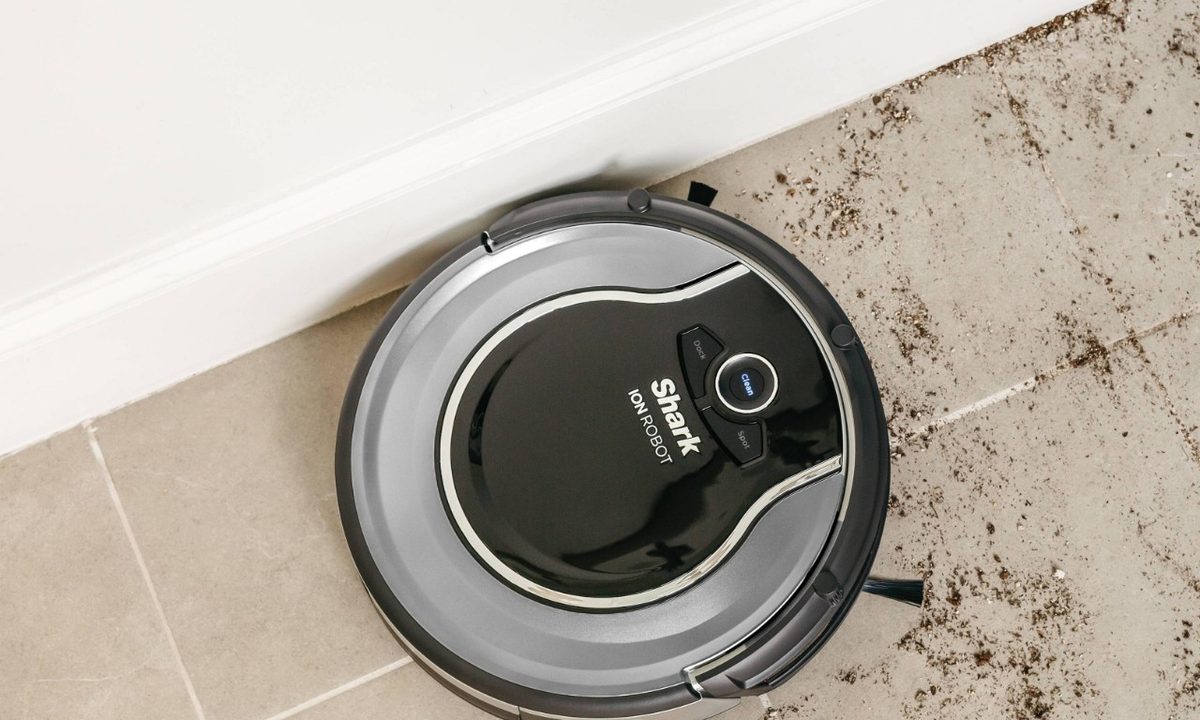
Shark ION Robot vacuum cleaning. cleaning tile
Image used with permission by copyright holder

Shark has a number of handy cordless vacuums designed with rechargeable batteries, including slim stick vacuums and the Ion line of robot vacuums. Many robot vacs have the ability to go back to their charging stations automatically when necessary.

Recommended Videos

Difficulty

Moderate

Duration

20 minutes

What You Need

  • Shark vacuum

While you can expect rechargeable batteries to lose a little juice over time, if your Shark robovac or similar vacuum is relatively new but just not charging, then there’s certainly something wrong. While you could always buy a replacement, or get a bargain via a robot vacuum deal, its always best to try to resolve the problem on your own. Going over these steps can help you find the problem and fix it fast.

Why is my Shark vacuum not charging?

Charging problems, especially with a newer Shark vacuum, are usually caused by positioning or power issues. Thankfully these are not permanent issues. There are often simple fixes to try if you know what to look for -- and that’s where we’re going to help out!

Shark vac under sofa.
Image used with permission by copyright holder

What do you do if your Shark robot vacuum won’t charge?

Step 1: Look at your on/off switch.

Shark robot vacuums have a manual on/off switch located on the robovac itself. Switching the bot off can help you save on power if you don’t want to use the battery or don’t plan on scheduling a vacuum session for a few days. However, sometimes this switch gets flipped to the off position when the robot bumps into furniture. Users find the robot unresponsive and try putting the bot in its charger to give the battery a boost, but when the robot vacuum is off, it won’t always charge.

Check the manual switch, and make sure it’s in the on position. Sometimes, this easy fix is all you need.

Power button on Shark Ion.
Image used with permission by copyright holder

Step 2: Check if you need to manually place the vac.

Your Shark robot vac should have blue LED indicator lights on the top of the unit to show battery strength. As long as at least one of these indicator lights is on, then your bot probably has enough remaining battery life to go back to its charger automatically. There are other Shark vacuum indicator light colors that signify other problems.

If all the lights on the vacuum are off, then the battery is probably too empty to fuel a trip back to the dock. In these cases, your vacuum needs a little help: Carry it back to the dock and put it in place so that it starts charging.

This is also good advice for using your robot vacuum for the first time: It usually needs to be charged in the dock before it’s ready for action.

Step 3: Clean all charging contacts.

The Shark vacuum should have two metal contact points designed to fit against two metal plates on the charging dock. When these two pieces make proper contact, the battery can charge. However, sometimes the contacts can’t connect. Clean the contacts on both the bot and the charging dock to see if this fixes the problem. The battery indicator lights on your vacuum will start blinking when the robot is charging, which is an easy way to see if it’s working.

Shark Dock Placement.
Image used with permission by copyright holder

Step 4: Check the dock for power and proper operation.

While not as common, something might have happened to the charging dock to prevent it from working properly. When the dock is turned on and ready to charge, it should have a green light illuminated on the side. If your dock doesn’t, make sure it’s plugged in, and try another outlet to see if it can get power elsewhere.

You should always place the dock in an area that’s free of obstructions. It should have three feet of space on either side and five feet of space in front of it. If there isn’t enough room, the robovac may not be able to make it back properly.

Step 5: Inspect and replace the battery.

If nothing else works, it’s time to open up the battery case and take a look. Sometimes the battery may have gotten dirty or slipped away from its contacts inside the Shark robot vacuum. Cleaning and repositioning it may fix your problem. But if it’s an old battery or there are clear signs of damage, you should order a replacement battery that matches your model.

If none of these troubleshooting tips work, it might be time for a new model. Check out our list of the best Shark vacuums to see which model might be right for you.

Tyler Lacoma
If it can be streamed, voice-activated, made better with an app, or beaten by mashing buttons, Tyler's into it. When he's not…
Apple’s long-delayed smart home plans may finally start to take shape this fall
Bloomberg says Apple's long-awaited home hub, along with updated Apple TV and HomePod mini models, could roll out over the coming months.
An Apple HomePod 2023 on a media stand.

Apple's long-rumored smart home ambitions may finally be ready for prime time. According to Bloomberg's Mark Gurman, Apple is preparing to launch three new home products over the coming months, including a Siri AI-powered smart home hub, a refreshed Apple TV 4K, and an updated HomePod mini. The report pegs the Apple TV and HomePod mini for release this fall, while the new smart home hub is expected to arrive sometime "between October and early next year".

The wait for Apple's AI-powered home may be over soon

Read more
Top Smart Home Upgrades Worth Making Before Your Summer Break
From outdoor monitoring to smarter front-door security, these EZVIZ devices combine smart protection with daily convenience
Person, Security, Electronics

Summer often brings a welcome change of routine for homeowners across Europe. Family holidays, weekend getaways, and longer days spent outdoors mean more time away and fewer opportunities to stay connected to what's happening back at the property. While it's a season for slowing down and enjoying the warmer months, everyday responsibilities don't simply pause. Deliveries still arrive, visitors may stop by unexpectedly, and trusted family members, cleaners, or pet sitters may occasionally need access while you're away.

Modern smart home technology makes those situations easier to manage. Today's connected devices can do far more than record footage or send motion alerts. They can help homeowners monitor outdoor spaces around the clock, stay informed about important activity, communicate with visitors remotely, and manage entry without needing to be physically present. Instead of constantly checking in or wondering whether everything is running smoothly back home, the right setup can provide greater visibility, convenience, and peace of mind throughout the season.

Read more
EZVIZ Sets a New Benchmark for Battery Powered Home Surveillance
Because every property deserves protection without compromise
Person, Security, Tape

Battery-powered smart cameras have become one of the fastest-growing categories in home monitoring. Once valued primarily for their seamless installation, today's models combine advanced visual technology, AI-powered intelligence, and dependable long-term performance that rivals many traditional wired systems. As innovations such as Always On Video 2.0 and solar charging continue to improve everyday usability, battery cameras are becoming the preferred choice for homeowners seeking flexible, comprehensive outdoor protection.

This shift has also raised expectations. Modern users want more than clear video. They expect smart detection, reliable monitoring, seamless smart home integration, and solutions that adapt to different property sizes and lifestyles. As one of the world's leading smart home camera brands, EZVIZ has responded by building one of the industry's most comprehensive portfolios of battery-powered cameras. The lineup is designed to serve every living situation, whether for renters or owners of apartments, condominiums, or villas. From accessible options for everyday monitoring to advanced multi-lens systems for larger and more demanding environments, the portfolio reflects a strong focus on innovation, user-centric design, and real-world needs.

Read more