The world of the best gaming laptops is constantly evolving, presenting enthusiasts with an ever-expanding array of powerful, sleek, and innovative choices. Among these, Alienware stands out as a popular brand name renowned for its cutting-edge technology, performance-driven hardware, and futuristic design.
As gaming becomes increasingly immersive and demanding, choosing the right gaming laptop can significantly impact your experience. In this article, we delve into what we think is the best Alienware gaming laptop that you can buy today, the Alienware x16.

First showcased at CES 2023, the Alienware x16 is sort of an alternative to the x17. It features a sleek and futuristic design that the company calls Legend 3 and is available in a Lunar Silver color scheme. The lid and bottom chassis are now made out of solid metal with a silver finish that looks really clean, while the inside (keyboard deck and bezels) is all black. It almost seems like Alienware parent Dell wanted to add a hint of its XPS lineup, but at the same time didn’t want to wander away from Alienware’s well-known space age-inspired design language. There’s also a neat-looking loop of RGB lights powered by 100 micro-LEDs surrounding the rear ports.
Despite being a 16-inch power-packed gaming laptop, the Alienware x16 has a pretty slim profile, making it one of the thinnest in its category. It has a thickness of 0.73 inches and weighs around 5.9 pounds, which makes it easier to carry around in a backpack.
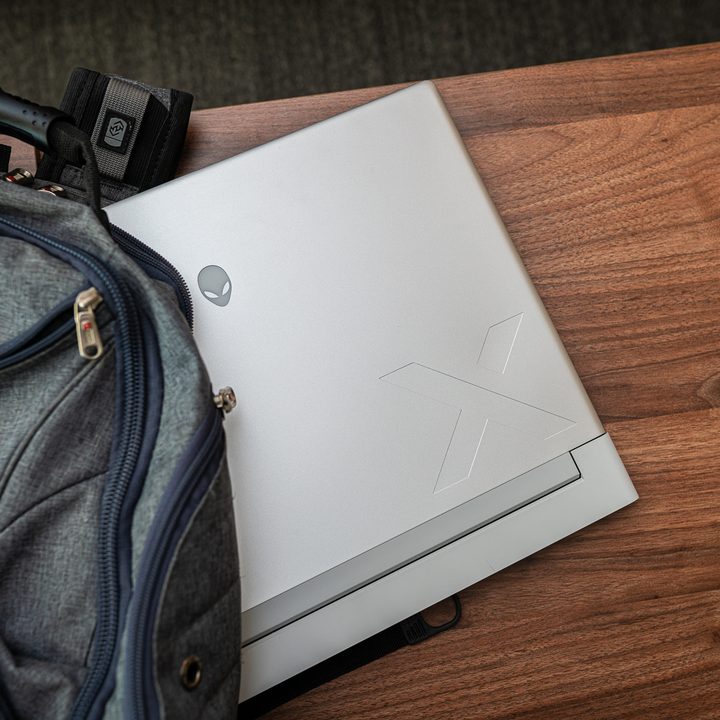
Like the previous-gen X-series laptops, the Alienware x16 continues to have all of its I/O ports at the rear. While that is great to manage cables, it can be cumbersome in certain situations. There’s a headphone jack, microSD card slot, two USB 3.2 Gen 2 Type-A ports, two USB-C ports with Thunderbolt 4, a HDMI 2.1, and a mini-DisplayPort 1.4 connector. Notably, there is no Ethernet jack, but you do get Wi-Fi 6E for fast internet connectivity.
In terms of display, Dell is offering three configurations on the Alienware x16. You can get the laptop with a 1200p 480Hz refresh rate, but there is also the option of 2560 x 1600 resolution available with either 165Hz or 240Hz, which is probably the better choice if you are looking for a sharper gaming experience. All three display options incorporate both Nvidia G-Sync and Advanced Optimus, enabling the system to seamlessly alternate between discrete and integrated GPUs automatically.
The Alienware x16 boasts a sizable touchpad, while the compact palm rest is intentionally designed to create additional space above the keyboard for improved ventilation. The touchpad is equipped with customizable RGB lighting, allowing users to personalize it to illuminate in their preferred pattern or color scheme.
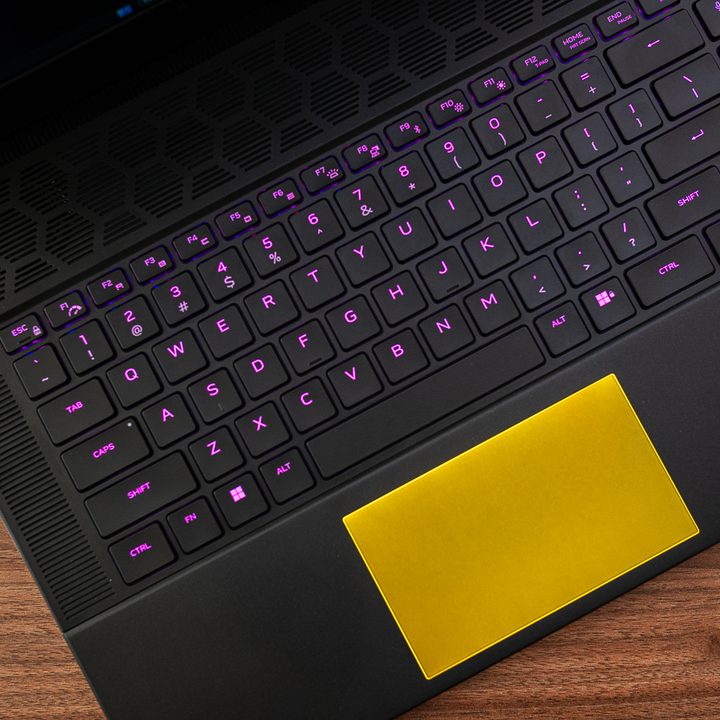
The Alienware x16 comes with a comfortable keyboard featuring 1.8mm key travel and top-tier functionalities such as N-Key rollover, anti-ghosting, and per-key RGB backlighting. For those seeking a more tactile experience, there’s also the choice of a Cherry MX ultra-low-profile mechanical keyboard.
As for performance, the Alienware x16 comes with Intel’s 13th-gen mobile CPUs ranging from the Core i7-13620H all the way to the powerful Core i9-13900HK. It can be configured with up to 32GB of LPDDR5 6000 MT/s memory and dual 2TB PCIe Gen 4 SSDs in RAID configuration. Graphics duties are handled by Nvidia’s latest GeForce RTX 40-series mobile GPUs and can be configured up to the RTX 4090, with 175 watts of graphics power. The RTX 4050, 4060, 4070, or 4080 are also options.
Dell continues to use its Alienware Cryo-tech cooling technology, which includes a special Thermal 31 thermal compound on the CPU and GPU for enhanced cooling. There’s also a vapor chamber and dual cooling fans that have been improved to deliver better airflow. Do note that the special thermal compound is available in a few select configurations.
Pricing starts at $1,799 for the base configuration, while the top-end model is going to set you back $3,799.
While the Alienware x16 is the sweet spot for most, there are two other laptops in the lineup that are worth considering before pulling the trigger. First, there’s the Alienware x14. This 14-inch gaming laptop is remarkably smaller than the 16-inch model, and though its performance is more limited, the compact size of this device is incredible.
On the other end of the spectrum, there’s the Alienware m18, which is currently the most powerful offering from the company. It can be configured with the latest Intel or AMD mobile CPUs, the RTX 4090, up to 8TB of storage, and 64GB of DDR5 memory.