Prime Day ends tomorrow, so if you’ve been waiting to snag a new laptop, don’t wait any longer! There are still plenty of excellent Prime Day deals on name-brand, quality laptops that are great for anyone. Be sure to check out these Prime Day 2-in-1 laptop deals and Prime Day gaming laptop deals if you’re on the hunt for something more specific.
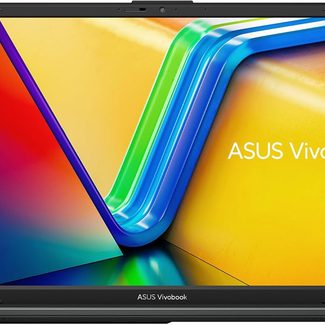
It’s not every day we see a relatively budget-priced 15.6-inch laptop, but this Vivobook is great. It comes with a surprisingly powerful AMD Ryzen CPU and 8GB of RAM, so it’s pretty highly-specced, and at just over $200 (the lowest price this year), it’s a great deal for the money.
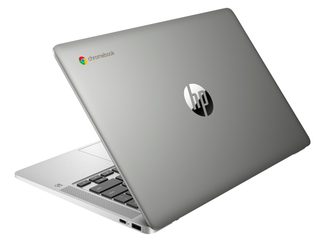
This budget-friendly Chromebook balances everyday performance with affordability. 8GB RAM, Chrome OS, and rapid-charging capability make it great for students or casual users on the go, and at almost 40% off, this is a steal.
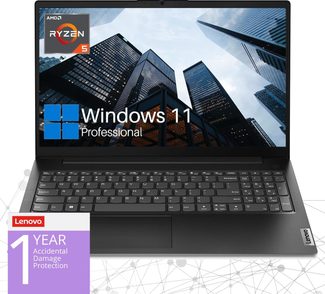
With 24GB of RAM and a 1TB hard drive, this professional laptop offers huge storage space for any work task you might need. An AMD Ryzen 5 processor and anti-glare display make this 15%-off laptop one you should snag if you’re in need of a new work laptop or even an option for light gaming.
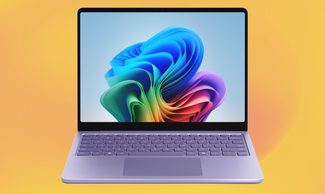
The Microsoft Surface Laptop delivers a sleek, lightweight design with a vibrant touchscreen and Snapdragon processor for fast, efficient performance. With 16GB of RAM and 512GB in storage packed into a 13.8″, sub 3-pound device, it’s perfect for those prioritizing portability and a premium Windows experience, and at just over a 25% discount, it’s worth the investment.
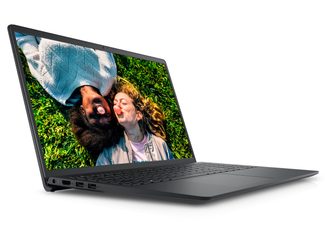
The Dell Inspiron 3520 combines solid performance with a roomy 15.6” screen and comfortable keyboard, ideal for work or school. At under $400 for Prime Day, it’s a reliable pick from a great laptop brand.
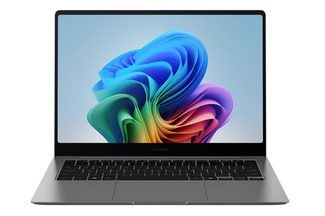
This powerful and lightweight 2-in-1 laptop is a perfect option for design-focused work, with a glare-free screen and high-definition graphics. 32GB of RAM and a 1TB SSD mean this is a beast capable of almost any task you throw at it, and the bonus of a touchscreen makes usability excellent. On sale for 18% off, it also features excellent processing power and personalized AI assistance.
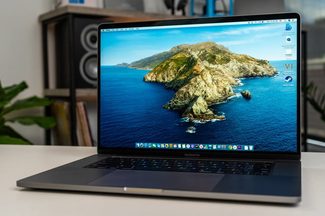
Apple rarely puts their devices on sale, so this sub-$1,000 MacBook Pro is a great deal. Featuring Apple’s M1 Pro chip, this 16-inch laptop delivers fast performance and high-quality graphics, and you can rest easy knowing the Amazon Renewed program helps extend the lifetime of the product while giving you an affordable alternative to buying brand-new.
How to Choose a Laptop on Prime Day
With even the worst laptops becoming quite reasonably specced these days, it’s relatively easy to find a general-use laptop. Something like 8GB of RAM is pretty reasonable, as is an Intel i5 or Ryzen R5 CPU, especially if you’re mostly going to be streaming stuff online and doing general day-to-day work. At that point, it becomes a matter of whether you want something small and lightweight, like a 2-in-1 laptop, or if you want a big screen with lots of power behind it, like some of the best laptops.
On the other hand, if you’re looking for something more specific, it will come down to what you need. For example, the best laptops for engineers and the best laptops for photo editing and photographers tend to both need a good amount of RAM (16GB or more) and a GPU, especially if you’re an engineer who uses a lot of rendering for your work. If you’re aiming for gaming laptops, then you’re going to want a powerful GPU to game with, and 16GB of RAM becomes the minimum, as well as a larger hard drive for storage, given how massive games are these days.
If you’re still unsure what to grab, we do have a laptop buying guide you can check out to give you some extra tips.
How We Chose These Laptop Prime Day Deals
When it comes down to it, laptops are incredibly varied when it comes to specs, so it’s often hard to do a holistic comparison of all the options and find the one that gives you the best return on your investment. That said, we do have several decades of combined experience when it comes to laptops of all varieties, and we’ve reviewed hundreds of laptops from pretty much all the brands. As such, we can lean heavily on our own experience and expertise to know if a certain configuration is worth the asking price and if any deal on it is actually offering you value.
We also have some tools at our disposal that let us look at things such as historical pricing and direct comparisons between products, so we can ensure that any deal we put on this page is going to be the best we can find.