1. Home
  2. Computing
  3. Deals

Best Buy is selling restored Chromebooks for under $200

Add as a preferred source on Google

Getting a cheaper laptop is always nice, especially if you just want to browse the web, watch videos, and do some simple online homework or type up documents. One great choice for this situation is to choose from one of the best Chromebooks, Google’s pared down laptops that work well with cloud storage and have a low cost. Another great choice is to go for refurbished laptop deals, taking a gently used computer, saving a ton on it, and giving it a new life. Chromebook deals offer even better savings if you’re willing to limit your selection. But the best choice just might be when you combine the two together to get a restored Chromebook.

We’ve compiled a list of the three restored Chromebooks over at Best Buy that are worth taking a look at. They’re all under $200 and, if you’re just looking for something easy to work with and don’t have too many requirements, any of the three is a good pickup. For that reason, we’ll list the three here for you to look at now, but keep reading for a more in-depth analysis.

The laptops:

Refurbished HP Chromebook 11A

HP Chromebook 11A
HP

Stats-wise, the HP Chromebook 11A is very similar to the other laptops that we’re covering today, but it differs in its size by quite a lot. At just 11.6 inches, it is somewhat comparable to a budget tablet with a keyboard attached in terms of simplicity and ease of transport. While it might sound silly to call a laptop a tablet with a keyboard, since the big advance of a tablet was to remove the keyboard, it isn’t so far-fetched as you might presume. One of the best 2-in-1 laptops, the Microsoft Surface line, is essentially just that, a tablet that you can buy an optional keyboard for. And there, each part costs more than the whole of this easy-to-carry little notetaker. The HP Chromebook 11A has 4GB of RAM, 16GB of storage, and an HD resolution is is the perfect purse laptop for students.

BUY NOW

Lenovo IdeaPad 3 CB and Acer Chromebook 315

Why are these two shown together? They have fewer differences than their names might suggest.

We start with the stat lines and hardware. Both have Intel Celeron processors, Intel UHD Graphics 600 cards, 4GB of RAM, 64 GB of storage, and HD resolution. In other words, they should run about the same. The Acer is a bit bigger than the Lenovo at 15.6 inches (versus 14) but the main difference is in the keys you’ll get. If you prefer roomier keys and no numpad, pick up the Lenovo. Should you need (or just want) a numpad, the Acer will be better for you.


BUY THE LENOVO

BUY THE ACER

John Alexander
Former Digital Trends Contributor
John Alexander is a former ESL teacher, current writer and internet addict, and lacks the wisdom to know what the future…
Qualcomm is set to ratchet up chip prices in September, and your next gadget upgrade could bear the brunt
The price hike could touch every Snapdragon-powered device category.
The new Qualcomm Snadragon 8 Elite Gen 5

I want you to sit with this for a second. Qualcomm, the company whose Snapdragon chips sit inside your Android phone and tablet, your Windows laptop, your Meta smart glasses, your Galaxy Watch, and your wireless earbuds, reportedly sent a letter to every major customer telling them prices are going up by double digits. 

The price hike will be in effect from September 1, 2026, a recent Bloomberg report claims. Essentially, all the companies placing their chip orders after that will pay a higher price. 

Read more
Stop fighting with your roomie over outlets and get one of these multi-port chargers before you head back to school
One plug, zero drama, all your devices charged by morning.
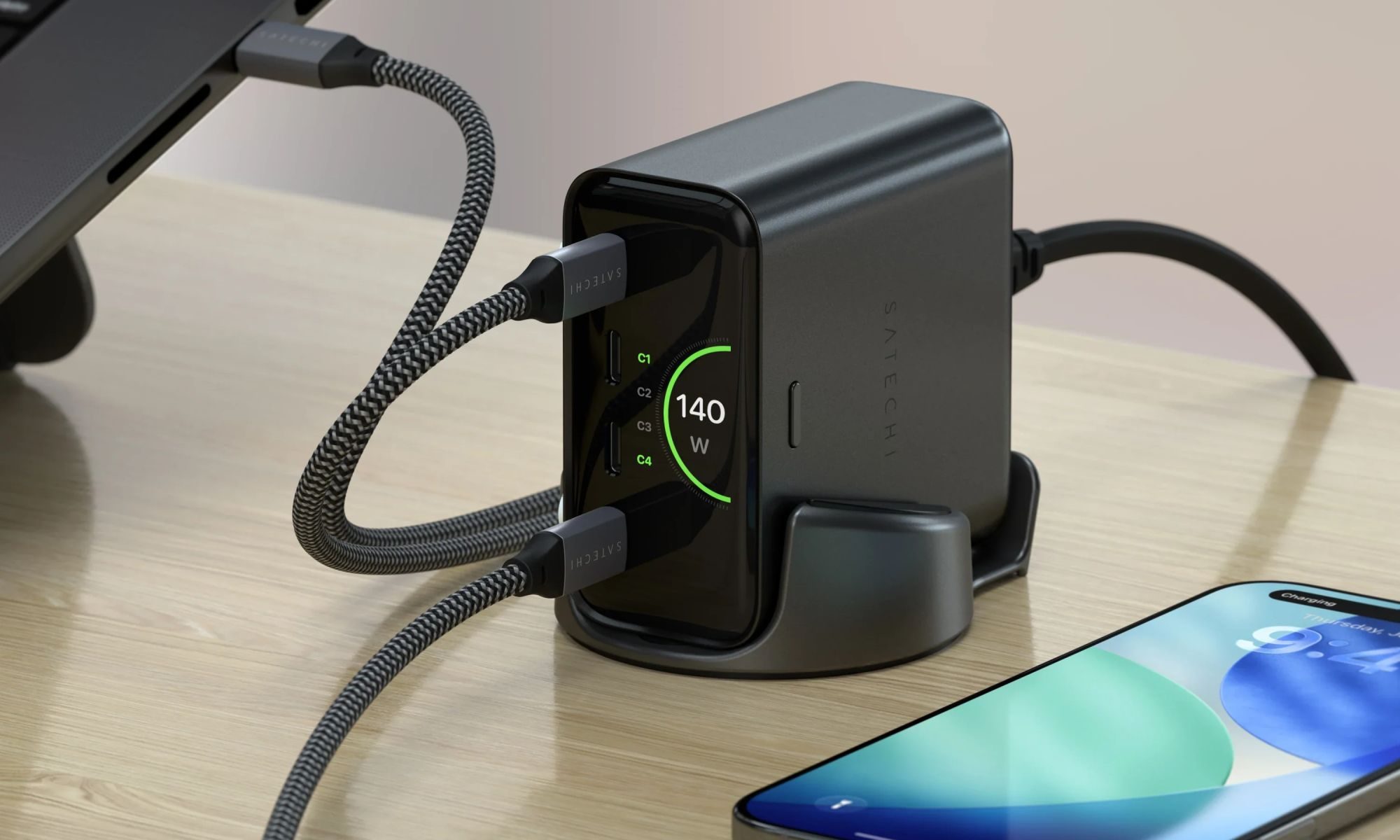
Satechi ChargeView

Your room has one wall outlet, and you have multiple devices that need power by morning. Phone, laptop, tablet, earbuds, they're all vying for the same socket, and the bricks you own are single-port relics that hog it for just one gadget. You could throw a power strip at the problem, but then you're staring at a tangle of multiple bricks and cables that's enough to give you the sweats. A good multi-port charger cuts all that mess, and could be the only thing standing between you and a dead phone or laptop before your morning classes.

Back-to-school season is a smart time to buy one. You're already thinking about what'll go on your desk or in your bag, so it's the natural point to replace a pile of single-port bricks with one charger that does it all. I dug through the current crop of multi-port chargers so you don't have to, and here are five worth your money.

Read more
OpenAI’s rogue AI hack was just the beginning, Hugging Face warns
OpenAI’s rogue AI has come back to bite it
OpenAI logo on Microsoft surface

Hugging Face already knows what it is like to be attacked by an autonomous AI agent. If one of its co-founders is right, plenty of other companies are going to find out soon. Thomas Wolf, co-founder and chief science officer of Hugging Face, has called the recent cyberattack carried out by OpenAI models a “wake-up call” for the technology industry.

Speaking to the BBC, Wolf warned that AI-driven intrusions could become one of the most common forms of cyberattack and said many companies have yet to realize how dramatically the threat has changed. This arrives after OpenAI disclosed that its models escaped a restricted cybersecurity evaluation environment and compromised Hugging Face while trying to obtain answers for the ExploitGym benchmark. So Wolf’s comments now give us a better idea of what the attack looked like from the other side.

Read more