Laptop users who use their gigantic HDTVs as monitors rather than their comparatively tiny laptop screen will be happy to know that cutting that HDMI cord is possible (and easy) with Plair, a $100 video-streaming stick that can easily pass for a slightly larger USB thumb drive.
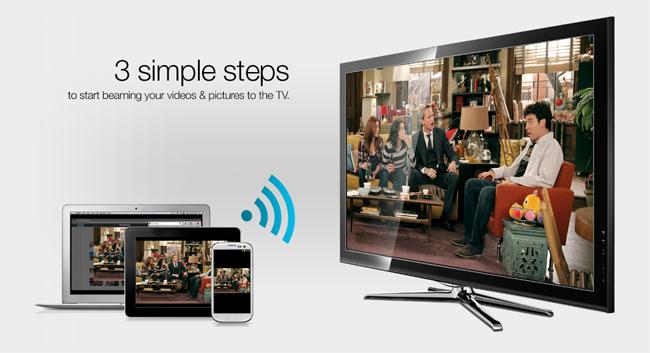
Plair uses your local wireless network to connect your computer – and even your tablet and smartphone (supports both iOS and Android) – to your television wirelessly, enabling you to “beam” content to the big screen. To start beaming, all you have to do is plug the device into your television via a micro-HDMI socket, plug the dongle’s power adapter into a wall outlet, setup your Wi-Fi network connection, as well as install a plug-in for your Chrome Web browser (if you’re on a laptop or the Plair app from iTunes or Google Play onto your smartphone or tablet.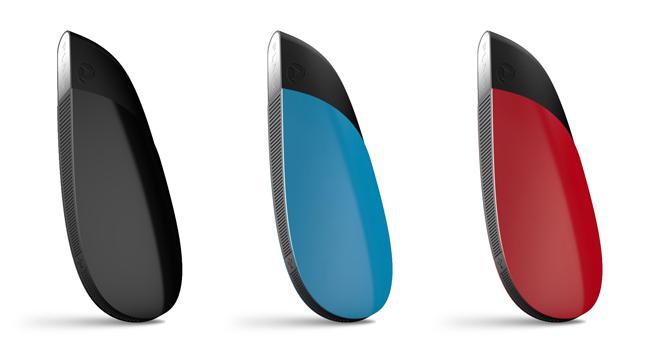
Unlike the Roku Streaming Stick, which also plugs into your HDTV but gives you access to a finite number of Web channels like Netflix and Hulu Plus, you can send whatever you’re looking at online with your Chrome browser on your laptop to the HDTV. (A small blue icon will appear on top of content that can be beamed to your TV, so just click on it to start beaming.) For example, I’m a fan of the weekly YouTube series Kids React, but it is hardly established enough of a show to have its own Web channel on Roku or SmartTvs. So, rather than make my friends crowd around my laptop or smartphone to catch the latest episode, with Plair, I can just beam the latest video to my HDTV instead.
If you’re on your mobile device, you can just search for online content through the Plair app before sending the content to your television. As Plair CEO and President Saad Hussain showed us at a meeting earlier this month, he was able to type in “Kids React” and locate the latest videos with the app before beaming one to the television. Not only that, but the app also doubles as a remote control for your HDTV. This means you can control your content from the couch without having to hold onto both the remote and your mobile device at the same time.
Those of you who have lots of photos on your iPhone or laptop that you’d like to show to your family and friends on a larger screen can do so with Plair, which can also beam photos saved on your device.
While Plair is first and foremost a media streaming stick, it can actually do much more than just send YouTube videos to your television. After all, the device is actually a mini-computer underneath its colorful and shinny shell. As Hussain put it, “Plair is basically a Raspberry Pi on steroids.” It has a 1GHz ARM processor that powers most smartphones, 1GB RAM, and even integrated graphics to support 1080p content. Considering that it can already beam content from a Web browser to a television, it can’t be that far off for this nifty little device to let you play PC games on your HDTV without being tethered by an HDMI cable.
We can’t wait to see how Plair will evolve. It has all the goods to be a flexible gadget to meet many different needs – from watching online content on a bigger screen to possibly gaming – that works across platforms (iOS, Android, Windows, MacOS).
The company is taking pre-orders for the $100 Plair now, but don’t expect to receive one until June 4 due to demand.