
  1. Home
  2. Computing
  3. Legacy Archives

Alter your passwords for better protection with LastPass’ ‘Auto-Password Change’

Add as a preferred source on Google

The makers of the password management application LastPass have announced they will be updating the popular software with a new feature dubbed “Auto-Password Change.” The service will give users the option to have all their credentials for their favorite websites automatically changed on whatever schedule they see fit, whether it be daily, weekly, or even every other hour.

LastPass has recognized that changing the passwords for all the obscure websites you’ve ever signed up for is a process, one that’s much more easily undertaken in theory than practiced in a reality where a majority of us still leave our logins attached to the edge of our monitors on purple Post-It notes.

Recommended Videos

“Maintaining your privacy and security is our top priority,” the LastPass blog stated. “That’s why we’re doing this differently. We’ve implemented this feature to make password changes locally on your machine, ensuring we stay true to our mission and never have access to your data.”
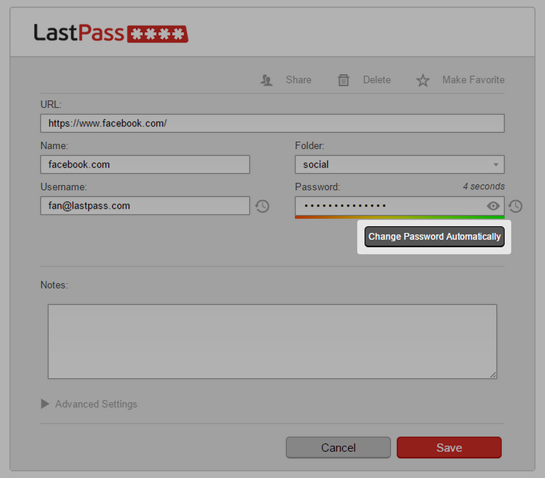
Image: LastPass

The software provider cites the recent Heartbleed bug as a driving factor behind its decision to launch the Auto-Password Change beta, as many people were left open to the hack because of improperly implemented security communication protocols, and exploited all that much easier due to codes that were too simple for criminals to crack.

Related: What you need to know about Heartbleed

Auto-Password Change could make things a bit difficult if you login to your main accounts from several devices at once throughout the day, and is not recommended for anyone who uses their phone’s in-house email app to read their messages.

Other than those select circumstances, Auto-Password Change looks to be a great step in the right direction to harden consumers’ credentials and keep hackers at bay without breaking the bank on security suites to do it.

Chris Stobing
Former Digital Trends Contributor
Self-proclaimed geek and nerd extraordinaire, Chris Stobing is a writer and blogger from the heart of Silicon Valley. Raised…
Asus ExpertBook Ultra review: A dreamy ultra-thin machine that surprised me with raw power
If thin and light is what you value the most, this one will serve you perfectly, without the obvious performance compromises.
Asus ExpertBook Ultra laptop

See at Amazon

Quick Review

Read more
I found a free Mac diagnostic app that tells you what Apple’s tools don’t
It can check your Mac’s storage, memory, battery, and network
Techtool Lite UI screenshot

Macs have a strong reputation for being smooth and reliable, and Apple’s tight control over hardware and software is a big reason for that. Use one long enough, however, and you may still run into slowdowns, freezes, strange behavior, or that familiar feeling that something is simply off.

Apple’s own tools can help, but only to a point. Disk Utility is useful for storage-related checks, but it does not give you a wider picture of your Mac’s overall health. I recently came across Techtool Lite, a free diagnostic and maintenance app from Micromat that looks at more than just your drive.

Read more
Claude redefined my bond with Macs. I am building my own apps and it’s a bliss.
I talk to Claude. It builds me apps. It's as simple as that!
Claude AI on Mac.

A few days ago, one of my colleagues asked me a favor. They wanted a few iOS and macOS screenshots turned into a mockup image where the UI is rendered on an iPhone and a MacBook. The problem? It was 3 am PST, which meant asking one of my design team colleagues was out of the question. 

Now, there are plenty of online tools that will do it, but you either have to pay for a subscription (as in Canva), or sign up to buy usage credits after a few free trials. Moreover, these editors limit you to a handful of design presets. I turned to Anthropic’s Claude, and within half an hour, I had a screenshot-to-mockup editor built for the entire team to use. Take a look:

Read more