1. Home
  2. Computing
  3. Android
  4. News

Arrival of Android apps for ChromeOS forces introduction of new storage manager

Add as a preferred source on Google

No idea how much space is left on your Chromebook? An upcoming update will give you a quick way to check, which could prove useful in a world where users are all installing way too many Android apps.

Google employee François Beaufort posted a screenshot of the new Storage Manager on his Google+ page yesterday. The feature will prove crucial as Chromebooks become more capable of running local applications, thanks in no small part to Android app support on the platform.

Recommended Videos

The simple window lets users see how much space the internal hard drive offers, and how much is currently in use. There’s also a breakdown of what’s taking up the space, downloaded files, and files synced from Google Drive for offline access. Presumably another section will be added for Android apps.

Anyone using the Dev channel of Chrome OS updates can find the new feature by typing “chrome://flags” in the address bar and hitting enter, then toggling the “#enable-storage-manager” flag. Restart Chrome and a “Storage” button will be added to the Device section of the settings.

For a long time internal storage on a Chromebook was an afterthought, the devices being mostly intended for web browsing. The idea was that everything would be stored on Google’s cloud, with only a few files synced for offline usage.

Because of this, many Chromebooks offer very little hard drive space. 16GB is a typical base hard drive. But with support for Android applications posed to become widespread, more and more users might start filling their local hard drives with games and other applications.

So while it may seem strange that Chromebooks didn’t offer a storage manager until now, its addition points to a future where Chromebooks run a lot more local software. And if you’re looking to buy a Chromebook soon, it might be a good idea to pay attention to the hard drive space.


Justin Pot
Justin's always had a passion for trying out new software, asking questions, and explaining things – tech journalism is the…
Study says relying on AI can turn doubt into false confidence
AI is making it harder for people to say "I don't know."
AI Chatbot

You'd think getting wrong advice would make you more cautious. New research says the opposite happens when that advice comes from AI. A study led by Valerio Capraro, a psychology professor at the University of Milan-Bicocca, found that incorrect AI advice made people less accurate, yet noticeably more confident in their answers (via IBM Think).

The study also found that people who received incorrect AI advice became far less willing to admit they didn't know an answer, even when staying silent was an option, and they were rewarded for accuracy.

Read more
Back-to-school desk upgrade? Start with one of these monitor arms
Whether you're studying, coding, or gaming after class, these are the monitor arms I'd happily recommend.
The Best Monitor Arms for Back-to-School That I'd Actually Recommend - HUANUO FlowLift Dual Monitor Stand

Dorm rooms and study desks have one thing in common: they run out of space fast. Between textbooks, notebooks, keyboards, coffee mugs, and laptop chargers, a monitor's stock stand often ends up taking more room than it should. A good monitor arm instantly frees up valuable desk space while also putting the screen at a much more comfortable height, making long study sessions easier on the neck and shoulders. Whether it's a simple single-monitor setup or a dual-screen workstation, these are the monitor arms I'd actually recommend for Back-to-School.

Amazon Basics Single Computer Monitor Stand

Read more
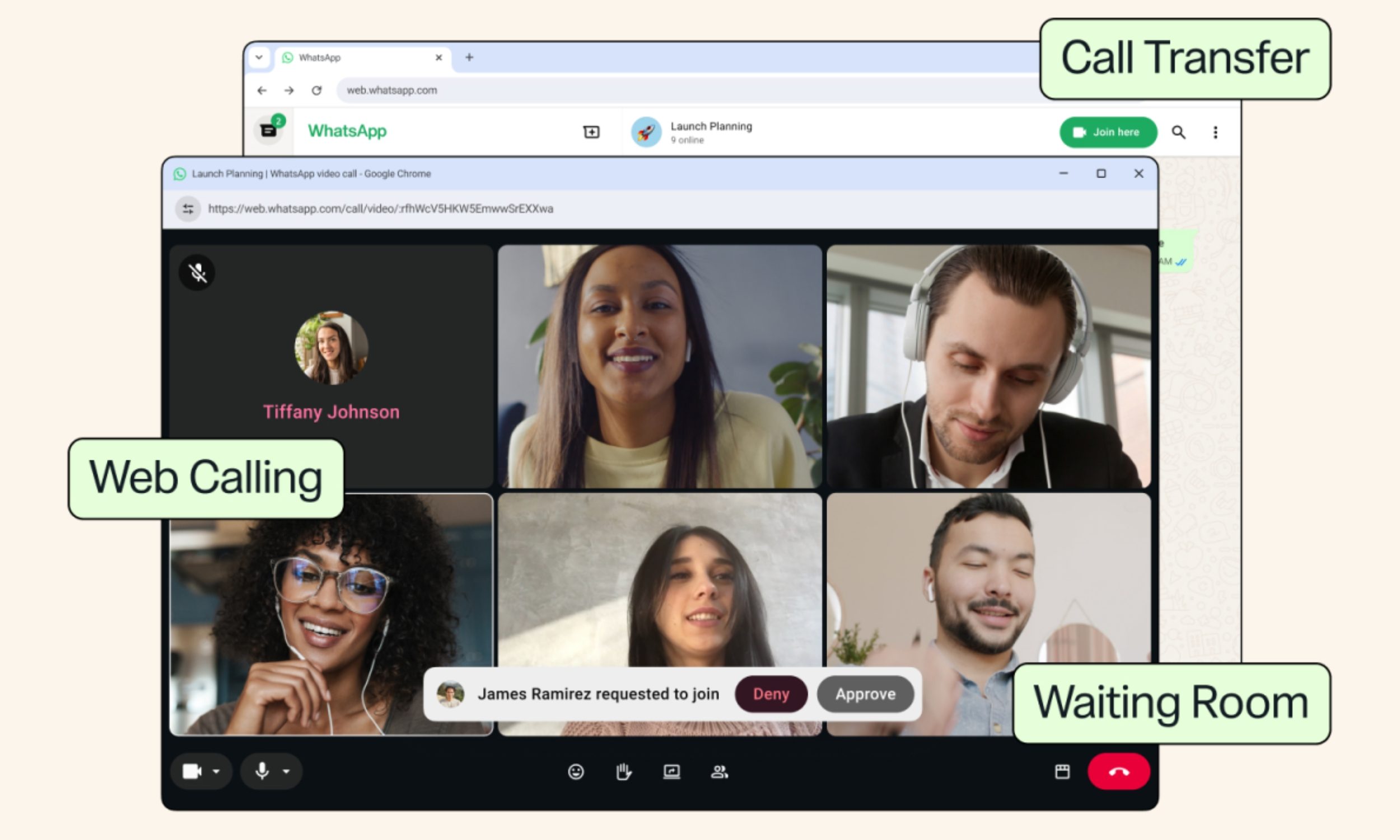
WhatsApp Web finally lets your laptop handle calls instead of forcing you back to your phone
Other new features include Waiting Room, QuickHD, and background Noise Suppression.
Adult, Female, Person

I've lost count of how many times I've had to awkwardly grab my phone mid-task just to take a WhatsApp call my laptop couldn't handle on the web version. Today’s update changes that for good.

So what's actually rolling out today?

Read more