
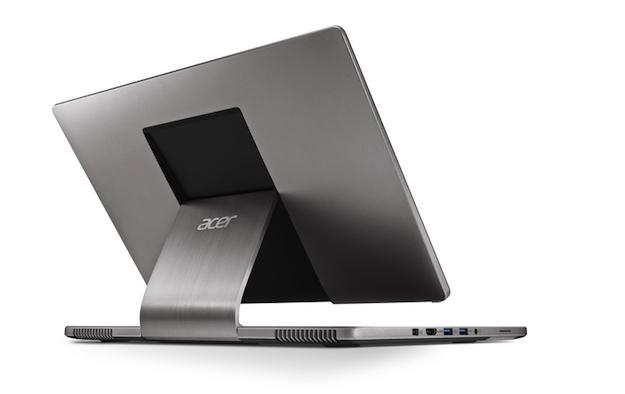
Today, Acer unleashed the Aspire R7 on an unsuspecting world. Following in the footsteps of Windows 8 manufacturers before it, the company has done its best to reinvent the laptop – and it sort of succeeded. The R7 is a bit on the larger side for a device like this, clocking in at 15.6 inches, but the star player here is the new “Ezel” hinge, which allows the R7 to pull off some impressive flexibility much like Lenovo’s Ideapad Yoga 13.
The R7 seems be a little more upscale than the Yoga 13. It sports an aluminum unibody frame and a full 1080p display as well as a backlit keyboard. Actually, the R7 is more impressive virtually across the board, at least, on paper.
|
Acer Aspire R7 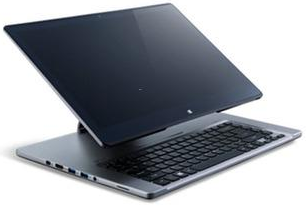 |
Lenovo IdeaPad Yoga 13 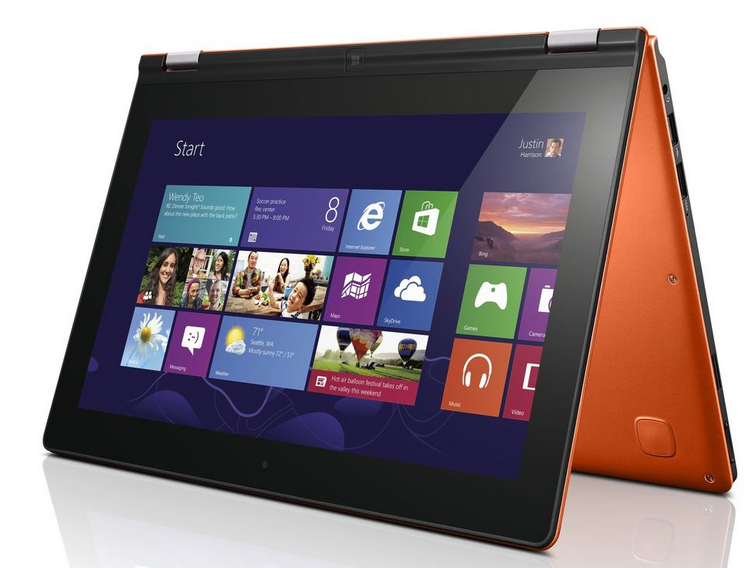 |
|
| Dimensions |
14.83 x 10.02 x 0.81/1.12 inches
|
13.1 x 8.9 x 0.67 inches |
| Weight | 5.5 pounds | 3.3 pounds |
| Chassis | Aluminum | Soft-touch plastic |
| Processor | Intel Core i5 | 1.8 GHz Intel Core i3 |
| RAM | 6GB | 4GB |
| Screen Size | 15-inch | 13.1-inch LED, touchscreen |
| Resolution | 1920×1080 pixels | 1600×900 pixels |
| Storage | Up to 1TB hard drive or 256GB SSD | 128GB |
| Networking | Wi-Fi, Bluetooth 4.0 | Wi-Fi, Bluetooth 4.0 |
| Ports | SD card reader, HDMI, USB 3.0 (3) | SD card reader, HDMI, USB 2.0 and 3.0 |
| Webcam | Yes | Yes |
| Operating System | Windows 8 Pro | Windows 8 Pro |
| Multi-function Modes | Tablet, Laptop, Desktop | Tablet, Laptop, Tent |
| Battery Life | Unknown | 7 hours |
| Price | $1000 | $1000 |
Of course, solid specs aren’t enough to make a device like this successful. Ultimately, the design is the deciding factor for a convertible notebook attempting to rethink the formula. The R7 can pull off the same moves as the Yoga: it opens and close like a laptop; it has a tablet mode; and it can also function in a touchscreen monitor mode. The difference is in the hinge itself.
The Yoga uses a traditional laptop hinge, but it is modified to allow for 360 degrees of rotation. The R7, on the other hand, has to be able to adjust forward and backward, as well as upside down. It does this by utilizing a sort of stand-like hinge design that looks reminiscent of the iMac’s stand design.The inclusion of backward and forward movement is because Acer has decided to place the trackpad behind the keyboard so if you’d rather use touch-only, the display can cover up the trackpad and bring the screen close to your fingers.
Unfortunately, the R7 suffers from the same problems plaguing other similar devices from Sony and Toshiba. While it nails some features – clever design, aluminum body, gorgeous screen – it fails at others. The keyboard is, reportedly, plasticky and a bit uncomfortable to use and also cramped despite the R7’s large size, probably a size constraint necessary to accommodate the different modes. Also, since Windows 8 still requires you to use the desktop mode to get any real work done (Metro apps are scarce), such an aggressive hardware focus on touch controls over the trackpad could be premature. For the majority of people, touch still hasn’t taken over the desktop. For that reason, this new form factor is a gamble for Acer but we appreciate another company looking to push the envelope.


