While gaming desktops are great, they don’t have the same excellent portability as gaming laptops. So, if you’ve always wanted one of the latter, then these 4th of July sales are the perfect opportunity to grab yourself one. Of course, if you do want to go for a more traditional desktop option that’s still from Dell, then these Alienware 4th of July deals are worth taking a look at, while our roundup of the best gaming laptop 4th of July deals should give you a few more options on top of that.
G15 Gaming Laptop — $1,000, was $1,150
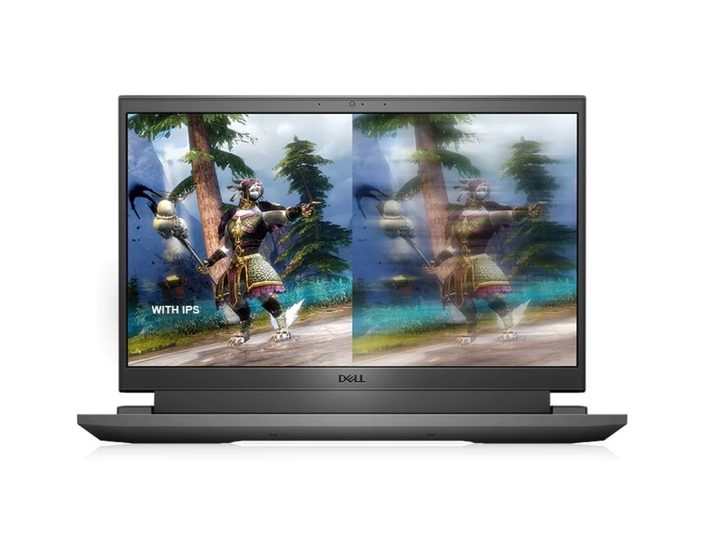
The Dell G15 is probably one of the most popular gaming laptops on the market when it comes to budget-oriented options. In this configuration, you get a solid RTX 406o, which should easily handle the FHD resolution and 165Hz refresh rate of the monitor with minimal graphical compromises. The Intel Core i7-13650HX is also a reasonably powerful CPU that will handle most games just fine, and productivity tasks should be a relative breeze to do on the G15. Similarly, the 16GB of DDR5 RAM means you get some good speed and capacity for having apps and tabs open, while the 1TB SSD is a good start and will probably be enough for a year or so of gaming before you may have to start deleting games or thinking of expansion with an external hard drive deal.
Alienware x14 R2 Gaming Laptop — $1,200, was $1,800

If you really enjoy gaming but don’t want to have a massive and bulky gaming laptop, then this Alienware x14 R2 is an excellent option since it has a smaller 14-inch screen that brings the overall size down. With this configuration, you get an RTX 4050, which is admittedly an entry-level GPU, but at least it does give you access to DLSS 3, which is really helpful for the games that support it. It’s also a great laptop for work given the Intel Core i7-13620H and 16GB of DDR5 RAM will give you a buttery smooth day-to-day experience, while the 1TB SSD will provide you with enough storage to last you quite a while.
G16 Gaming Laptop — $1,300, was $1,750

This configuration of the Dell G16 has a lot more power and a bigger screen than the options below, and is the way to go if you tend to play more recent and AA/AAA games. While the RTX 4070 is not the most powerful GPU on the market, it is powerful enough to run the 2560 x 1600 resolution screen, although it may struggle a bit with the whopping 240Hz refresh rate. That said, it does give you the option to customize your graphics based on what you are playing and what you need the most. As for processing power, the included Intel Core i9-13900HX is easily one of the best CPUs on the market, so no worries there, and the 16GB RAM should more than enough for the majority of folks.
Alienware m16 R2 Gaming Laptop — $1,450, was $1,850
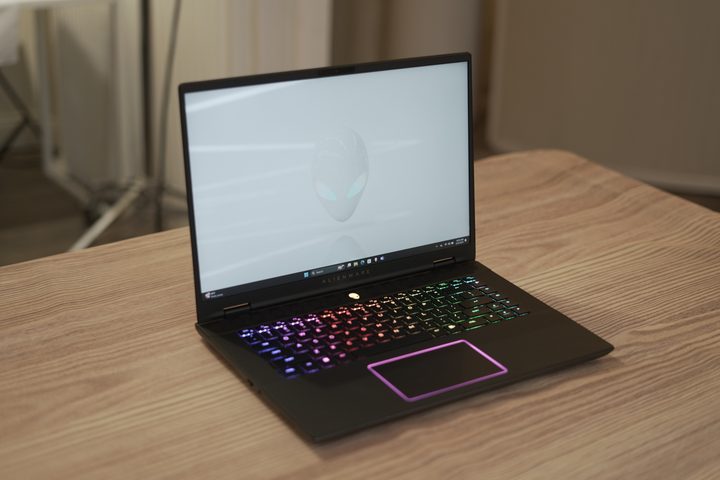
Another great option to consider is the Alienware m16 R2, which has a lot of similarities with the G16 but is a bit thinner and more portable. It has a similar RTX 4070 under the hood, so you still get a solid mid-range GPU, while the 2560 x 1600 resolution and 240hz refresh rate also give you the ability to customize your experience based on your needs. You also get an Intel Core Ultra 7 155H, which isn’t as powerful as the i9, but it still does an excellent job nonetheless. Same goes for the 16Gb of DDR5 RAM and the 1TB of storage.
Alienware m18 R2 Gaming Laptop — $2,000, was $2,500

It’s not every day you see laptops with a large screen, so the Alienware M18 is an excellent choice, and really one of the few you have if you want a big screen. It has an RTX 4070 under the hood, which should easily drive the 2560 x 1600 resolution and 165Hz refresh rate monitor with minimal graphical compromises. You also get a much more impressive 32GB of DDR 5 RAM at your disposal, which is great for those who do programming and CAD work. As for the processor, it’s the Intel Core i9 14900HX, one of the most powerful on the market, so this laptop configuration is really versatile.