

“The Dell XPS 11 is a lightweight, fun Yoga-like convertible laptop, but its touch keyboard left us wishing for real keys.”
- Attractive, comfortable design
- Slim and lightweight
- High resolution touch display
- Screen flips 360 degrees, converting from laptop to tablet
- Touch keyboard isn't comfortable or accurate
- High Res. screen makes desktop apps tough to touch
“Why you can trust Digital Trends – We have a 20-year history of testing, reviewing, and rating products, services and apps to help you make a sound buying decision. Find out more about how we test and score products.“
The Dell XPS 11 is a lightweight, fun Yoga-like convertible laptop, but its touch keyboard left us wishing for real keys.
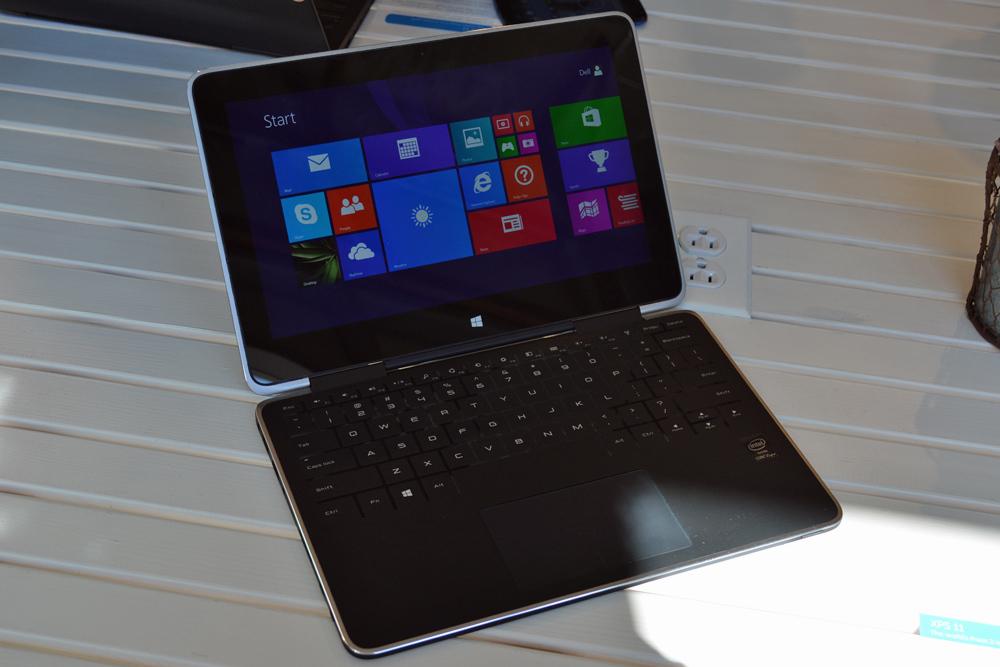
This week Dell announced a slew of new laptops, tablets, and convertibles. By far the most interesting is the XPS 11, a “2-in-1” convertible Ultrabook that turns into a tablet. You don’t get to tablet mode by separating the display and keyboard bits, you do it by turning the screen around 360 degrees.
Yes, we’ve seen this before in the Lenovo Yoga series. And, just as with the Yogas, we still like the general idea and find the concept of a 360 degree hinge cool and fun. The problem with this design has always been how to deal with the exposed keyboard when you’re using it as a tablet. The new ThinkPad Yoga deals with it by making the keys flush with the deck once the screen goes past the 180 degree mark. Notably, this isn’t the case with the Yoga Pro 2, apparently because the Lift & Lock mechanism would make this more consumer-focused model too thick to qualify as an Ultrabook.
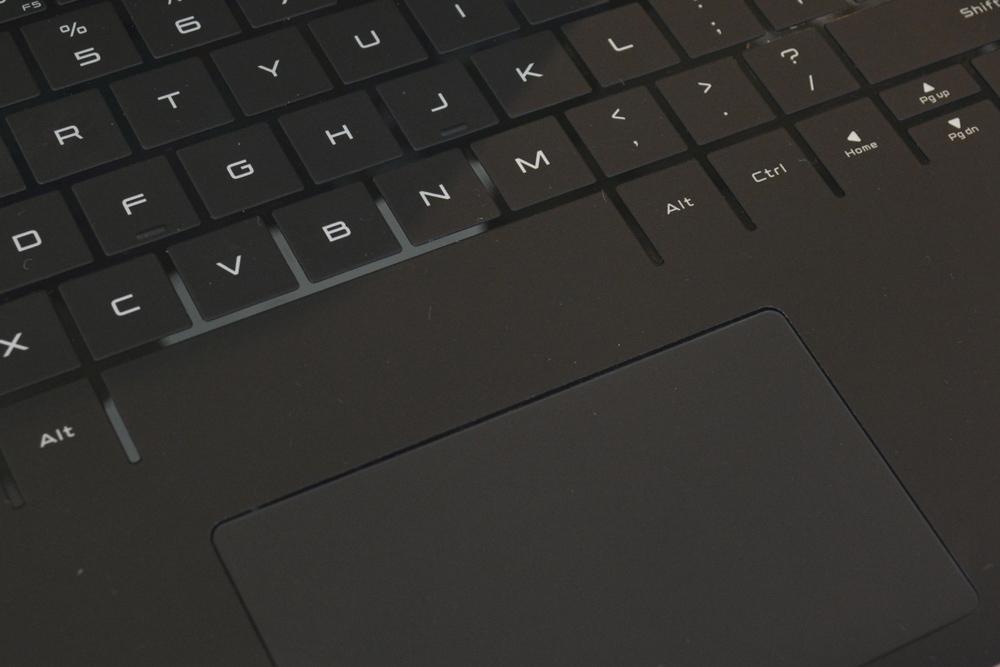
Dell tackled the problem from a different angle, choosing to go with a radically different keyboard design that keeps the keys flush with the deck and maintains overall ultra slimness. The XPS 11 has a touch keyboard very similar to the Surface tablet’s Touch Cover. Instead of keys that press down, the keys sense touch.

Using the XPS 11’s keyboard felt just like using a Touch Cover. Each key has a matte, rubberized coating and is surrounded by smooth plastic, and you don’t actually press the keys down. You just touch them. You can mostly tell if you’re hitting the right area, but the XPS 11’s deck isn’t as thin as the Touch Cover. The difference in how it feels to type is subtle, but noticeable, and not always pleasant. It’s not as easy to be accurate on this type of keyboard. Tapping the keys doesn’t require precision, but does require more deliberateness than a traditional keyboard. And there’s a greater chance of dropping letters. Plus, the XPS 11 is far more annoying to type on if you have fingernails. It was clearly designed and tested by people with very short or no nails.
When we asked a Dell representative about this, he said that the XPS 11 is meant to be a tablet-first machine. The keyboard is a supplement, not the main show. That line might work for a product like the Surface, which is just a tablet with a keyboard accessory. The XPS looks like a laptop, and on a laptop the keyboard is of primary importance.
Putting aside the keyboard, the rest of the XPS 11 is impressive. The rubberized matte coating extends over the rest of the deck plus the top and bottom. The lid has an attractive checkered pattern and that familiar silver Dell logo. This won’t easily slip out of your hands no matter what mode it’s in and feels good to hold and carry. At 2.5lbs, it’s also light for an 11.6-inch system. Most netbooks weigh more than 2.5lbs.
Under the rubberized coating is a carbon fiber body and an aluminum lid. Combined with the SSD (Solid-State Drive) inside and the Gorilla Glass covering the display, the XPS should be less likely to suffer permanent damage from accidental drops.
The 10-finger touch display sports an impressively pixel dense 2560 x 1440 resolution, wide viewing angles, and gets very bright at 100 percent. The only hitch in that high resolution is that, when using desktop programs, text and UI elements and icons and such will look very teeny tiny and will probably require some adjustment in the settings to be viewable by anyone without super human eyes. We didn’t notice this same problem in Metro-style/touch apps.
The XPS 11 has a very ultrabooky port spread: two USB 3.0 and a full size HDMI port plus an SD card slot. Shoppers will have a few configuration options, including a choice of fourth-generation Intel Core i3 or Core i5 CPUs and 80GB to 256GB SSDs.
The Dell XPS 11 will be out in November and pricing starts at $1,000.


