Since Google Glass made its way into the hands of a relative select few users, we’ve seen a ton of creative ways that people have been making use of the newfangled social device. By and large, however, the videos we’ve seen are fun — like the skydiving demo video the folks at Google created — a lot of people remain skeptical of its uses.
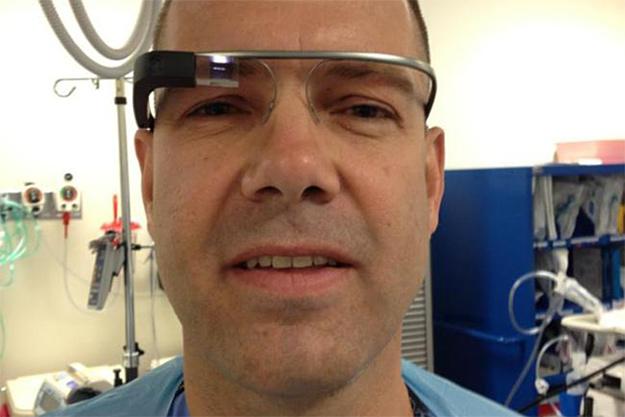
Last week, Dr. Rafael Grossman, a surgeon and one of the Google Explorers based in Maine, used Glass for something no one else — to our knowledge — has done yet: to livestream a surgery using a Google Glass Hangout, which he outlined in his blog.
Of course, the biggest issue with Glass is privacy; when someone is wearing the device, there’s no way to discern whether they are filming, snapping a photo, or just letting it sit there, dormant. Grossman was quick to acknowledge that this was his first concern, making sure to both get consent from the patient and to keep his or her face during the event.
He began the event by speaking to the audience, pre-operation, to describe what he was doing and once again stress the importance of maintaining a patient’s privacy. Then began the procedure, which involved endoscopically inserting a feeding tube. Grossman chose this surgery for his demo because of its relative simplicity, letting viewers see that his attention to detail was not detracted from wearing Glass.
The surgeon notes that Glass could be a very inexpensive way to help teach students and make medical advances. When the Explorer project first began, the device cost $1,500, but when it finally goes public, it’s expected to cost significantly less.
What’s the most innovative use of Google Glass you’ve seen so far? Let us know in the comments below.
Editors' Recommendations
- Google Messages vs. Samsung Messages: Which app should you use?
- How to use Magic Editor on the Google Pixel 8
- How to use Video Boost on the Google Pixel 8 Pro (and why you should)
- Google Pixel 8 Pro users are finding weird ways to use the phone
- I used the Google Pixel 8 Pro’s weirdest feature. I’m not impressed