While Xiaomi is a well-known smartphone developer, it has yet to enter the tablet space. However, if a teaser image from Chinese social media website Weibo is any indication, that is about to change. The teaser image shows us a tablet that seems quite familiar to one we’ve already reviewed.
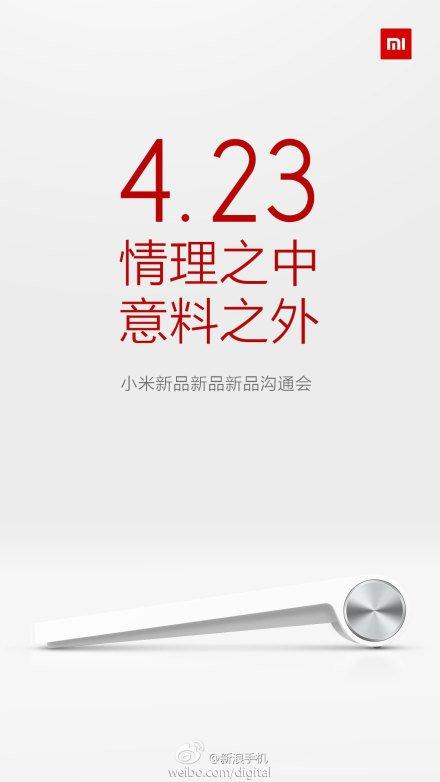 According to the teaser image, Xiaomi’s upcoming tablet will sport the same cylindrical side that the Lenovo Yoga Tablet does. When we reviewed the Yoga Tablet, we came to love that cylindrical side. Not only did it allow for a comfortable reading experience and a sturdy kickstand, but thanks to the added girth, Lenovo packed in a large battery pack that allowed for fantastic battery life. If Xiaomi’s pictured tablet is any indication, we expect a similar experience out of it.
Where Xiaomi’s tablet will reportedly differ is in software. Not too long ago, Xiaomi published the Android ROM for its tablet-friendly MIUI, Xiaomi’s customized Android overlay. While it certainly has its fair share of similarities to iOS, it’s a clean interface that seems to play nice with the tablet form factor. We could see MIUI make its debut on Xiaomi’s tablet, but we’re on a wait-and-see approach.
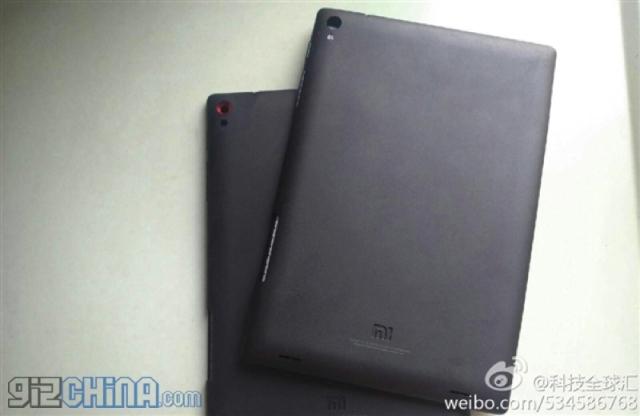
Oddly, the teaser image doesn’t line up with recent leaks, which picture a tablet that looks nothing like the one that was teased. This tablet, seen below, sports an iPad Mini-like design and is rumored to be an entry-level device. GizChina reports that the “Mipad” will feature a 720p display powered by a Snapdragon 400 chipset, an Adreno GPU, and 1GB of RAM. It will reportedly run Android 4.3 and offer 8GB of internal storage and an 8-megapixel rear camera.
The teaser image reveals an April 23 date, so that could be the day when Xiaomi finally clears the air and announces either just one or several products.