1. Home
  2. Phones
  3. Android
  4. Mobile
  5. News

Google Photos will start charging you for uploads today

Add as a preferred source on Google

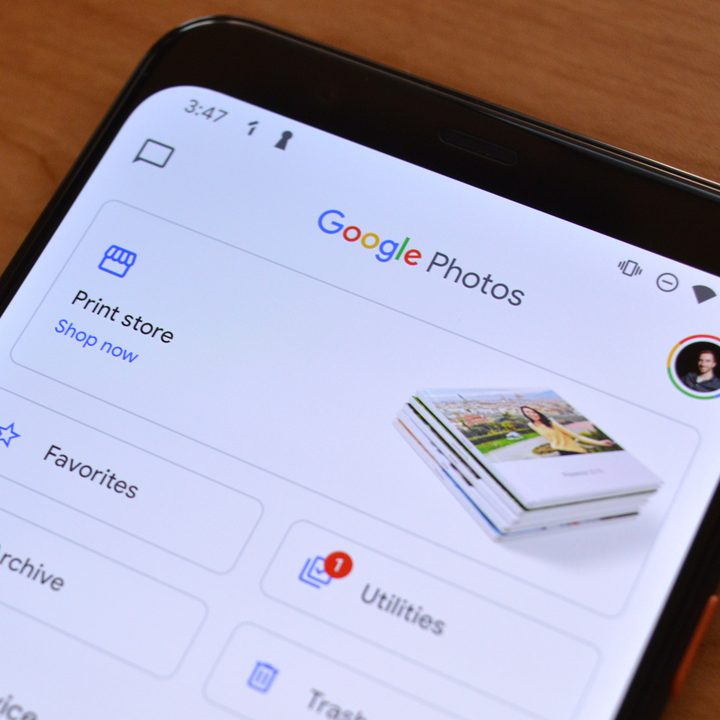
Google Photos has been one of Google’s most popular services ever since it was launched in 2015, offering unlimited free photo storage at so-called “high-quality.” As was announced in November, however, that’s coming to an end. Today, June 1, Google Photos will begin charging you for any storage over 15GB.

In other words, no matter what quality of photo or video you upload to Google Photos, it will count against your Google One storage plan, and if you exceed 15GB, you’ll need to pay up to keep uploading. To be clear, photos and videos uploaded before June 1 will not count against that 15GB limit — only those uploaded after. So, you won’t find yourself suddenly having to shell out for Google Photos, and you will have time to decide whether or not you want to pay for Google One at all if you don’t already.

Recommended Videos

If you use Google Photos a lot, however, it’s probably worth paying for at least some Google One storage. Google Photos is an excellent service, and it makes sense that it wouldn’t be totally free.
Google Photos
Image used with permission by copyright holder

Many users may not ever need to pay anyway, or at least not for the foreseeable future. According to Google, 80% of Photos users won’t hit 15GB for at least three years. That’s not to mention the fact that 15GB is three times the amount you’ll get on Apple’s iCloud, which only offers 5GB of free cloud storage.

Google Photos ties into the rest of the Google One cloud storage ecosystem, which encompasses Google Drive, Gmail, and Google Photos. Google One also offers a free VPN service for Android if you subscribe for 2TB or more of Google One storage.

Google One storage is about on par with the rest of the industry in terms of pricing. You’ll spend $2 per month for 100GB of storage, $3 per month for 200GB, $10 per month for 2TB, or up to $150 per month for 30TB.

Consider yourself warned — Google Photos may start to cost you a little more. But again, if you use it a lot, you should spend the cash — it’s an awesome service and worth the money.

Christian de Looper
Christian de Looper is a long-time freelance writer who has covered every facet of the consumer tech and electric vehicle…
Fold 8 Ultra vs. Fold 7: Upgrades across the board, but is the Ultra really worth the upgrade?
From battery capacity to camera hardware, here's a full comparison between the Galaxy Z Fold 8 Ultra and Galaxy Z Fold 7, and whether upgrading actually makes sense.
Galaxy Z Fold 8 Ultra vs. Fold 7

Foldables age differently than regular smartphones or flagships. But why do I say this? It's the hinge and the foldable aspect that wins buyers over in the first place, not the specifications that get outdated every single year. That's precisely why anyone still carrying last year's Galaxy Z Fold 7 is asking a fair question today: does Samsung's freshly unveiled Z Fold 8 Ultra genuinely earn an upgrade, or does the Fold 7 still hold its ground?

And for shoppers who skipped last year's model entirely and are weighing their first foldable purchase, the calculus is totally different. A now-discounted Fold 7 might undercut the Ultra by a considerable sum, and that could matter to those looking to spend on the form factor, not the latest specifications. 

Read more
Samsung makes it easier to run multiple apps on Galaxy Z Flip 8’s cover screen
Samsung's Galaxy Z Flip 8 now runs 16 apps on its cover screen.
Galaxy Z Flip 8 cover display

Samsung is finally making the Galaxy Z Flip's cover screen much more useful. With the new Galaxy Z Flip 8, you no longer have to rely on workarounds to access more apps without unfolding the phone. Instead, Samsung has expanded native support on the FlexWindow, allowing 16 apps to run directly on the outer display and also making it much easier to launch virtually any other app.

The update addresses one of the biggest complaints Flip users have had for years and brings Samsung up to the level of rivals like Motorola, whose Razr series has long offered a more flexible cover screen experience.

Read more
Google just made switching from iPhone to Android much easier with Android 17
Android 17 can now transfer your passwords, passkeys, eSIM, and even your home screen.
Android-17-switch-ios-to-android

Moving from an iPhone to an Android phone has never been an easy process, but Google is trying to change that. With Android 17, the company has introduced a rebuilt Android Switch that can move far more of your data than any past version ever could.

Google worked with Apple to create the new transfer system from the ground up, allowing far more information to move wirelessly than before. The upgraded experience is already rolling out to eligible Pixel devices and is also available on Samsung's new Galaxy Z Fold 8 and Galaxy Z Flip 8 through Smart Switch.

Read more