What makes a OnePlus phone a OnePlus phone? It’s a question with many answers that have changed over the years, and one I’m pondering again now that the OnePlus 11 is here. It used to be a device with impressive specs at an ultra-competitive price, but rising costs over the years have changed that. It also used to be clean and lightweight software, but OxygenOS 13 has taken OnePlus in a very different direction.
Something that has remained (mostly) consistent is the iconic alert slider — the small, physical switch on the side of OnePlus phones for quickly changing your notification volume. OnePlus tried removing it on the OnePlus 10T last year, but after receiving unrelenting backlash, the alert slider has returned on the OnePlus 11. And while OnePlus will pat itself on the back for resurrecting the feature while fans praise its return, I’m ready for something new.
The OnePlus 11’s alert slider is incredible …
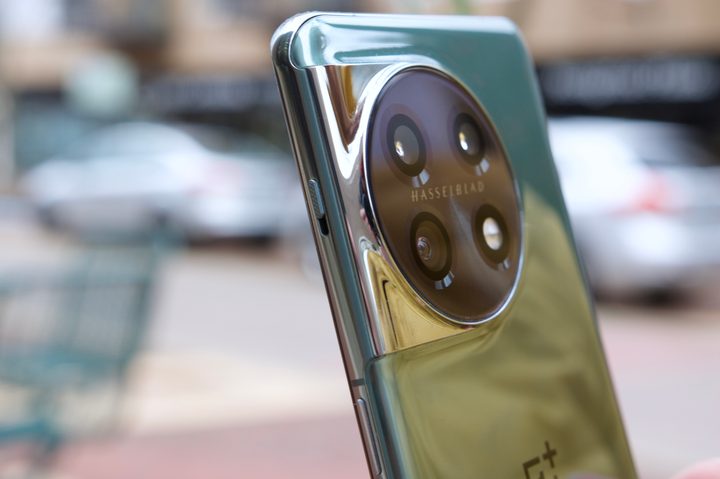
I want to be clear right off the bat: the alert slider on the OnePlus 11 is excellent. Like the OnePlus 10 Pro before it, it features a distinct texture, so it’s easy to identify in your pocket and seamlessly move with one finger. It also doesn’t feel nearly as stiff as it did on the 10 Pro. There’s still great tactility when you move it, but it’s now easier to slide into its different positions.
This experience is further improved by how it works with the OnePlus 11’s hardware and software. An excellent vibration motor in the phone enhances the feedback you get when using the slider — providing different vibrations depending on where you move it.
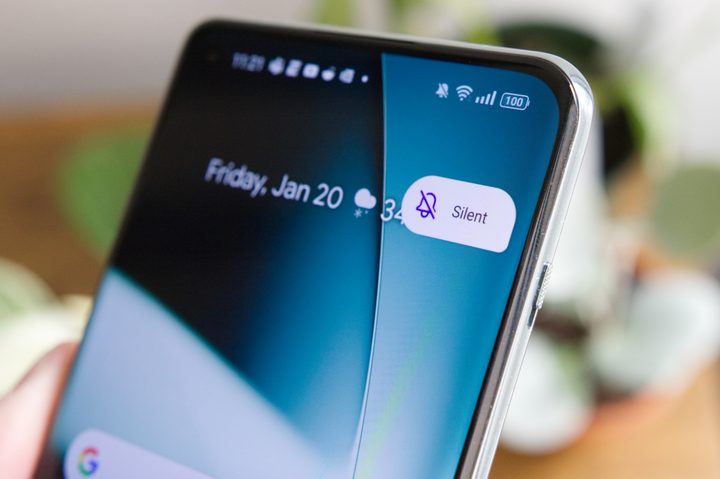
And regardless of whether the display is on or off, you’ll see a pop-up showing you if the alert slider was moved to Silent, Vibrate, or Ring. OnePlus has the alert slider experience down to a T, and it really shows on the OnePlus 11.
… and not nearly as useful as you may think
But here’s the thing. As lovely as the OnePlus 11’s alert slider is, I rarely use the thing.
Similar to the volume switch on my iPhone 14 Pro Max, the alert slider on my OnePlus 11 stays in the Vibrate position and doesn’t move from there. I don’t want my phone speakers blasting notification sounds all day long; a simple vibration does the trick.
If I’m going to the movies or out to dinner, it is nice being able to slide the toggle to Silent mode and disable notification alerts that way. But it’s also just as easy to enable Do Not Disturb from the Quick Settings panel.
Maybe I’m in the minority of people here, but I struggle to imagine that many of us regularly cycle between notification volume settings so frequently that we need a dedicated hardware button for it. It’s quirky and unique, but on the OnePlus 11 and previous OnePlus handsets, I’ve never found the alert slider to actually make the devices any more useful compared to ones without it.
What does OnePlus do next?

Am I happy that the alert slider is back on the OnePlus 11? Sure. The OnePlus 10T admittedly felt more boring without it, and it’s nice to know OnePlus is listening to fan feedback — regardless of how useful I find the thing. More importantly, I think it sparks a larger conversation about the identity of OnePlus smartphones.
OnePlus creates a damn good alert slider, but I want to see what else it can do.
The alert slider remains a unique smartphone feature in 2023. No other Android manufacturer has tried to replicate it, and it gives OnePlus phones a strong identity. But what I want to know is where OnePlus goes from here — what’s the company’s next hardware trick?
Though the alert slider is unique compared to other Android phones, it’s well-treaded ground for OnePlus. It’s something the company’s been doing for nearly eight years, and after all that time, it really hasn’t changed much from its original implementation on the OnePlus 2. OnePlus creates a damn good alert slider, but I want to see what else it can do.
What is that next big hardware trick? Your guess is as good as mine, and quite frankly, I don’t care what it is. I just want to see OnePlus experiment with phone design again. The alert slider has a ravenous fan base today, and that’s only because OnePlus took a risk nearly a decade ago to try something new. OnePlus isn’t really innovating in the camera space. Battery life has been fine. Performance is consistently fast, but that’s the case for most flagship phones today.
The alert slider is proof OnePlus can be creative with phone hardware, and that’s something I want to return with the OnePlus 12. Even if it’s gimmicky or misses the mark, it’s time for OnePlus to step out of its comfort zone again, rather than rely on familiarity and nostalgia.