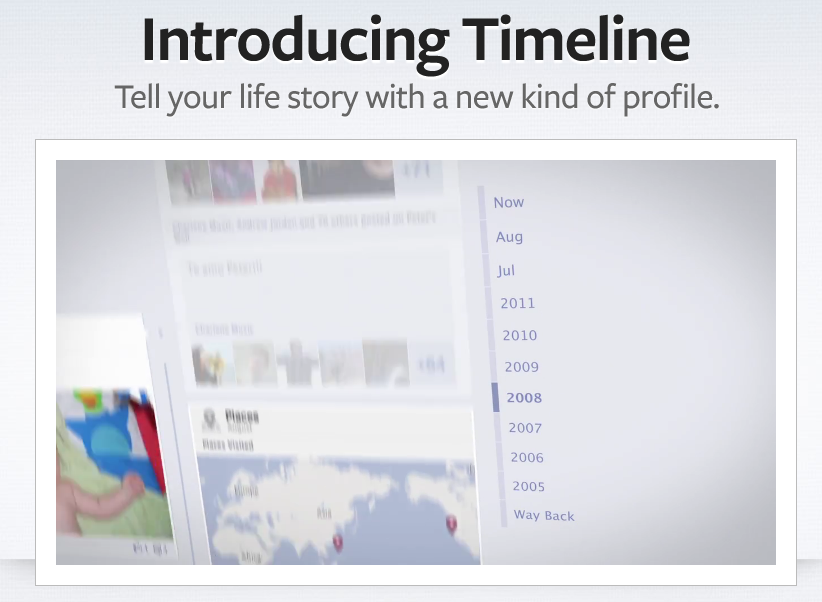
With all the hype surrounding the much-anticipated Facebook media and music integration, the social network was able to slip one feature by us, something we didn’t see coming at all: The Timeline. The new application takes everything you’ve ever done on Facebook and creates a digital scrapbook that is simultaneously eye-pleasing and addicting.
Now, after months of “beta testing,” Timeline has officially launched, and it’s time for all of us to get acquainted. Perusing your own Facebook history is one thing (and something that after our initial hands-on with Timeline, we can vouch for its tendency to make you compulsively comb over your own), but Timeline also gives you the ability to see your friends entire lives – or at least what they’ve put on the social networking site. This, of course, raises more than a few questions about privacy. We’ve compiled some top questions below, along with the best information we have so far.
Q: If I posted something with custom privacy settings (i.e., a photo album only my Close Friends list can see or a status update I hid from co-workers), will those carry over to Timeline?
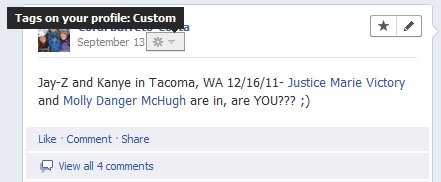 A: Immediately after hearing about Timeline, our privacy concerns were piqued and we wanted to know if all the Lists and settings we’d spent time curating would be effective. A Facebook PR rep explained to us: “For every post there is an inline control beside it that shows you who can see it and gives you the option of changing it.” It seemed like a huge boundary for Facebook to overstep were it to ignore and your privacy requests with it came to Timeline, but it never hurts to ask.
Be aware, however, that this means old posts aren’t privy to your new rules. If you made it custom that only friends and not friends of friends could see your status updates last year, then all status updates before that are public.
Q: Is there an easy fix to making past (as in, pre-Lists or Groups) posts private?
A: There is a fix, but we wouldn’t call it easy. Our second thought when we heard about Timeline was how the original Facebook generation was going to have some digging to do. Remember when Facebook was exclusive to college students only? There were no parents, teachers, bosses, aunts, uncles, potential bosses… etc. It was just students and their equally young and impressionable cohorts. And not only were we in a relatively immature environment, we also were part of this early experiment called social networking. Nobody knew exactly what it was or what it did – or what it had the potential to do.
Now we know that your Facebook profile says more about you than where you go to school and what you did last weekend, and that it’s broadcasting all that to a wide variety of people. So now we’re much more careful about what we post and creating privacy filters. But we didn’t use to be. Before Timeline, finding past discrepancies meant you had to seriously investigate a person’s profile. But infinite scrolling and the ability to quickly access the information from the year toggle makes this… well, infinitely easier.
So if there are any drunken photos or exes you don’t care to remember in your past, you need to manually go through and re-set the privacy options or remove those details from Timeline. The inline controls themselves are very easy to use, but it’s something of a painstaking process to do this. Which is why we suggest getting the Timeline function early if there’s anything you want buried. Remember how people reacted when Photo memories launched? Everyone freaked out at the thought of seeing a picture of their boyfriends and girlfriends with their old exes. Others were less bothered, but perfectly fine forgetting how bad that haircut from freshman year was. Some things should remain in the past. Buried deep, deep within Facebook. As with many Facebook updates, there can be a creepy factor, and Timeline puts it front and center.
Q: What about my old Facebook profile?
A: Kiss it goodbye. Facebook is well aware of user outrage over new profiles. As CEO Mark Zuckerberg aptly put it yesterday, people feel an “intense ownership” over their profiles. We’ve spent more time than we should turning this thing into an accurate and hopefully positive portrayal of ourselves, and when Facebook changes everything, users get mad. So words were chosen very carefully during the announcement of Timeline yesterday and it wasn’t made explicitly clear that Timeline would replace the traditional profile.
But that’s exactly what it will do. “Once you switch over to Timeline, you cannot go back to your previous profile,” we were told.
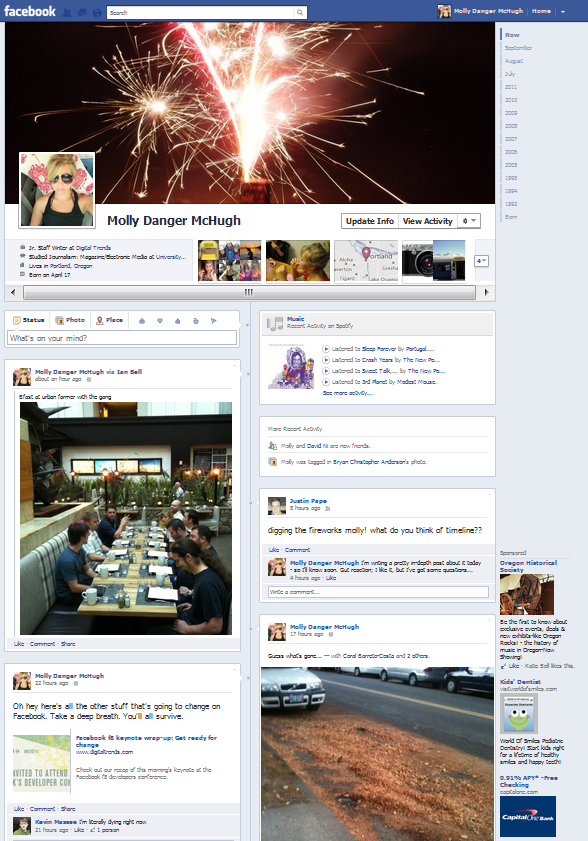
Timeline is a new way of looking at Facebook, but that doesn’t mean it’s bad. It has a gorgeous layout, and as with all things, navigating the profile takes a few tries but comes easily enough. Finding information – for better or worse – is extremely simple, and it’s a more personal way of connecting with your friends. It is, like everyone is saying, a digital scrapbook of your life.
Q: How do Facebook’s new Open Graph and class of apps play into Timeline?
A: Timeline is going to be the profile and it’s going to revolve around apps, giving them a lot more prominence than they used to have. Facebook’s goal is for people to start using apps to not only access content (like music, TV shows, and movies) but to fill out their profiles (is that a dirty word now?). The new slew of lifestyle apps are meant to show what you do in the real world: What you read, eat, do for fun, do for exercise, etc.
The benefits: You’ll have documentation of what you’ve done over time. How you’ve progressed (or regressed), new things you’ve tried, and you’ll also be able to discover what your friends are doing in this regard and track your activities along with them. It’s sort of a bridge between documenting your real and digital lives.
Of course, this means that marketers everywhere are rubbing their hands together in glee. Zuckerberg talked yesterday about how apps are going to be a “frictionless” experience and instead of being prompted to share your app activity each time you use it or achieve something within it, you will be asked once. Of course, this leaves a lot of room for apps to share things you don’t intend them to share. Director of communications for Privacy Rights Clearinghouse Amber Yoo explains why even though fewer prompts from Facebook might be less obnoxious, it isn’t always in users’ favor.
“Apps are Facebook’s biggest privacy weakness and we’ve been concerned about how they ask for more data than they need. So taking away the granular control, you know – asking each time ‘do you want to share this?’ is a negative,” she says. “They’re basically changing it from an opt-in to share something to an opt-out, and that’s a negative.”
She also notes this might result in a UI update. “I’d be interested in seeing how the app permission screen changes.”
The way Open Graph, Timeline, and these new apps work together will result in more and better user data (if everything goes according to plan). Search Engine Journal explains:
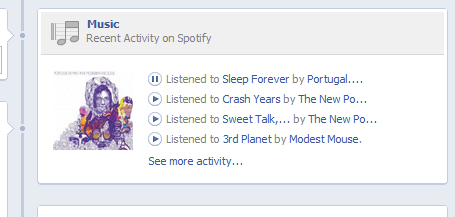 “With the help of Graph Targeting and the better dataset, marketers will be able to deliver specific marketing messages to the optimum target market. Until now, marketers had to rely on Facebook users either checking in at a location or clicking ‘Like’ in order to create a ‘Sponsored Story.’ The Open Graph will now provide advertisers with many more opportunities to create ‘Sponsored Stories’ through a variety of actions including [but not limited to]; online purchases, playing a song, or watching a movie. ‘Sponsored Stories,’ which convert at much higher rates than traditional Internet advertising, place a friend’s endorsement on a product or service.”
Facebook says the official Timeline rollout is going to be very incremental, so don’t expect to wake up tomorrow with the next evolution of the profile. That said, you either have to get on board or bail completely, because Timeline is coming.
Update: Be sure to check out our new Timeline guide, which also answers many of your questions below.