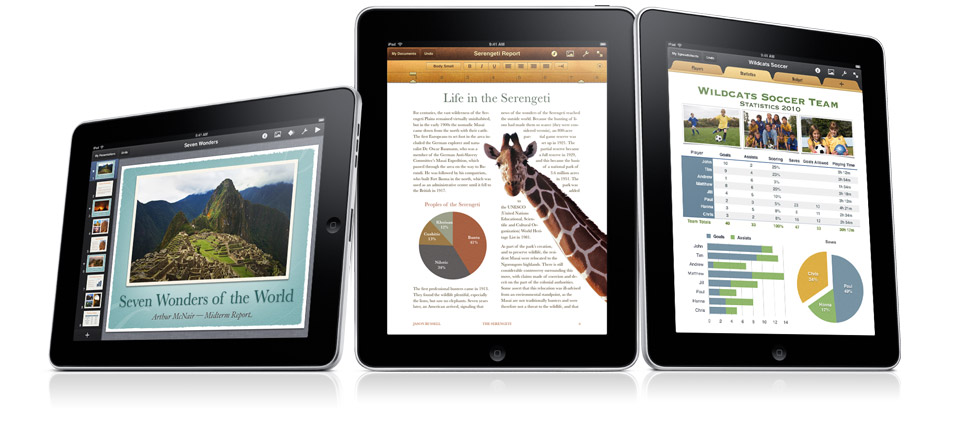
 Although we weren’t thoroughly impressed with most of Apple’s iPad apps, mostly because they were just enlarged versions of iPhone apps, we did appreciate this mobile version of business productivity tools, iWork. Apple announced yesterday that it has designed a new version of iWork, its Mac productivity platform, for the iPad tablet PC. Apple says its iWork software suite, which includes Keynote (for presentations), Numbers (spreadsheets), and Pages (word processing), will create “incredible” presentations, word processing documents, and spreadsheets by directly touching the words and images on the iPad’s Multi-Touch screen.
“With Pages, Keynote and Numbers you can create beautifully formatted documents, stunning presentations with animations and transitions, and spreadsheets with charts, functions and formulas,” says Apple. “While they’re simple and easy to use, they’re also the most powerful productivity apps ever built for a mobile device.”
These apps have been completely redesigned for the iPad, so they aren’t the full desktop functionality, but they essentially commit the same power and features the original iWork has. The iWork for iPad apps are $9.99 each—a cheap buy compared to the Mac OS version of the suite, which sells for $99 for all three—and will be available at the iTunes App Store. It’s also quite nice that the three productivity programs are sold separately, so those folks who try to avoid spreadsheets can continue avoiding them.
Editors' Recommendations
- This one Apple Fitness feature completely changed how I exercise
- The best iPads in 2024: the 5 best ones you should buy
- Nomad’s new iPhone case and Apple Watch band may be its coolest yet
- The most common iPad problems and how to fix them
- Here’s how Apple could change your iPhone forever