1. Home
  2. Phones
  3. Mobile
  4. Social Media
  5. News

Need help navigating Snapchat? Snap’s official video guide has you covered

Add as a preferred source on Google

Snapchat is popular but still a pain to navigate for new users — and even some of its hardcore fans don’t know it as well as they think they do.

If you’re having trouble discerning stories from geofilters, help is at hand in the form of the official product guide from Snapchat parent company Snap Inc. However, the newly released clip isn’t actually aimed at users, which is odd seeing as it provides a solid step-by-step overview to the app. Instead, the video is for potential investors Snapchat is hoping will help it raise an estimated $3 billion when it goes public next month. You can view the clip, along with its other presentational roadshow items, here.

Recommended Videos

The company also recently provided a handy breakdown of its various functions in its initial public offering filing. But the colourful, close to 9-minute video is even better. It’s not just a marketing gimmick either, the clip is the closest the secretive company has ever come to officially explaining its product. Until now, it kept a cool distance, leaving it up to its (predominantly) young user base to figure out all of its weird and wonderful features.

Image used with permission by copyright holder

The clip takes you through seven key sections relating to the app and the features they contain, including “camera,” “making a snap,” “creative tools,” “sending a snap,” “adding friends,” “chat,” “storytelling,” and “Memories.” The video’s minimal style sees an animated hand guide the viewer through each function. Not only does the explainer help you to understand what the most important aspects of the app are, but also shows you what its icons mean, and how its touch gestures work.

Before you know it you’ll have your own Bitmoji, be chatting with friends, and sharing stories on a regular basis. Alongside the product overview, Snap has also released two other videos geared toward investors, among them a 35-minute clip that lays down its history, future goals, and internal workings.

Saqib Shah
Saqib Shah is a Twitter addict and film fan with an obsessive interest in pop culture trends. In his spare time he can be…
Vibecoded apps are flooding Apple’s App Store, and users are getting sick of them
App Store submissions have doubled this year as AI tools make it easier than ever to build an app, but downloads haven't kept pace, and for good reason.
Apple App Store homepage on an iPhone

Apple's App Store is in the middle of its steepest submission surge in years. Developers submitted nearly 600,000 new apps last year, marking a 30 percent jump over the previous year. That number has already doubled to roughly 560,000 new apps in just the first six months of this year, according to estimates from analytics firm Sensor Tower cited by the New York Times. The reason behind the spike is vibecoding, which allows people with no prior development experience to create new apps using AI tools.

A familiar boom, with a twist

Read more
Google Photos adds a quick toggle between AI and classic search
Classic search is finally easier to reach for people who enabled Ask Photos
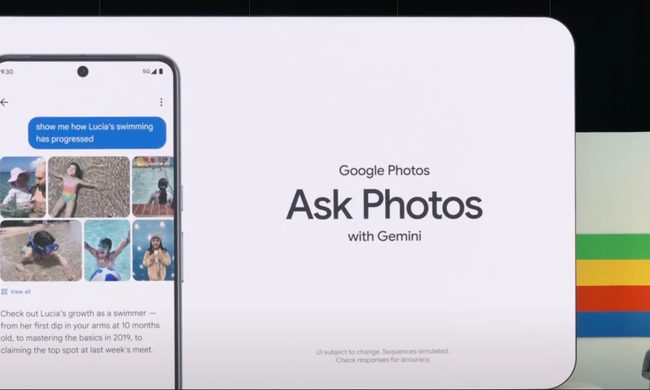
Google's Ask Photos debut.

Google Photos is giving users an easier way to leave its Gemini-powered search when a simple keyword would do. A new toggle now sits at the top of the results page, letting users switch between Ask Photos and classic search without digging through settings.

The change appears to address feedback from people who opted into Ask Photos but wanted a quicker way to return to classic search when Gemini was slower or less useful for a straightforward query.

Read more
Snapseed Camera now lets Android users save original photos and add geotags
Google updates Snapseed Camera with geotag support and non-destructive photo editing
Snapseed App

Google appears to be quietly turning Snapseed into something more than just a photo editing app. Over the past few weeks, the company has been steadily adding new capabilities to Snapseed Camera, its standalone camera app for Android. The latest update introduces two practical features that many smartphone users have come to expect from modern camera apps: the ability to save an untouched copy of every image for future editing and support for embedding location data directly into photos.

Neither feature is flashy, but together they make Snapseed Camera a more capable photography tool, particularly for users who like experimenting with filters without permanently altering their original shots. According to a report by 9to5Google, the features are rolling out with Snapseed Camera version 4.1.1.x on Android.

Read more