As we mentioned in our MLB The Show 19 batting guide, the current era of baseball is dominated by pitchers. By default, you’re at an advantage when you step onto the mound. Even the best hitters only reach base around a third of their plate appearances. Still, in The Show 19 for PS4 you cannot get lazy when selecting your pitches and their location. If you serve up poor pitches on a consistent basis, batters will start seeing red and the deficit will skyrocket. You can’t always, or even often, pitch a no-hitter, so you need to have a sound fielding strategy as well. Our MLB The Show 19 pitching and fielding guide details the best practices for your defense.
Pitching 101
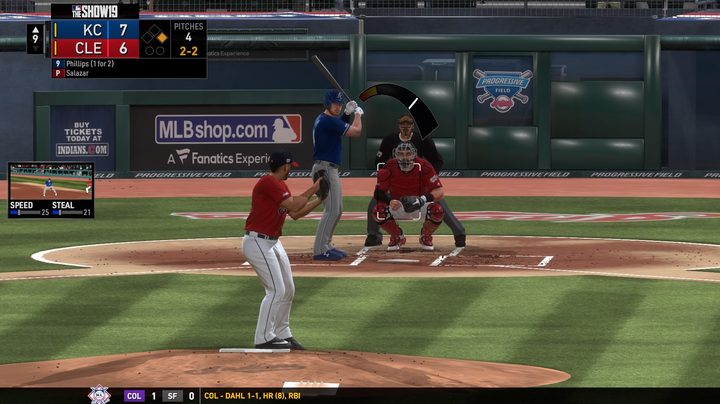
Though there are multiple control schemes for pitching, the default scheme is easily the best, giving you versatility while remaining relatively easy to execute on a consistent basis. Above the plate is a curved meter. It curves upwards to the left for right-handed pitchers and upwards to the right for left-handed pitchers. A strike box overlay shows you where you need to place the ball in order to get called strikes.
Each pitch is assigned a face button (or R1 if a pitcher has five pitches). You simply select your pitch, choose the location with the analog stick, and press the button again to start the meter. As the meter fills, you need to pay attention to the upper red portion. You need to press the button again in the red portion and then a third time as it enters the small sliver of yellow on the way back down. The closer you are to the sliver, the closer the pitch be to your chosen location.
Favor control over velocity
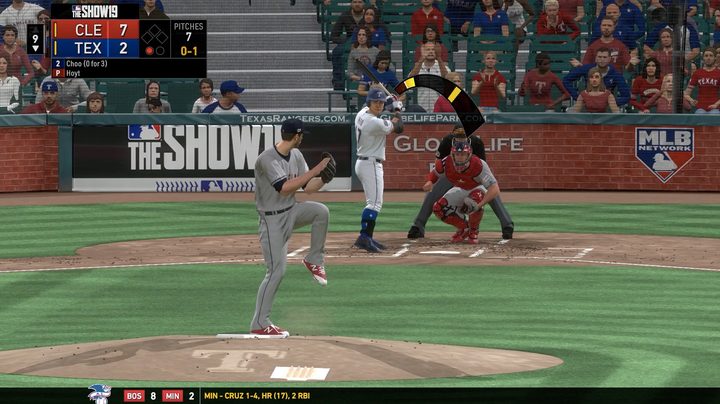
When it comes to the red meter up top, it’s easy to think that waiting for the meter to be completely full is ideal. This isn’t necessarily the case. The red meter determines velocity, so the higher up you wait to press the button, the faster the ball will go. However, higher velocity means that the meter will fling back faster, making it harder to control. In reality, you usually want to stop the meter just before it enters the red to be able to have optimal control.
The reason? Pitch placement is more important than speed when you really start to dig into The Show. A 100 mph fastball that misses the corners in favor of the middle of the plate is an easily hit pitch. But a 90 mph fastball that nips the outside corner is not so easy to make solid contact with.
Determining the pitch
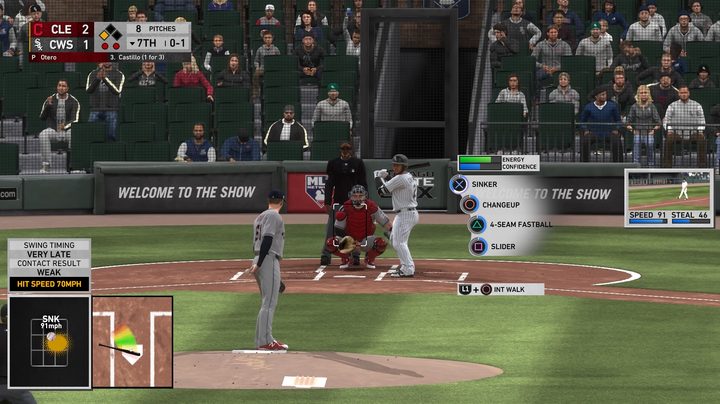
Knowing what pitch to use is a learning process. Default settings offer suggestions via your catcher for every pitch, and this can be helpful in understanding the flow of pitches and ideal locations when facing certain batters. All starting pitchers have a mix of fastballs, breaking balls, and off-speed pitches in their arsenal. The most common types of pitches you’ll come across are Four and Two-Seam fastballs, Sinkers, Curveballs, Sliders, and Changeups. These are the bread and butter pitches in The Show 19. Our guide for the 2017 version of the game covers every pitch you can possibly see in-depth.
Generally, at least half of your pitches should be some form of fastball. Fastballs are by far the most common pitch in baseball for a reason. They zip by quickly and can be kept on location much easier than breaking balls when it comes to timing.
Stick to the corners
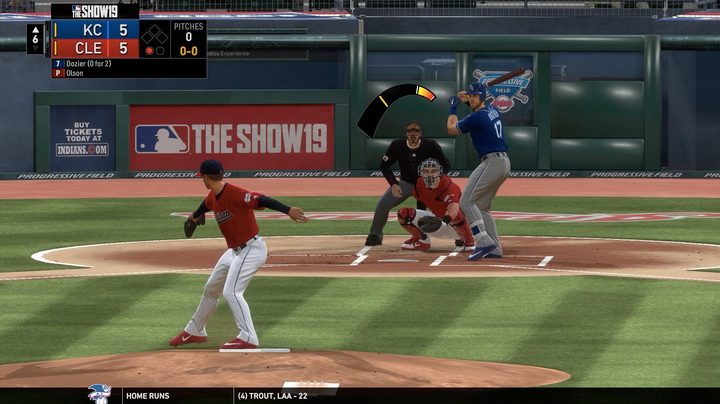
The brunt of your work on the mound should be aimed around the edges of the strike zone. It’s rare to face a batter who excels around the entire strike zone, so you can almost always paint one of the corners and leave them at a disadvantage out of the gate. Aiming for the corners and around the perimeter of the strike zone helps you in multiple ways. First, it’s genuinely harder to make solid contact with pitches that are borderline Balls rather than strikes. Second, painting the corners can lead to more strikeouts simply because batters won’t easily be able to tell if it’s a Strike or Ball. This leads to early and late swings, as well as no swings at all.
Make batters chase bad pitches
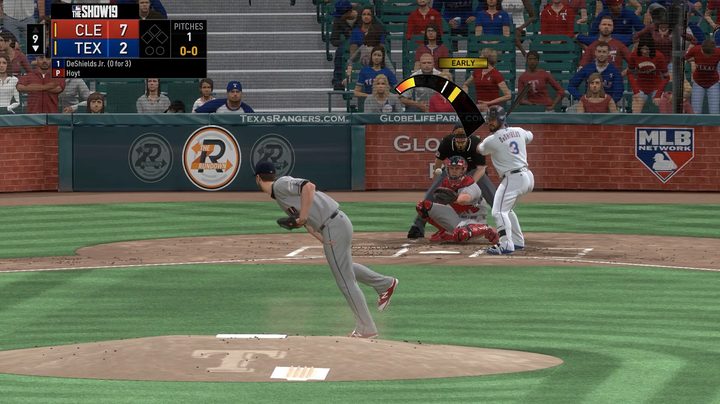
As the pitcher, you have the ability to deliver a pitch that is virtually impossible to hit. While we typically advocate for dancing around the strike zone, when you’re ahead in the count, the game changes. If the count is 0-2 or 1-2, it’s advantageous to throw a pitch or two outside of the zone on purpose to see if they’ll get nervous and chase a clear Ball. We’re not talking about lobbing one right next to their bat or three feet outside the zone, but just enough outside that even if they manage to make contact, it’s not going to be solid contact. Breaking balls are particularly good pitches to throw in these situations as they are deceptive by nature. You can start them out in the zone only to have them break far outside as the ball crosses the plate.
Pay attention to energy and confidence
Besides the pitch meter, there are two other on-screen bars you need to keep an eye on — Energy and Confidence. Energy is fairly self-explanatory. The more pitches you throw, the less energy your pitcher will have. As a pitcher gets tired, velocity goes down and breaking balls can be less pronounced. For your starting pitcher, when energy dips below half, it’s a good idea to get two pitchers up in the bullpen to warm up.
Confidence, on the other hand, isn’t as easily defined. Basically, when this meter starts to go down, it means your pitcher is shaken. Usually, this occurs after the opposing team records a series of hits, if you walk multiple batters in a row, or by giving up a home run. When confidence goes down, the speed of the pitching meter increases, making it hard to control both velocity and location. If things start to go downhill quickly, you need to make a substitution as soon as possible. Like real baseball, problems on the mound can compound and balloon rather quickly.
Intentional walks
In situations where there are less than two outs and a runner on second or third, you should consider intentionally walking batters. This can be done with the press of a button and is especially beneficial when you’re facing a good batter. The reason for the intentional walk is to set up a double play opportunity to end the inning without allowing your opponent to bring in the runner from scoring position. You may even want to intentionally walk great batters when no one is on base when you have two outs, simply because it’ll be easier to get the third out from the next batter.
Fielding tips
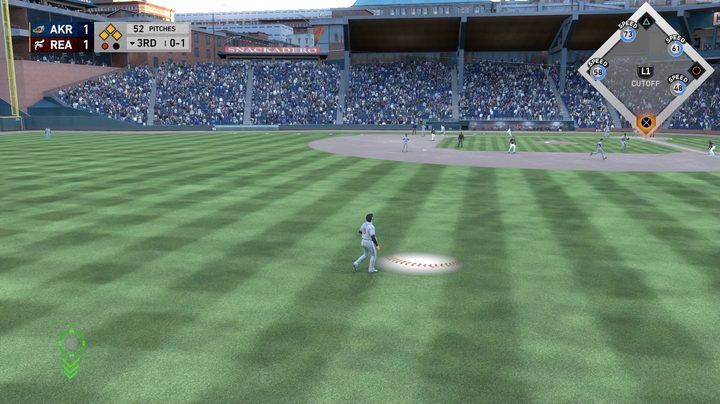
Fielding is the easiest aspect of MLB The Show 19 because the game really does help you out by putting your position players in the right spots to make plays. Still, there are a few things you should know and do to help keep the opposing team from racking up runs when the ball is put into play.
Momentum
As mentioned, the game puts your players in the right spot a lot of the time, but you still have to finish the job. Because of the way fielding animations work, you don’t actually have to do as much as you think, though. Momentum carries you forward when catching fly balls in the outfield. In fact, it can be easy to overdo it if you try to get too cute with fielding. Eventually you’ll get a good feel for it, but at first remember that less is more.
Charging throws
With runners on base already, you’ll have the opportunity to pre-charge your throws before making the catch in the outfield. Simply stand on the blue line on screen and press and hold the button that corresponds with the base you want to throw to.
The cutoff man
Catches made deep in the outfield, even ones where you can pre-charge, need to be thrown to the cutoff man, not the actual base. Pressing L1 throws the ball to an infielder that will then relay the throw to your destination. This can be hard to remember in the heat of the moment, but throwing to the cutoff man leads to more outs and fewer errors. Trying to throw the ball from the warning track to third base can lead to errant throws and even more damage on the scoreboard.