  1. Home
  2. Phones
  3. Mobile
  4. How tos

Have an iPhone that won’t turn off? Here’s how to fix it

Add as a preferred source on Google
person holding an iphne 15 pro max.
Bryan M. Wolfe / Digital Trends

When you try to turn off your iPhone 15 or any other model, you may encounter a situation where it doesn’t turn off as expected. Maybe you're getting ready for bed, want to keep your phone silent while you head to the movies, or it's acting up and you need to reset it. There are numerous situations where you may want to turn your iPhone off, and if it refuses to, that can obviously be quite annoying.

Recommended Videos

Difficulty

Easy

Duration

10 minutes

What You Need

  • Your iPhone

There could be various reasons for this issue, and identifying what's going on isn't always 100% clear. Thankfully, fixing an iPhone that won't turn off is often a very simple process. Here's what you need to know.

person holding an iphone 15 pro max.
Bryan M. Wolfe / Digital Trends

Why your iPhone won't turn off

There could be several reasons why your iPhone won’t turn off. For instance, it could be due to a software glitch, a faulty button, or a screen malfunction.

The software glitch could be caused by a recent update or an app that is not working properly. The faulty button might be physically stuck or non-responsive. A screen malfunction, such as unresponsive touch input or a frozen display, could also cause this issue.

Apple iPhone 15 Plus and Apple iPhone 15 Pro Max seen from the back.
Apple iPhone 15 Plus (left) and Apple iPhone 15 Pro Max Andy Boxall / Digital Trends

How to fix an iPhone that won't turn off

If you have an iPhone that won't turn off, you're in the right place. Follow these troubleshooting steps, and your iPhone should be good to go in just a few minutes.

Step 1: The first thing to try is the built-in software tool for turning off your iPhone. You can access this in the Settings app under General. Tap Shut Down to initiate the Slide to Power Off function, which should resolve your issue.

Screenshot showing how to turn off your iPhone using the Settings app.
Bryan M. Wolfe / Digital Trends

Step 2: If that doesn’t work, you can try a hard reset to turn off your iPhone. The process works for phones that support iOS 16 and later. First, press and release the volume up button on your iPhone and release it. Next, press and release the volume down button. Then, press and hold the side button on your iPhone. You can release the side button once you see the Apple logo on the screen. There are different steps to follow to do a hard reset on older iPhones.

Step 3: If you are still experiencing difficulties, go back and retry steps 1 and 2 to simply confirm whether they are effective. Assuming they aren’t, you might have to consider restoring your iPhone from a backup. It’s a process that will take more than a few minutes, but it could resolve the issue.

Step 4: If you’d rather not perform a restore, there’s another possible solution: wait. Eventually, the battery on your iPhone will be drained. Once that happens, recharge your iPhone and see if you can then turn it off as normal.
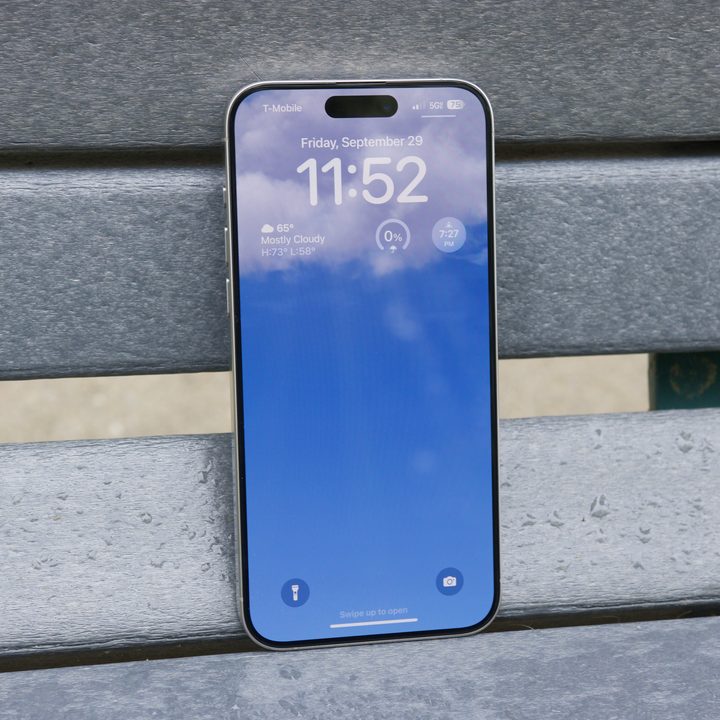
Lock Screen on the iPhone 15 Pro Max.
Joe Maring / Digital Trends

What to do if your iPhone still won't turn off

Still experiencing issues? You should reach out to Apple Support. A representative will likely ask you to follow the mentioned steps before providing further recommendations. In any case, Apple has the necessary tools to resolve this problem if everything else fails.

Bryan M. Wolfe
Former Mobile and A/V Freelancer
Bryan M. Wolfe has over a decade of experience as a technology writer. He writes about mobile.
Spotify meets Snap Map in Snapchat’s latest update
The new Now Playing feature adds real-time music sharing with customizable privacy controls.
Now Playing on Snap Map Spotify Snapchat featured

Snapchat is giving Snap Map a musical makeover. The company has announced Now Playing, a new feature that lets users share the music they're listening to in real time directly on Snap Map. Launching first with Spotify, the integration allows friends to discover each other's favorite tracks, save songs, and jump straight into Spotify without leaving Snapchat. The feature is rolling out now in regions where both Snapchat and Spotify are available, with Canada set to receive it soon.

How Now Playing works

Read more
OnePlus is building another flagship monster for a shrinking audience, and its expected to launch in October
OnePlus 16 could launch in October, but it may not leave China
Rear shell of OnePlus 15.

While OnePlus may have exited the US and Europe, the brand is still alive in its home market and is already working on its next flagship smartphone. A fresh leak from Chinese tipster Digital Chat Station has now revealed more details about the OnePlus 16, including its design and a revised launch timeline.

The tipster previously claimed that the phone would arrive in September 2026, but the latest information points to an October launch in China (via Gizmochina). The global picture is far less clear, and there is now even some doubt over whether the OnePlus 16 will make it to India, which remains the company’s biggest market.

Read more
Samsung has another wild foldable phone lined up for 2027 and it will excite screen connoisseurs
Samsung wants another giant OLED folding inside your pocket
Samsung Galaxy TriFold unfolded

Samsung just gave foldable fans a wider 4:3 canvas with the Galaxy Z Fold 8. But that still isn't enough screen for the company. Samsung has reportedly begun early development of a successor to the Galaxy Z TriFold, its dual-hinged phone that unfolds into something much closer to a proper tablet.

According to Korean publication ETNews, Samsung has already shared information about the next-generation project with suppliers, but its final specifications have yet to be decided. One detail should immediately grab the attention of anyone who buys a foldable primarily for its display. A source familiar with the project told ETNews that Samsung is currently targeting a screen size similar to the original TriFold.

Read more