1. Home
  2. Smart Home
  3. How tos

How to reset the Arlo Pro 4 security camera

Add as a preferred source on Google
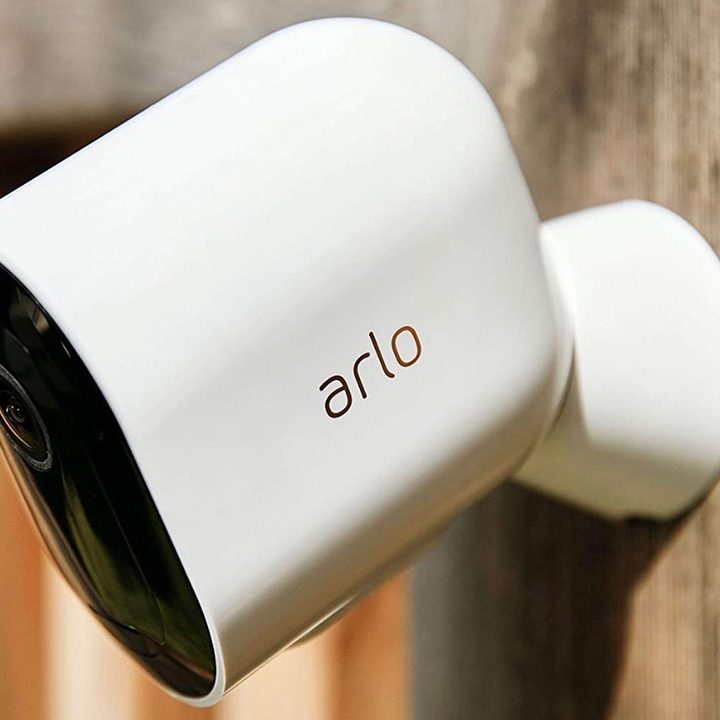
The Arlo Pro 4 home security camera installed outdoors.
Arlo

The Arlo Pro 4 is one of the best security cameras of 2024, offering crisp footage, superior night vision, and a generous 160-degree viewing angle. But if you're running into any pesky glitches or are gearing up to sell the camera, you might be inclined to perform a factory reset. Doing this will wipe all your settings and data from the device, allowing you to start fresh or give it away without handing the next user all of your data. Arlo made it easy to reset the Pro 4 – here's how to get the job done, including steps for a camera that's currently offline.
Recommended Videos

Difficulty

Easy

Duration

10 minutes

What You Need

  • Arlo Pro 4

  • Arlo Secure App

The Arlo Pro 4 home security camera installed outdoors.
Arlo

How to factory reset the Arlo Pro 4 with the Arlo app

After opening the Arlo Secure App and ensuring your camera is online, here's how to reset your camera.

Step 1: Open the Devices menu.

Step 2: Select your Arlo Pro 4.

Step 3: Select the Settings icon (it's shaped like a gear).

Step 4: Select Device Name.

Step 5: Select Remove Device, then confirm the action by clicking Yes.

Step 6: If you'd like to reconnect your device, simply head to the Devices menu and click on the Plus icon. You'll then be given instructions on how to reconnect the device. If you're giving away your Arlo camera, there's no need to reconnect it to your Arlo app.

Step 7: Note that some versions of the Arlo app might have menus with slightly different names (My Devices versus Devices), but the overall steps should remain the same.

How to factory reset an Arlo Pro 4 that's offline

If your Arlo Pro 4 is offline, you'll need to use the Sync button to perform the factory reset.

Step 1: Unmount your Arlo Pro 4 and locate the Sync button. This is the tiny button on the bottom of the device.

Step 2: Hold the Sync button for 15 seconds. The LED should start flashing blue. Release the button.

Step 3: The LED light should now flash amber three times before starting the factory reset process. If the button was held too long, these amber lights won't appear. In that case, try holding down the Sync button for 15 seconds again.

Step 4: You can now jump into the Arlo app to factory reset the camera.

Step 5: From the app, go to Devices, select your Arlo Pro 4, then select Device Name and Remove Device.

Step 6: You'll now have the option to either reconnect it to your Arlo app, or leave it in the factory reset status for the next owner.

If your Arlo camera is still running into trouble, be sure to look at our guide to how to fix an Arlo camera that's offline. Possible solutions include power cycling the security camera, ensuring its temperature is within a normal operating range, and verifying you're using the proper charging cable for your batteries.

Jon Bitner
Former Digital Trends Contributor
Jon Bitner is a writer covering consumer electronics, technology, and gaming. His work has been published on various websites…
Top Smart Home Upgrades Worth Making Before Your Summer Break
From outdoor monitoring to smarter front-door security, these EZVIZ devices combine smart protection with daily convenience
Person, Security, Electronics

Summer often brings a welcome change of routine for homeowners across Europe. Family holidays, weekend getaways, and longer days spent outdoors mean more time away and fewer opportunities to stay connected to what's happening back at the property. While it's a season for slowing down and enjoying the warmer months, everyday responsibilities don't simply pause. Deliveries still arrive, visitors may stop by unexpectedly, and trusted family members, cleaners, or pet sitters may occasionally need access while you're away.

Modern smart home technology makes those situations easier to manage. Today's connected devices can do far more than record footage or send motion alerts. They can help homeowners monitor outdoor spaces around the clock, stay informed about important activity, communicate with visitors remotely, and manage entry without needing to be physically present. Instead of constantly checking in or wondering whether everything is running smoothly back home, the right setup can provide greater visibility, convenience, and peace of mind throughout the season.

Read more
EZVIZ Sets a New Benchmark for Battery Powered Home Surveillance
Because every property deserves protection without compromise
Person, Security, Tape

Battery-powered smart cameras have become one of the fastest-growing categories in home monitoring. Once valued primarily for their seamless installation, today's models combine advanced visual technology, AI-powered intelligence, and dependable long-term performance that rivals many traditional wired systems. As innovations such as Always On Video 2.0 and solar charging continue to improve everyday usability, battery cameras are becoming the preferred choice for homeowners seeking flexible, comprehensive outdoor protection.

This shift has also raised expectations. Modern users want more than clear video. They expect smart detection, reliable monitoring, seamless smart home integration, and solutions that adapt to different property sizes and lifestyles. As one of the world's leading smart home camera brands, EZVIZ has responded by building one of the industry's most comprehensive portfolios of battery-powered cameras. The lineup is designed to serve every living situation, whether for renters or owners of apartments, condominiums, or villas. From accessible options for everyday monitoring to advanced multi-lens systems for larger and more demanding environments, the portfolio reflects a strong focus on innovation, user-centric design, and real-world needs.

Read more
Beatbot AquaSense X review: The pool cleaner for those that want to be pampered
It's a nothing short of a self-cleaning nirvana for your pool. But as they say, nothing fine comes without a fittingly handsome fee.
Beatbot Aquasense X robot, AstroRinse station and iSkim

view at amazon

Quick take: 

Read more