  1. Home
  2. Music
  3. Mobile
  4. News

Digital Trends may earn a commission when you buy through links on our site. Why trust us?

Sonos Controller app for iOS gets lock screen controls, more in latest update

Add as a preferred source on Google

It’s been years since Sonos stopped offering its own pricey touchscreen remotes in favor of an app that turned the phones users’ into remotes. While that was certainly a welcome change for many, there were still a few issues that made the Sonos Controller app less convenient than it could have been. Users spoke up, and with its latest update for iOS users, Sonos has addressed many of their concerns.

One of the most useful changes in the update is that users can now control their Sonos from the lock screen, where previously, they needed to unlock the phone and open the app. Users can control the volume, pause and resume playback, and skip forward and backward, all while the phone remains locked.

Recommended Videos

Users with an iPhone 6S or 6S Plus will be especially happy. With the new update, the Controller app now supports Force Touch for navigation on those devices. Gently pressing in the app causes Play, Favorites, and Search controls to appear, and Force Touch can also be used to navigate through the app.

Slide Over and Split View functionality are now supported on compatible iPads as well. Split View is supported on the iPad Pro, iPad Air 2, or iPad mini 4, while Slide Over is supported on the iPad Pro, iPad Air, iPad Air 2, and iPad mini 2 or later.

Sonos’ Trueplay has also seen improvements, including a simplified tuning process. The company says that you probably won’t need to wave your phone in the air like a maniac again. If you’ve already tuned your speaker and haven’t moved it, you won’t need to tune it again following the update.

Finally, the update now allows for Rhapsody and Napster — soon to be one and the same — to play at higher bit rates for more detailed sound. The update also fixes a handful of bugs, as almost all updates do. The updated Controller app is rolling out now, and full patch notes can be found in the App Store.

Download for iOS

Kris Wouk
Former Contributor
Kris Wouk is a tech writer, gadget reviewer, blogger, and whatever it's called when someone makes videos for the web. In his…
The best music streaming services of 2025
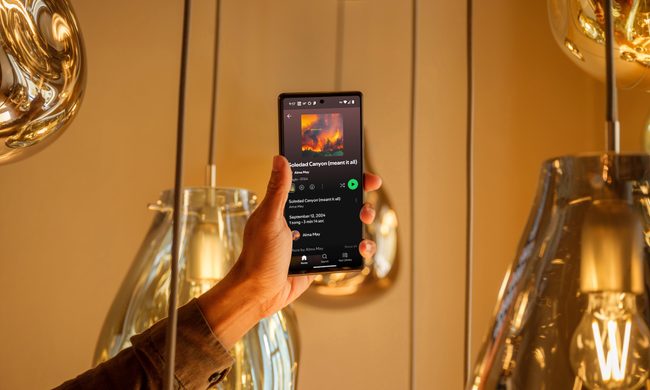
Spotify on an Android device.

Who could have ever imagined that one day we would be able to access the entire discographies of our favorite artists and albums right from our smartphones or tablets, no matter where we are in the world? This remarkable convenience is one of the many wonders of music streaming services, a revolution that has transformed the way we experience and enjoy music.

In today's digital age, numerous audio platforms have emerged, each offering unique features and catering to different tastes. Whether it's Spotify, Tidal, Apple Music, or any of the myriad other options available, these services aim to deliver your beloved tracks, intriguing podcasts, hilarious comedy specials, and countless other sound bites directly to your ears with just a few taps on your screen.

Read more
Save on Avid Pro Tools music production software and start creating magic
Pro Tools end of year sale.

Typically, when you create music, whether a full-fledged track, background music for another project, or even just playing around, you have to use a variety of tools. You might have to jump between applications to do various things, like recording, applying post-production effects, and more. Avid Pro Tools is a comprehensive end-to-end audio production suite that aims to provide you with everything you need. With the tools, you can create, edit, produce, mix, master, and deliver, and much more.

Here's the kicker: For New Year's you can save 33% off and make music for a full year at a heavily discounted price. Normally, you'd pay $99 per year for Avid Pro Tools Artist, but right now it's only $66 per year. That deal will only be available from December 31 to January 3, though, so there isn't a lot of time if you want to take advantage.

Read more
Spotify vs. Pandora: which streaming service should you choose?
spotify vs pandora on iphone

Let's settle a musical debate: which music streaming platform should you use: Spotify or Pandora?

Both services have their unique strengths and weaknesses. Spotify boasts a more extensive music catalog, robust social features for sharing and discovering music with friends, and a more polished user experience across devices.

Read more