1. Home
  2. Phones
  3. Android
  4. Mobile
  5. News

Google undergoes yet another rebrand, this time with Google Play and Android

Add as a preferred source on Google

Why mention work if you don’t have to? That appears to be the question Google is raising (and answering) in its decision to rename a couple of its services. Google Play for Work, which allows organizations to send public and private Android apps to specific devices, has now been rebranded as Google Play, whereas Android for Work, which separates business from personal apps and content, will now be known as Android. Simple, straightforward, and efficient.

“With platform-level support shipping with every GMS [Google Mobile Services] compatible device, Android for Work and Play for Work have become a core part of Android and Google Play,” Google software engineer Adam Connors and product manager Travis McCoy wrote in a blog post announcing the change. “We think this change better reflects the built-in nature of enterprise features of Android and our commitment to enterprise mobility.” In a separate blog post, Google added, “The simplified branding reflects that the APIs these products use have been integrated into Android and Google Play, respectively, and the separate branding is no longer needed.”

So what else is new, other than the name? Well, not much at all. The sparse details can be found here.

Connors and McCoy simply pointed out that Android’s improved capabilities have allowed partners to unlock new use cases, with the open platform powering “a growing range of purpose-built devices from leading manufacturers such as Zebra and Honeywell that can help companies and their employees work in new ways.”

All the same, Google seems committed to further improving its mobile technology and determining how it might benefit businesses, with Google Play and Android leading that charge. If you’re interested in helping accelerate that improvement, you might want to check out the Android Enterprise Partner Summit in January for Google’s Android partners — you can apply to attend here.

Lulu Chang
Fascinated by the effects of technology on human interaction, Lulu believes that if her parents can use your new app…
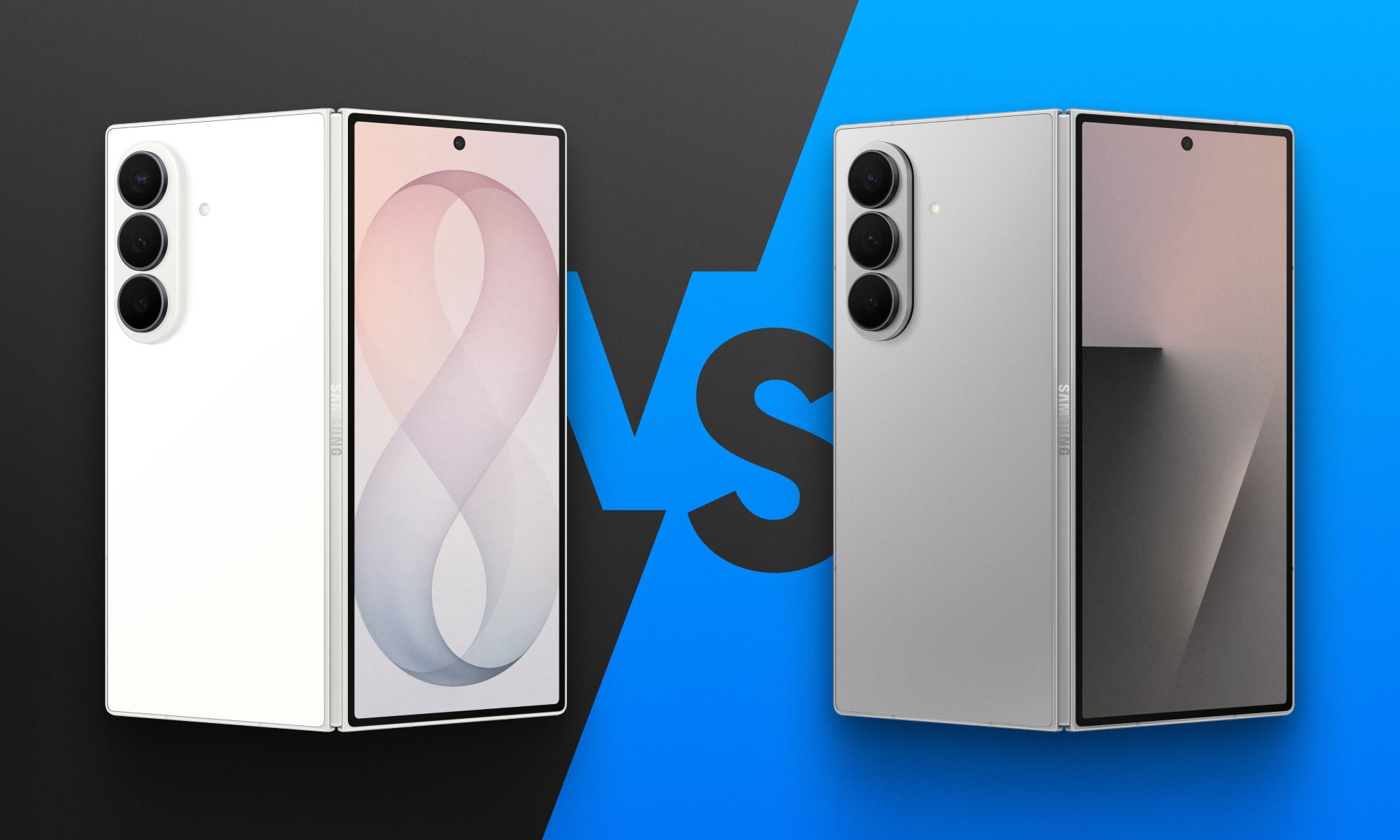
Fold 8 Ultra vs. Fold 7: Upgrades across the board, but is the Ultra really worth the upgrade?
From battery capacity to camera hardware, here's a full comparison between the Galaxy Z Fold 8 Ultra and Galaxy Z Fold 7, and whether upgrading actually makes sense.
Galaxy Z Fold 8 Ultra vs. Fold 7

Foldables age differently than regular smartphones or flagships. But why do I say this? It's the hinge and the foldable aspect that wins buyers over in the first place, not the specifications that get outdated every single year. That's precisely why anyone still carrying last year's Galaxy Z Fold 7 is asking a fair question today: does Samsung's freshly unveiled Z Fold 8 Ultra genuinely earn an upgrade, or does the Fold 7 still hold its ground?

And for shoppers who skipped last year's model entirely and are weighing their first foldable purchase, the calculus is totally different. A now-discounted Fold 7 might undercut the Ultra by a considerable sum, and that could matter to those looking to spend on the form factor, not the latest specifications. 

Read more
Samsung makes it easier to run multiple apps on Galaxy Z Flip 8’s cover screen
Samsung's Galaxy Z Flip 8 now runs 16 apps on its cover screen.
Galaxy Z Flip 8 cover display

Samsung is finally making the Galaxy Z Flip's cover screen much more useful. With the new Galaxy Z Flip 8, you no longer have to rely on workarounds to access more apps without unfolding the phone. Instead, Samsung has expanded native support on the FlexWindow, allowing 16 apps to run directly on the outer display and also making it much easier to launch virtually any other app.

The update addresses one of the biggest complaints Flip users have had for years and brings Samsung up to the level of rivals like Motorola, whose Razr series has long offered a more flexible cover screen experience.

Read more
Google just made switching from iPhone to Android much easier with Android 17
Android 17 can now transfer your passwords, passkeys, eSIM, and even your home screen.
Android-17-switch-ios-to-android

Moving from an iPhone to an Android phone has never been an easy process, but Google is trying to change that. With Android 17, the company has introduced a rebuilt Android Switch that can move far more of your data than any past version ever could.

Google worked with Apple to create the new transfer system from the ground up, allowing far more information to move wirelessly than before. The upgraded experience is already rolling out to eligible Pixel devices and is also available on Samsung's new Galaxy Z Fold 8 and Galaxy Z Flip 8 through Smart Switch.

Read more