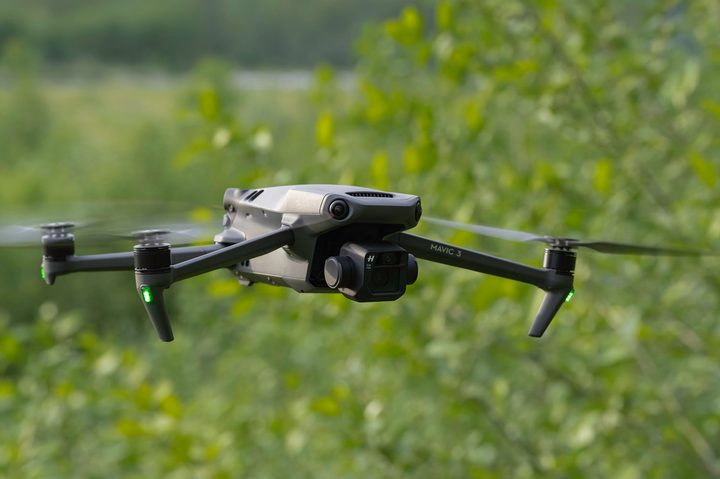
DJI recently launched a new update for its DJI Mavic 3 drone that adds some significant upgrades to the camera. This comes after months of progress that has seen the drone steadily improved since it was released last year. In many ways, the Mavic 3 in 2022 is almost a new drone entirely compared to what it was in 2021. Here’s what I consider to be the most notable upgrades to the Mavic 3 in the latest firmware update, v01.00.0700.
Greatly improved GPS
The constant problem that has dogged the Mavic 3 throughout its lifetime so far has been the abysmal speed at which it acquires a satellite connection. For many months, whenever I wanted to fly the Mavic 3, I’d have to stand there and wait patiently for far too long. When trying to capture a fleeting moment, this is incredibly frustrating. However, this latest update seems to have finally solved the long-standing flaw of this otherwise excellent device.
Now the drone is only a bit sluggish in acquiring a GPS lock when it initially starts up in a new geographic area. Once it knows roughly where it is, I find that it immediately acquires all the satellites it needs. In my estimation, it’s now at least on par with the Air 2S and Mini 3 Pro drones.
Huge telephoto camera upgrades
The telephoto camera on the Mavic 3 is one of the most innovative features to be implemented in a drone in many years. Yes, the image quality from this secondary camera isn’t nearly as good as the primary camera and its enormous sensor, but it’s a handy tool nonetheless.
There are a lot of situations where you just can’t fly close to the subject you want to photograph. For example, you can’t fly in a national park, but with the 7x zoom range of the Mavic 3, it’s possible to get an aerial view of a park from well outside its borders. Another example is wildlife photography. You should never approach wildlife with a drone, but with a quality telephoto camera, you can film wildlife from so far away that they’ll never know your drone is there.

With all this in mind, I’m thrilled to see the telephoto camera improved in a few significant ways. For one, it’s much more stable now. Previously, footage captured with the super zoom camera often needed a fair bit of stabilization in post-processing. Now, jitters are markedly reduced, and unless you’re speeding the footage up for a telephoto time-lapse (as I frequently like to do), the telephoto camera can get nice, smooth footage without the need for extra digital stabilization.
A small but meaningful change has also been made to the way in which you switch between the super telephoto lens and the primary camera. Before, you had to change to Explore mode and then scroll through digital zoom options until you got to the 7x optical camera. Explore mode is still there if you prefer it, but now, getting to the telephoto camera is done just by tapping the 7x icon next to the shutter button. This might not seem like a big deal, but if you frequently use the telephoto camera with the Mavic 3, it makes a huge difference.
The third (and perhaps most significant) upgrade to the telephoto camera is the addition of RAW image capture. The lack of RAW capability in the telephoto camera was a disappointment to me when I first started flying the Mavic 3, as I prefer to shoot still photos in this format. It gives me the ability to correct color, as well as to save overexposed or underexposed areas of the image that would be lost in a compressed JPEG image. You also now have the ability to control shutter speed and ISO when shooting with the telephoto camera, as well as alter a few other photo and video settings that were previously unavailable in telephoto mode.
Nifty new options for obstacle avoidance
The ability to capture cinematic video while avoiding trees and other objects got a major boost with the release of the new firmware. APAS 5.0 has received an optional new Nifty mode, which essentially allows the aircraft to pass more closely to objects than in the standard mode. This makes it possible to fly the Mavic 3 through terrifyingly narrow gaps with APAS 5.0 activated, thus providing some degree of safety in hazardous situations. The caveat, as the app will warn you, is that this mode does increase the chance of accidental collision.
I’m able to capture much more dynamic and exciting footage when flying with APAS 5.0 Nifty activated than in other obstacle avoidance modes. A drone flying in Nifty mode can pass through quite narrow openings in trees. It’s important to note that I am a very experienced drone pilot, and if you’re not used to flying in close-quarters situations, I recommend flying with caution and not getting into situations where you’re relying on obstacle avoidance systems to keep you from crashing. Still, if you’re comfortable with more challenging flying, it’s a wonderful feature to have.
More filming options with HLG
HLG stands for Hybrid Log Gamma, and it’s a High Dynamic Range (HDR) format. But unlike other HDR formats, HLG is backward compatible with standard dynamic range displays. This makes it a highly versatile format, and it’s one that I personally have come to love recording in. It’s less work to edit in than D-log, but offers many of the same advantages as that format. It’s become my go-to setting with the Mavic 3, though it’s only available when filming with the main camera.
If you are typically shooting in D-log format, DJI now offers a compatible Rec.709 vivid LUT to aid in editing. You also now have the option to shoot at up to 200 frames per second at 1080p using the main camera on the Mavic 3, which is a great option to have if you need to capture super slow-motion. D-Log and HLG are also now available in most of the special modes like Quickshots and Hyperlapse, which makes such features much more useful and easier to integrate into your workflow. For owners of the more expensive Mavic 3 Cine, DJI has added ProRes 422 and ProRes 422 LT format to the main Hasselblad camera.
A fantastic drone gets even better
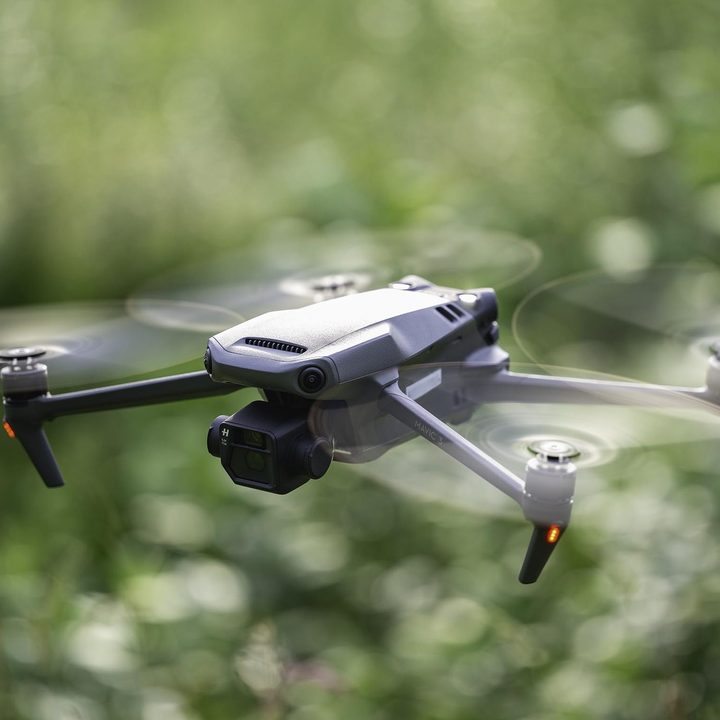
When you add these major new features to a long list of other minor upgrades and fixes featured in this firmware update — and to over half a year’s worth of other consistent and significant improvements — you really see DJI’s dedication to the Mavic 3. It’s managed to iron out practically all of the flaws that were initially apparent at launch to create what might very well be called the perfect drone. If you were on the fence about upgrading to the Mavic 3 before, it’s more tempting now.
It’s still a very pricey device, and though it more than justifies that cost, there are some great options out there that won’t be quite so hard on your wallet. The DJI Mini 3 Pro, for example, is a drone that I awarded a perfect score to last month, and despite being less than half the price of the Mavic 3, it’s nonetheless remarkably competitive and is a preferable option if size and weight are a major consideration. Another option would be the Air 2S, which remains a favorite of mine and can now be paired with the Insta360 Sphere to capture unique 360 drone footage.
However, if you’re searching for the best drone money can buy, the Mavic 3 still retains that title. And now it’s better than ever.