This guide has been updated since its original publication to reflect hardware and software updates. Multiple members of the Digital Trends staff contributed to this guide.
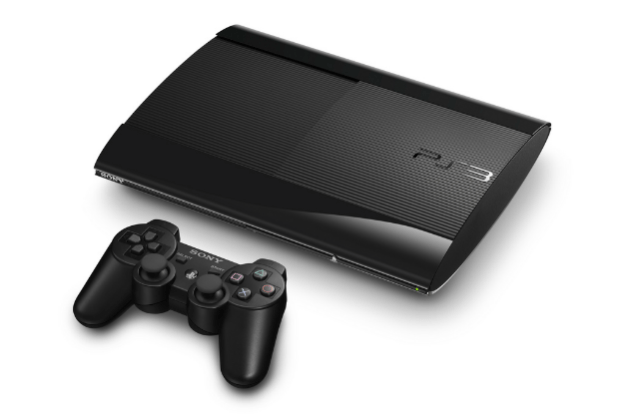
Like many people living in the digital age, my digital media was scattered among various drives, computers, and discs. I wanted seamless central control over all of it, so I decided to use my Sony PlayStation 3 as a media hub, with my 40-inch Samsung HDTV as a monitor. Now I can view or listen to all my photos, videos, and music via my TV screen, no matter where they are. Here’s a guide to building a digital media command center in your living room.
LEVEL 1: Connect to your home network
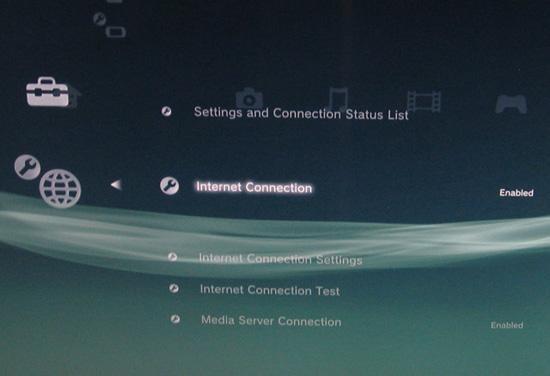
In the PS3’s main menu, navigate to Settings – Network Settings – Internet Connection, press X on your SixAxis controller and make sure it’s toggled to Enabled. Then go to Internet Connection Settings (also under Network Settings), and select your network name (SSID). Enter the network password if you have one.
If you have the original WiFi-less PS3 20GB, you can still connect it to your network by plugging the console into your router or extender (like an Apple Airport Express) via Ethernet cable.
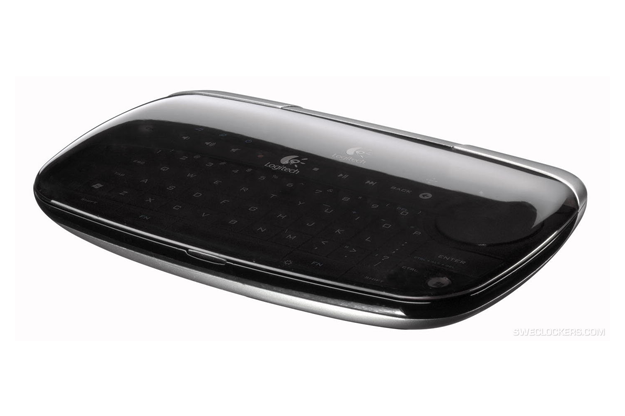
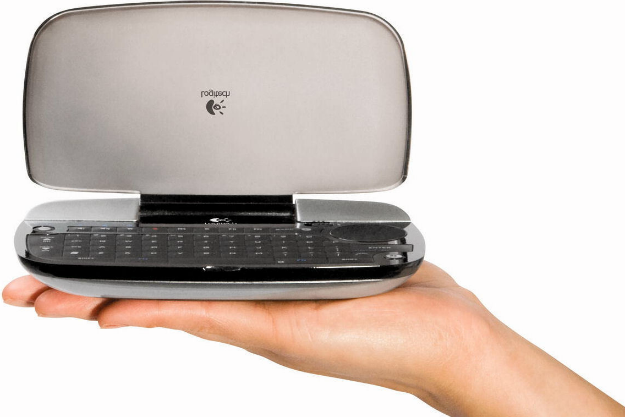
Bonus Points: A Logitech diNovo mini Bluetooth keyboard comes in very handy for entering network passwords and any other text. There’s a complete guide to pairing and using it with a PS3 here.The pairing process is very similar to setting up a Bluetooth headset on a cell phone. You can check out our full Logitech diNovo mini review.


Extra Life: If your network consists exclusively of 802.11n-compatible hardware, bypass the PS3’s slower (802.11b/g) wireless connection by plugging it directly into your router or an extender (we used an Airport Express) via Ethernet cable. Adjust your router’s wireless settings to operate in 802.11n mode only. And if all your hardware supports it, switch to the 5GHz frequency band for a 60-100 percent speed bump and less interference. This can be a lifesaver when you’re copying lots of files to your PS3 over a network.
LEVEL 2: Connect to your computers
Go into the PS3’s Settings menu and navigate to Network Settings – Media Server Connection, and select Enabled. This allows the PS3 to detect networked computers running Universal Plug and Play (UPnP) server software.

WINDOWS 7/Vista: Windows users have a number of useful options when it comes to serving media files from their PCs. The latest version of Windows Media Player is generally the easiest option because it comes preinstalled with Windows, but a number of third-party applications also exist that offer better file compatibility and more advanced features. Plex and PS3 Media Server are two extremely popular packages that transcode file formats the PS3 doesn’t natively support. For instance, the PlayStation 3 doesn’t natively support playback of lossless FLAC files, but Plex will transcode them into other compatible formats on the fly.
For this particular tutorial, we used Plex. If you have media on either a Mac or a Windows computer (or both), we recommend Plex for its cross-platform compatibility, its clean and easily navigable interface and all the advanced connectivity features you can get. Oh, and did we mention it’s free?
First, you’ll need to download Plex. You can do that here for OSX and here for Windows. The important one is the Plex Media Server. The Plex Media Center is optional, but if you’re in the market for a new media center, it’s definitely worth a look.
After you’ve downloaded the Plex Media Server, click through all the necessary setup windows to install it. Following installation you’ll need to add media to your library. This process differs a bit for Windows and Mac.
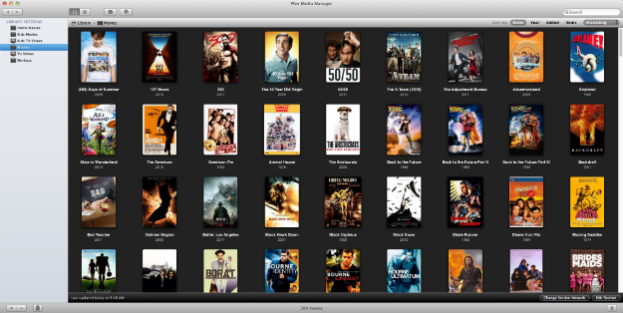
MAC: After you’ve successfully installed the Plex Media Server, an icon in the shape of a black chevron should appear in your menu bar. Click on it to access a drop down menu and then choose Plex Media Manager.
A window will appear. At the bottom left you should see + and – buttons. Click on the plus button to add media. From here, you’ll need to tell Plex where your media is located. You can either drag folders into the list or click the + button to browse your folders in Finder. Find the right folders for your media and click Open to add them to Plex.
WINDOWS: After a successful install, a Plex icon will appear in your taskbar in the lower left. Select it and then click Plex Media Manager in the popup menu.
This will open up a new window in your default browser. From this point onward it’s simple. Just click on the sections for which you’d like to add media (movies, music, tv shows, etc.) and a drop-down window will appear. Click the Add button to add media. Another window will appear and you’ll be prompted to select the path to the folder where your media is. This can be done manually or by browsing your files.
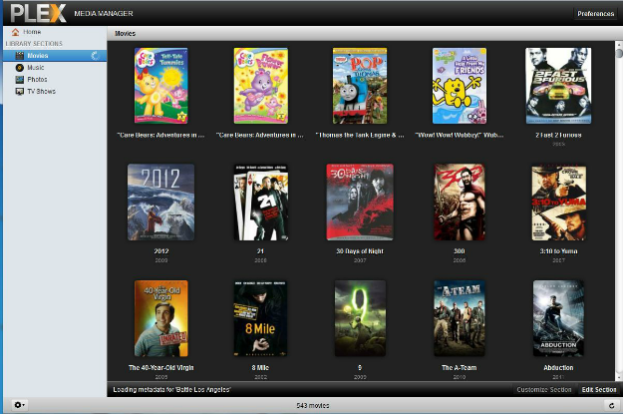
Achievement: Use Plex’s list of metadata agents to find album art for your music, and posters pics for your movies. The added aesthetic makes everything look even more gorgeous.
LEVEL 3: Connect to extra storage
This part is simple — just plug in your thumb drive or USB hard drive to any of the PS3’s USB ports. My 300GB Maxtor USB hard drive showed up as “USB Disk (One Touch II)” in the PS3’s video, photo, and music menus. When navigating a USB drive’s folders, use the PS3 menu corresponding to the type of media you’re looking for on the drive, or the files won’t show up.

External drives must be formatted with the FAT32 file system for the PS3 to read files on it. Formatting a drive erases all the data on it, so if your PS3 won’t read your drive, make sure to back up all data before you format.
Memory cards (Memory Stick, SD and its variants, or CompactFlash) go in the labeled slots under the door on the PS3’s front, and they don’t require specific formatting. ‘
Secret weapon: If you have a network-attached storage device (like an Apple Time Capsule with a 500GB hard drive in it), you can access it by mounting the drive on a networked computer. Then select your media server in the main PS3 window, and navigate to Folders – Volumes, and select the networked drive you want. Note that this doesn’t work with Windows Media Player’s UPnP server, but it works fine with Plex.

LEVEL 4: Start watching and listening
Access your content by navigating to Photo, Video, or Music on the PS3’s home screen, and scroll until you see your computer or external drive. If you don’t see your computer’s media server listed, try selecting “Search for Media Servers” from any of the multimedia menus.
PS3 Codec Support
Video: MPG, MP4, AVI, DivX (except v3.11), AVCHD, WMV
Audio: WAV, MP3, AAC, ATRAC, WMA
Photo: JPEG, BMP, GIF, TIFF, PNG
Not supported: Protected content, lossless audio formats (Apple Lossless, FLAC, etc.), RAW image files, or VOB movie files.
Next page: How to copy frequently used files to your PS3 and other tips.
BONUS ROUND: Copy frequently used files to PS3
Even a super-fast 5GHz 802.11n network can’t match the speed of files that live on the PS3 itself. I put my favorite albums, photos, and movies on the PS3’s internal drive via ripping, network copying, and copying from memory cards and USB drives.
To copy files from an external drive, computer, or card to the PS3: Select the folder you want to copy, press Fn+OK on the diNovo or triangle on a SixAxis controller, and choose Copy. Unfortunately you can’t listen to music — or do anything else — during copying.

The PS3’s 80GB internal hard drive gives you about 65GB for your own media — roomy enough for over 500 albums in 320Kbps MP3 format, or nearly 100 full-length movies in AVI format. If you need more room, the PS3’s hard drive is easily upgradable with any 2.5-inch SATA notebook drive and a screwdriver.
Ripping CDs is painless, though you can’t rip DVDs directly on a PS3. Insert the disc, navigate to it in the PS3 menu, and hit Fn+OK on the diNovo or the triangle button on a SixAxis controller. Select Options – Import. To change the default encoding format and bit rate, go to Settings – Music Settings – Audio CD Import and choose AAC, MP3, or ATRAC, up to 320Kbps. It takes 3-4 minutes to rip a CD to 320Kbps MP3.

The PS3 automatically grabs the artist/song info for CDs from the Internet, and it picks up ID3 tags from music files. When you copy items to the PS3’s internal hard drive, they show up in the PS3 menus as folders arranged alphabetically.
Extra Points: Organize your content on the PS3 by navigating to any folder and hitting Fn+OK (diNovo) or the triangle button (SixAxis controller) to access the Options menu. Scroll up, select Group Content, and choose an ID3 tag to group folders by. This helped me out because the music I copied to my PS3 was in a mishmash of Artist and Album folders; grouping them by Artist made it much easier to find items in a long list. You can also sort folders from the Options menu.

Cheat Codes for Common Problems
If your Windows computer still can’t see your PS3, go to Control Panel – Administrative Tools – Services. Scroll down to Windows Media Player Network Sharing Service and double-click on it. If the service isn’t already started, click on the Start button. Then go to Control Panel – Windows Firewall, and click on Change Settings (Vista only), and click on the Exceptions tab (Vista/XP). Make sure the boxes next to “UPnP Framework” and “Windows Media Player Network Sharing Service” is checked.
On your PS3, you may see some DLNA protocol error notifications (we did). Sometimes this was because one of our computers had gone to sleep, and sometimes it remained a mystery. And operation can be quirky: For example, suddenly the PS3 might temporarily become unable to copy multiple items, or it won’t find all the subfolders in a folder. Odd problems like these usually disappear quickly. If they don’t, try restarting your media server software and PS3.
If you’ve run into any other problems using this guide, please let us know in the Comments section!
Play Online
Setting up your PlayStation 3 as a media server works great if you already own an entirely library of media on your Mac or PC, but with a wealth of streaming content from providers like CNN, Hulu and Comedy Central now hitting the Web, you don’t even have to rip or download shows to watch them online anymore.

But what about on the PS3?
When the PS3 was originally released, streaming media was still in its infancy. Users had limited options, and were forced to use the console’s built-in browser to access their favorite streaming services. Thanks to a steady stream of firmware updates, the PS3 can now stream stuff like Netflix, Hulu Plus, Vudu, Amazon, NHL, MLB.TV, and NFL Sunday Ticket just by downloading their respective apps.
All done? Time to sit back, relax, and veg out.
Editors' Recommendations
- Homeworld 3 preload guide: release time, file size, and preorder
- Best video game deals: PlayStation 5, Xbox S and X, Nintendo Switch
- PlayStation reverses course on controversial Helldivers 2 PC change
- All upcoming PS5 games: 2024 and beyond
- Best PlayStation Plus Deals: Save on Essential, Plus and Premium